web
You’re offline. This is a read only version of the page.
close
Skip to main content
Community site session details

Community site session details

Session Id :
Dynamics 365 Community / Forums / Field Service forum / Schedule board booking...
Field Service forum

Schedule board bookings only to allow starting on the hour and lasting for 1 hour

(0) ShareShare
ReportReport
Posted on by 2

Hi,

I've customized the schule baord as far as setting the booking times to default to 1 hour each. However, they only ever want them to start on the hour and it's not that easy to do by just clicking in the schedule board - sometimes it will start at say 10:15 and finish at 11:15 so they then have to amend it to start at 10:00 and finish at 11:00. This will always be the case as this is only used by one of our teams.

Any ideas would be much appreciated.

Debra

Categories:
I have the same question (0)
  • Suggested answer
    Fannie30 Profile Picture
    2,990 Moderator on at
    RE: Schedule board bookings only to allow starting on the hour and lasting for 1 hour

    You want to take a look at Fulfillment Preferences and setting up Intervals and Time Groups.  This document should explain it all in quite good detail. 

    https://docs.microsoft.com/en-us/dynamics365/customer-engagement/field-service/set-up-time-groups

    *************

    If this helped, please mark as helpful for the community.  

  • Al Iggs Profile Picture
    on at
    RE: Schedule board bookings only to allow starting on the hour and lasting for 1 hour

    Can you explain what you mean by "setting the booking times to default to 1 hour "?

    In the settings of your schedule board, you will find a time resolution. Set it tom 60 minutes if you only want bookings to start at the full hour. Another option is the grid view and fulfillment preferences. Using this UX you will get suggested slots, e.g. 10-11, 11-12 etc.

  • Fannie30 Profile Picture
    2,990 Moderator on at
    RE: Schedule board bookings only to allow starting on the hour and lasting for 1 hour

    Good point Alexander in clarifying what is meant.  I "assumed" intervals/time groups but maybe that's a bad assumption.

  • Deb3107 Profile Picture
    2 on at
    RE: Schedule board bookings only to allow starting on the hour and lasting for 1 hour

    Hi,

    I created a new relationship from URS to the Case Entity and then using the 'Book' button within the case to open the schedule board, see available Resources (Users added as Resources) and then find an available slot to make the booking.

    As I'm using the 'Book' button it creates the Resource Requirement automatically.  I looked at Fulfillment preferences as per your recommendation but how can I apply this to a Resource rather than a Resource Requirement?

    Is there a way of maybe applying this to a Resource or Resource Group?

    Debra

  • Al Iggs Profile Picture
    on at
    RE: Schedule board bookings only to allow starting on the hour and lasting for 1 hour

    Hi Debra, still not 100% sure what you're trying to achieve. If you say "sometimes it will start at say 10:15 so they then have to amend it to start at 10:00 ", is your goal to always start at the full hour? Then set the board's time resolution to 1 hour, then regardless where you drop a booking it will always be aligned to the full hour.

    Alternatively use fulfillment preferences, which are tight to the resource requirement, not to the resource. Why do you need to apply it to the resource? If you can explain the scenario, maybe the community can suggest alternative solutions.

  • Deb3107 Profile Picture
    2 on at
    RE: Schedule board bookings only to allow starting on the hour and lasting for 1 hour

    Hi Alexander,

    Below is a series of screen shots which hopefully give you a better insight into what I am trying to achieve.

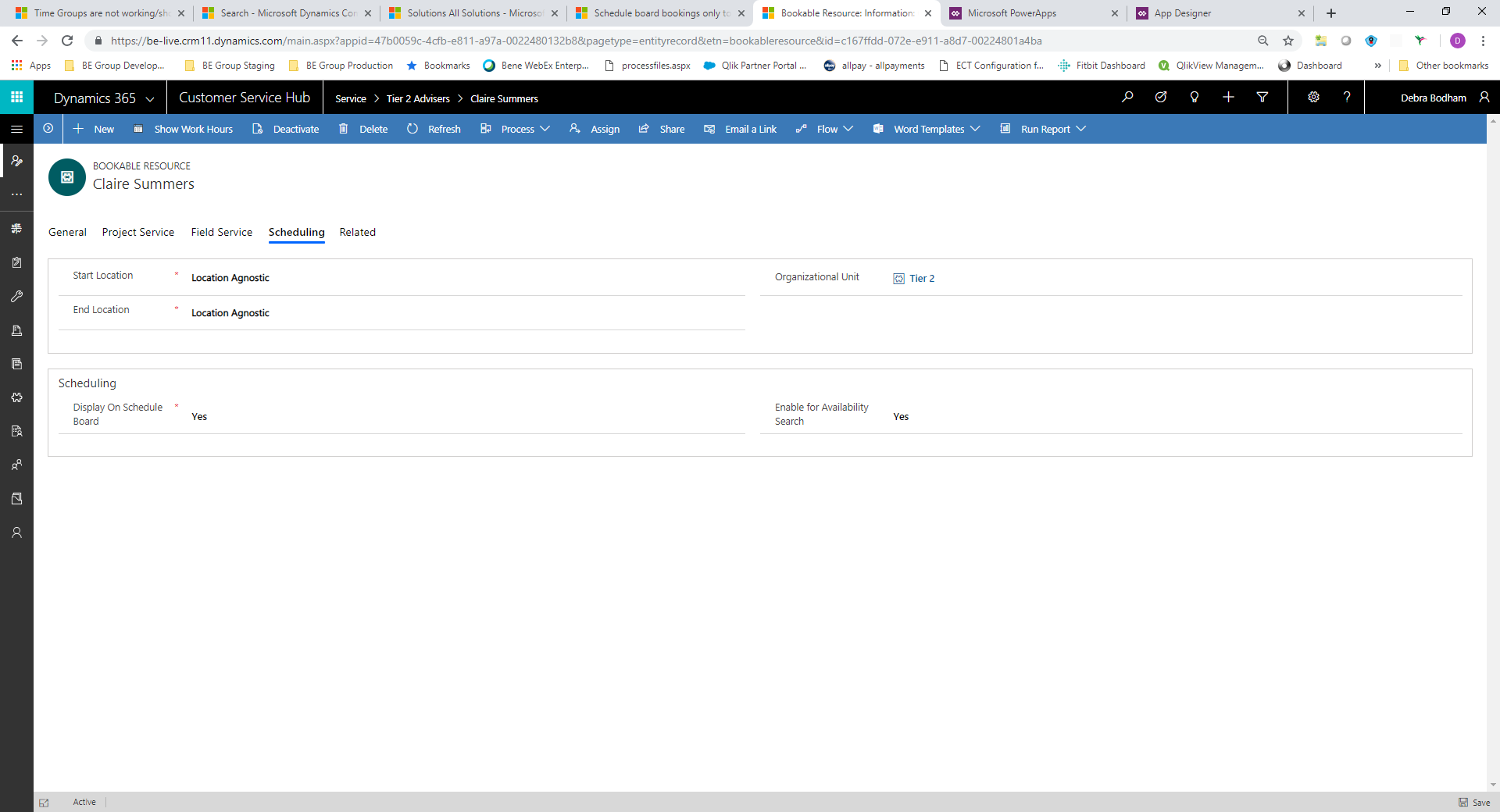
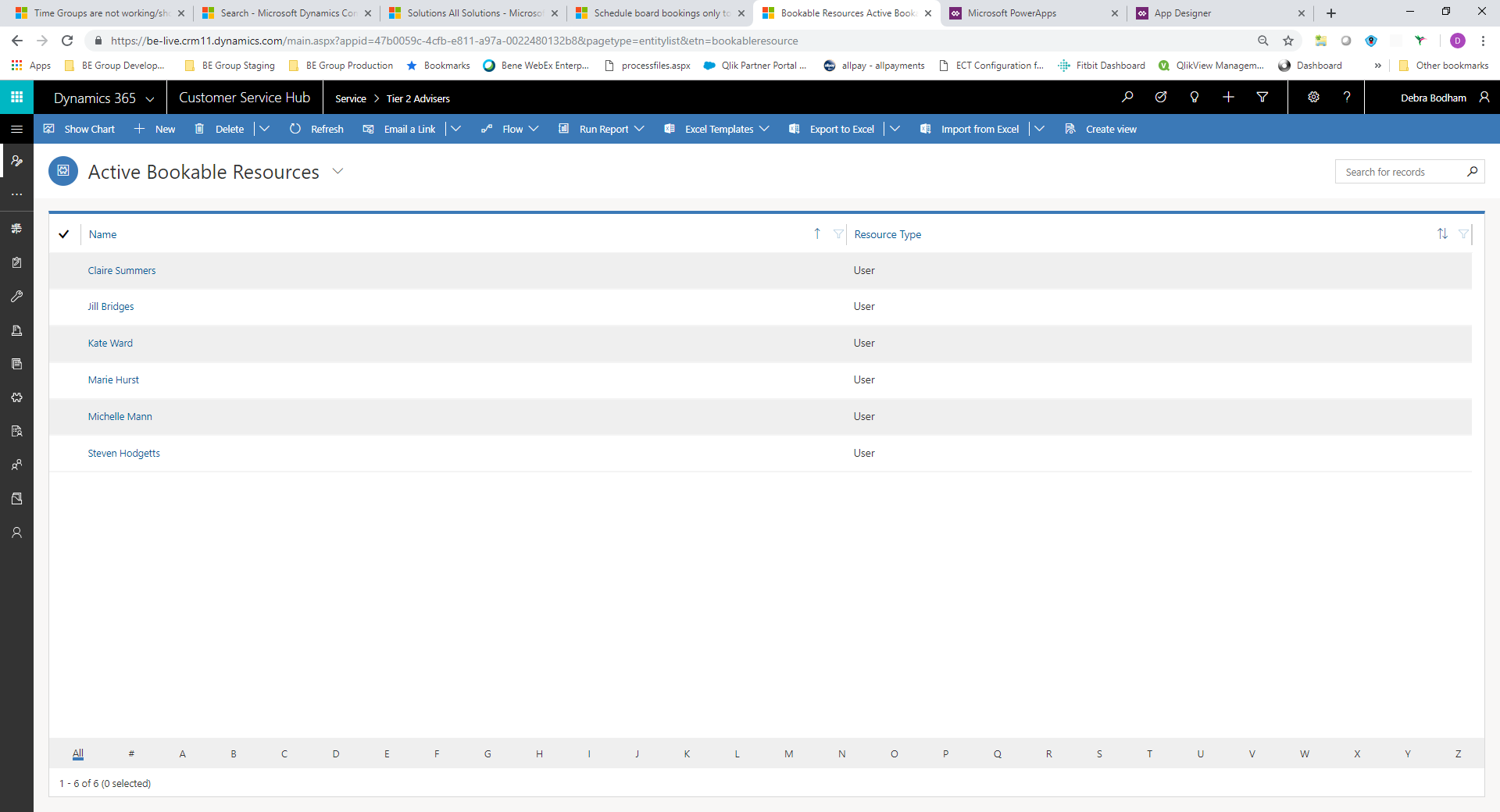
    1. User Resources created within URS
    Booking-a-resource-within-a-case.png

    2. Settings for 1 of the resources

    Resource-Settings.png

    3. Scheduled Board showing Resources and availability
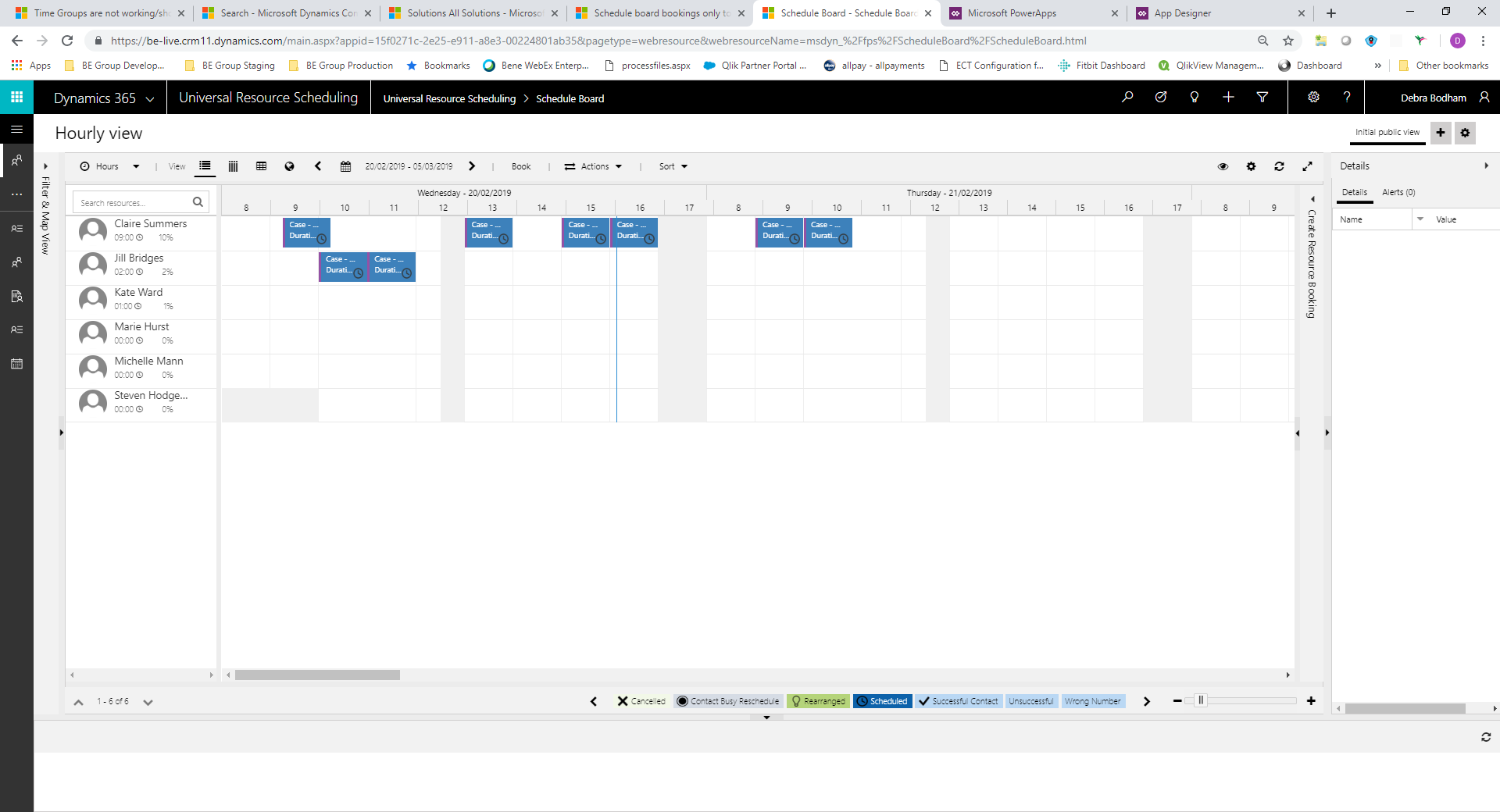
    Schedule-Board.png

    4. Booking a Resource from within a case
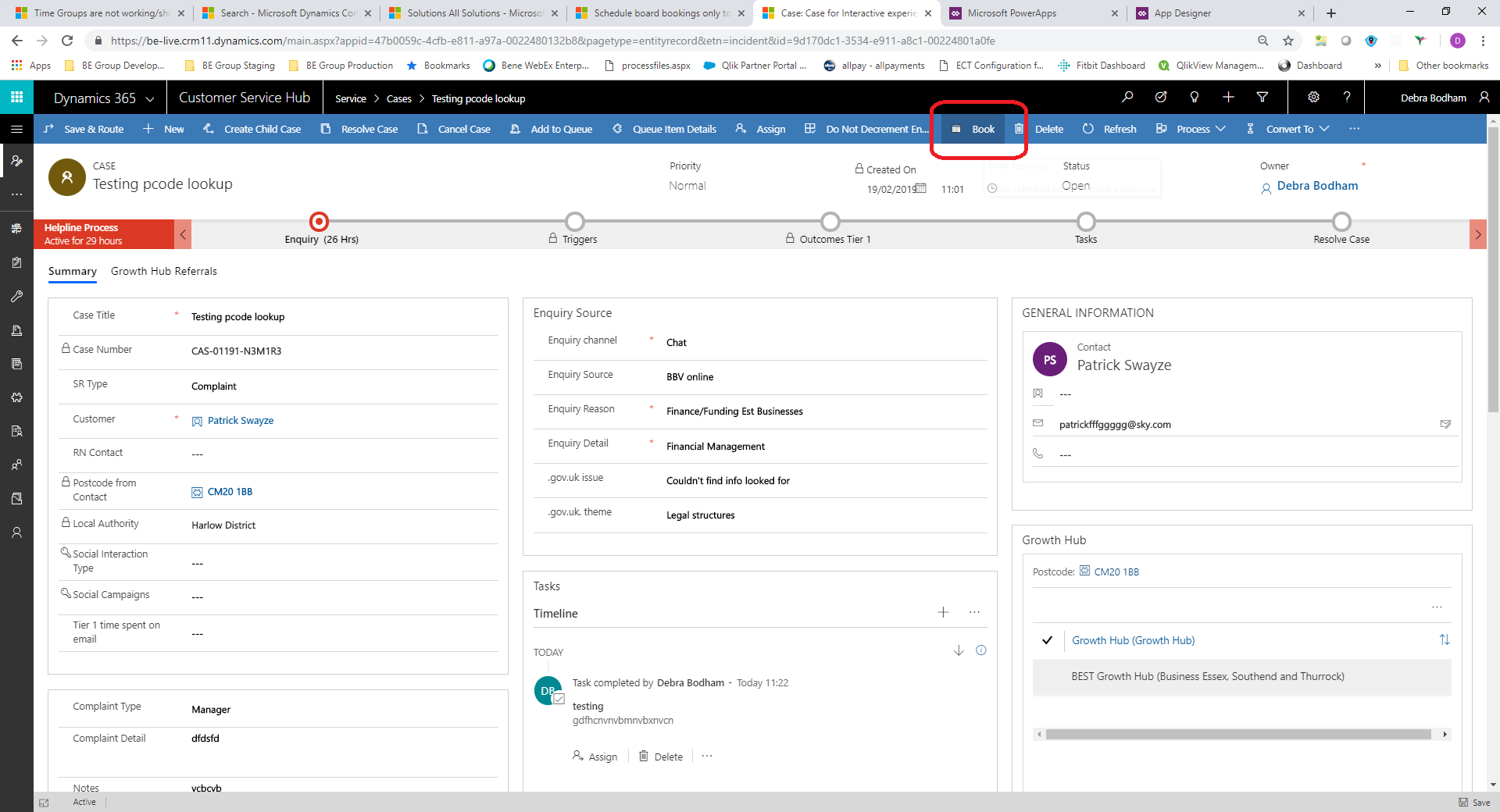
    Booking-a-resource-within-a-case.png

    5. Schedule Board to book a resource – if you go to select the first slot within the available slots it picks it correctly
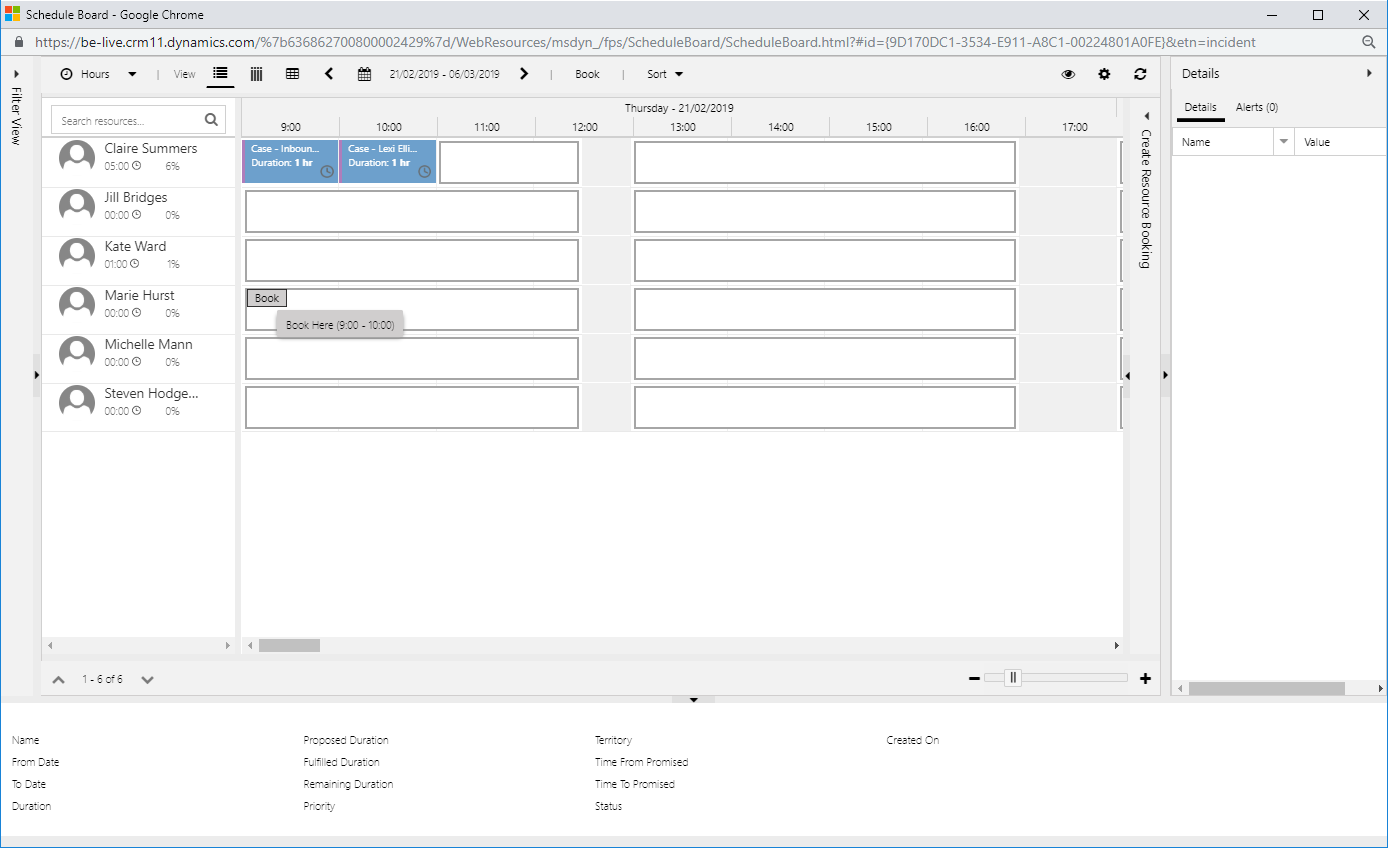
    First-Slot.png

    6. Schedule Board to book a resource – if you go to select anything other than the first slot
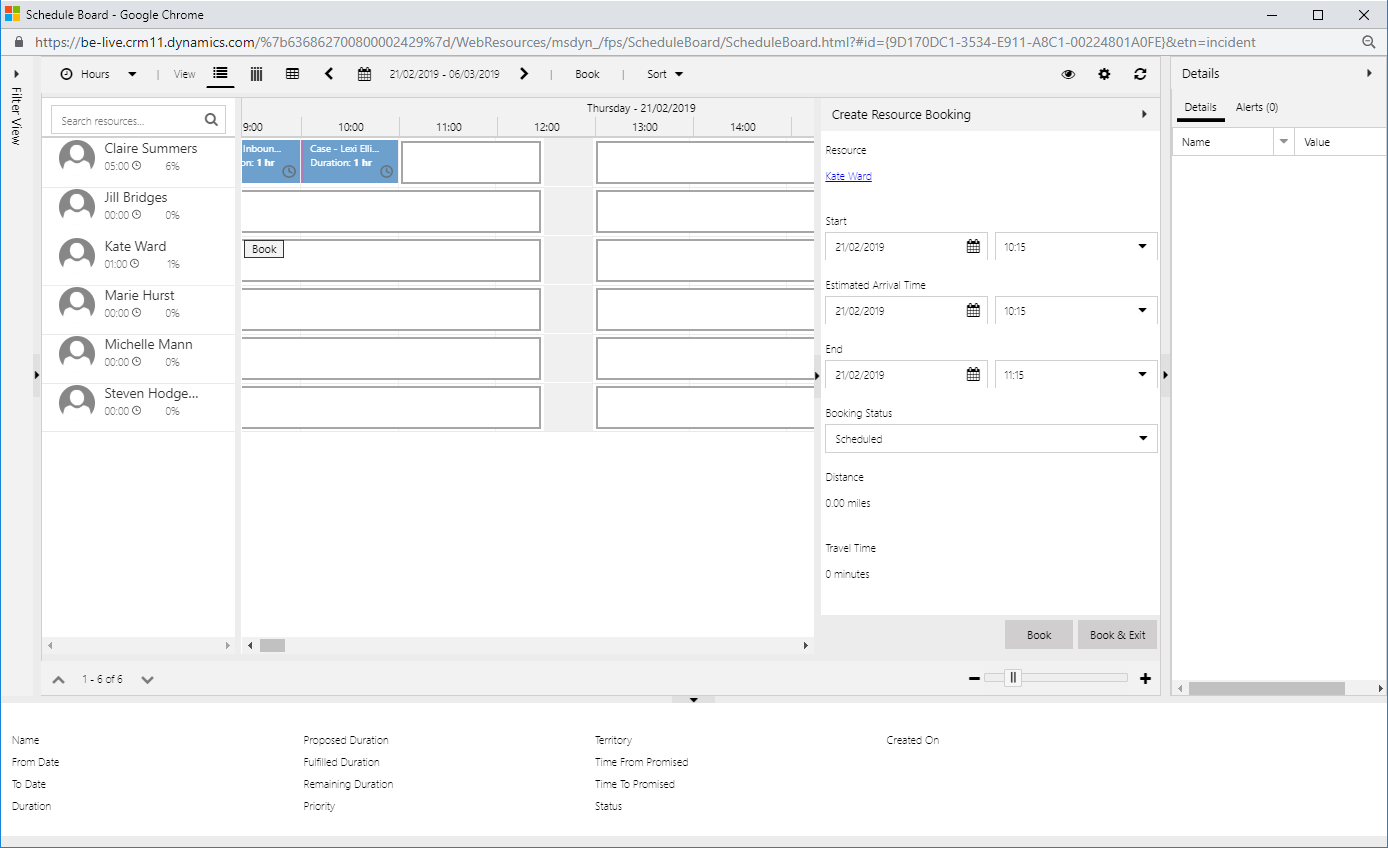
    Not-first-slot.png

    We basically need it to only allow 1 hour slots – so ideally instead of showing 13:00 – 16:00 as a 3 hour slot we would like to see 3 x 1 hour slots available so 13:00 to 14:00, 14:00 to 15:00 and 15:00 to 16:00 that way they would always start on the hour and finish on the hour

    Is this achievable?

    Debra

  • Al Iggs Profile Picture
    on at
    RE: Schedule board bookings only to allow starting on the hour and lasting for 1 hour

    This is what fulfillment preferences are made for: docs.microsoft.com/.../set-up-time-groups . Keep in mind that fulfillment preferences require the schedule board's grid view, not the Gantt chart.

    Can you share a screenshot with the settings of your schedule board? If I set time resolution to 60 minutes, I get exactly the hourly suggestions, not the 15' that you see.

  • Deb3107 Profile Picture
    2 on at
    RE: Schedule board bookings only to allow starting on the hour and lasting for 1 hour

    Hi,

    this is the screen shot from within URS which shows 1 hour slots

    Schedule-board-via-Book-button.png

    This is the screen shot from clicking the Book button from the Case - 60 minute resolution setting but not in 60 minutes

    Schedule-board-via-Book-button.png

  • Al Iggs Profile Picture
    on at
    RE: Schedule board bookings only to allow starting on the hour and lasting for 1 hour

    First one looks good, what's the problem with the 2nd one? And have you looked at fulfillment preferences?

  • Deb3107 Profile Picture
    2 on at
    RE: Schedule board bookings only to allow starting on the hour and lasting for 1 hour

    Hi,

    the second one doesn't show the availability in 1 hour slots like the top one.

    I've tried fulfillment preferences but how do i associate with a Resource rather than resrouce requirement?

    Schedule-board-with-1-hour-interval.png

    Actually just looked at booking via the 'Book' button again and noticed the search on the left allows you to select the interval. I change it to be 1 hour and all good.

    Can this be set automatically?

    See below it allowed me to choose 10 and 11 as the next slot without it defaulting to a time that then had to be changed.

    Schedule-board-with-1-hour-interval.png

    Sorry for so many questions but due to go live next week :(

    Debra

Under review

Thank you for your reply! To ensure a great experience for everyone, your content is awaiting approval by our Community Managers. Please check back later.

Helpful resources

Quick Links

November Spotlight Star - Khushbu Rajvi

Congratulations to a top community star!

Forum Structure Changes Coming on 11/8!

In our never-ending quest to help the Dynamics 365 Community members get answers faster …

Dynamics 365 Community Platform update – Oct 28

Welcome to the next edition of the Community Platform Update. This is a status …

Leaderboard > Field Service

Last 30 days Overall leaderboard

Featured topics

Product updates

Dynamics 365 release plans