web
You’re offline. This is a read only version of the page.
close
Skip to main content

Announcements

No record found.

News and Announcements icon
Community site session details

Community site session details

Session Id :
Supply chain | Supply Chain Management, Commerce
Suggested Answer

Opening adjusted demand forecast screen gives error "invalid date range"

(0) ShareShare
ReportReport
Posted on by 7

I have generated statisical baseline forecast on 22/12/2020 (european date. us date 12/22/2020) 
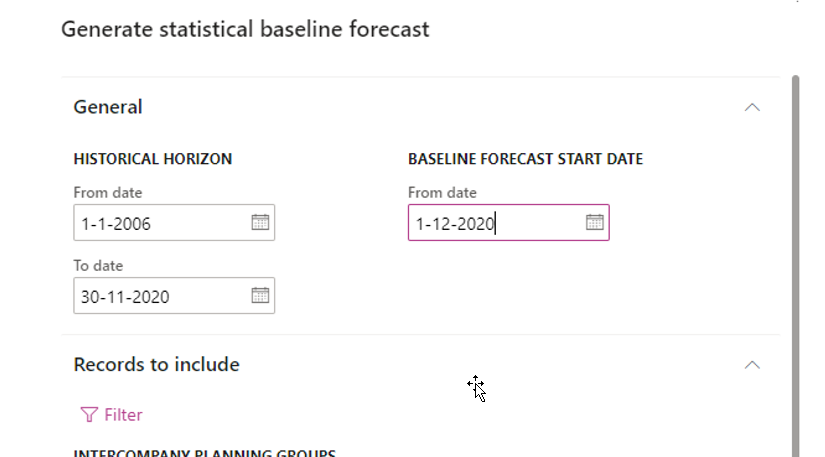
pastedimage1608619002646v1.png

and when I open the adjusted demand forecast form 

pastedimage1608619294632v2.png

when I run generated statisical baseline forecast on 22/12/2020 (european date. us date 12/22/2020) 

with date selection of
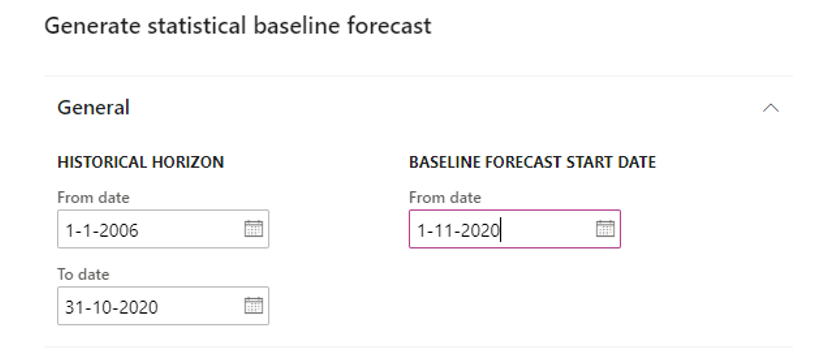
pastedimage1608619671733v3.png

I do not get an error message when opening adjusted demand forecast screen
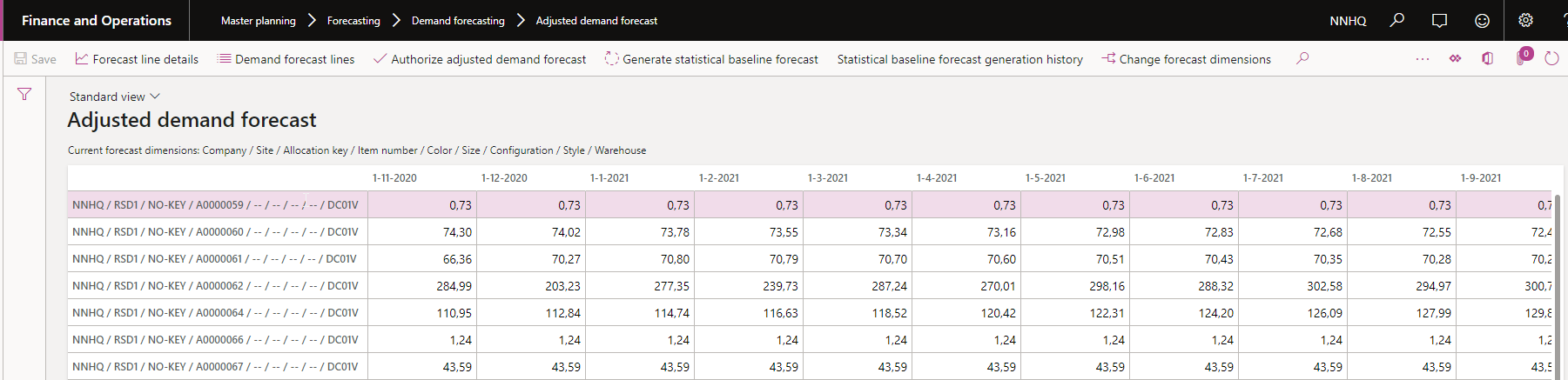
pastedimage1608619693393v4.png

can someone explain why from date can not be the current month

I have the same question (0)
  • Suggested answer
    Microsoft Profile Picture
    on at

    I tried to click generated statistical baseline forecast and specify baseline forecast start date on 12/1/2020(machine date 12/31/2020) and there is no error. could you try again to see if it still repro?

  • marcel hildebrand Profile Picture
    7 on at

    I have had some one to look into the code and we found out that  "Organization administration > Setup > Calendars > Date dimensions". had a  "data range" till 12-31-2021.  If you change that date into 12-31-2030 the adjusted demand forecast screen can be opened.

    no idea where this date is used for ( screens state something about BI)

  • Microsoft Profile Picture
    on at

    Happy to know the adjusted demand forecast screen can be opened. I am not sure if related to the baseline forecast time span.

  • Andrea H. Profile Picture
    5 on at

    I tested the Date dimension and that solved the problem.

    Best regards,

    Andrea H. 

Under review

Thank you for your reply! To ensure a great experience for everyone, your content is awaiting approval by our Community Managers. Please check back later.

Helpful resources

Quick Links

Introducing the 2026 Season 1 community Super Users

Congratulations to our 2026 Super Stars!

Meet the Microsoft Dynamics 365 Contact Center Champions

We are thrilled to have these Champions in our Community!

Congratulations to the April Top 10 Community Leaders

These are the community rock stars!

Leaderboard > Supply chain | Supply Chain Management, Commerce

#1
André Arnaud de Calavon Profile Picture

André Arnaud de Cal... 153 Super User 2026 Season 1

#2
Laurens vd Tang Profile Picture

Laurens vd Tang 106 Super User 2026 Season 1

#3
Zain Mehmood Profile Picture

Zain Mehmood 89 Most Valuable Professional

Last 30 days Overall leaderboard

Product updates

Dynamics 365 release plans
