web
You’re offline. This is a read only version of the page.
close
Skip to main content

Announcements

No record found.

News and Announcements icon
Community site session details

Community site session details

Session Id :
Microsoft Dynamics CRM (Archived)

Hide a Timeline panel in Dynamics 365 Online Case Form using CSS?

(0) ShareShare
ReportReport
Posted on by 370

Hi, I have created a timeline using the new CARDS feature in CRM in the Interactive Service HUB.

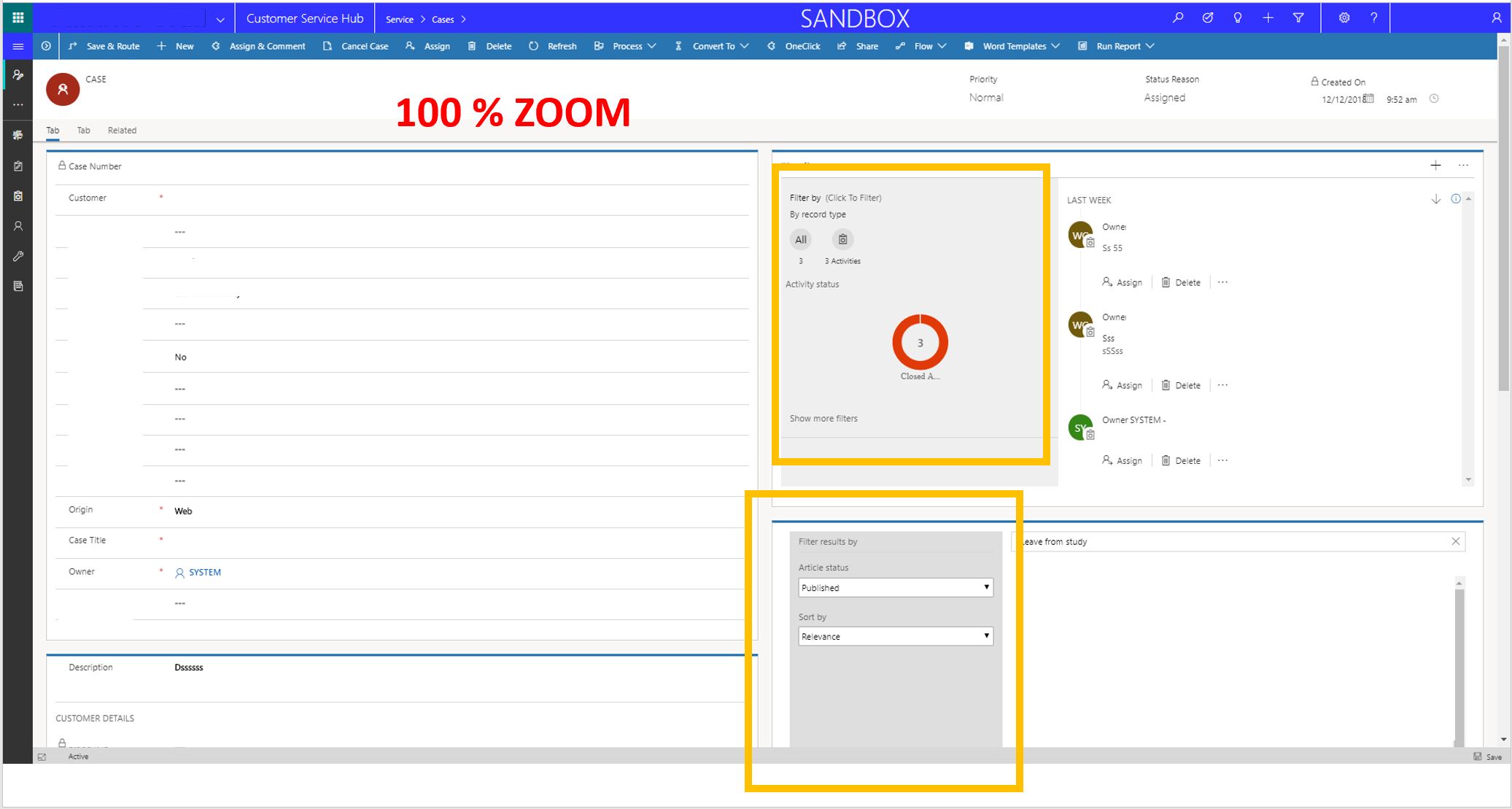
When using the CRM in a large screen on any browser it looks like this:
7776.screen1.JPG

I would like to delete these panels or hide them, it seems a CSS thing, which in Online I think is not possible to edit?

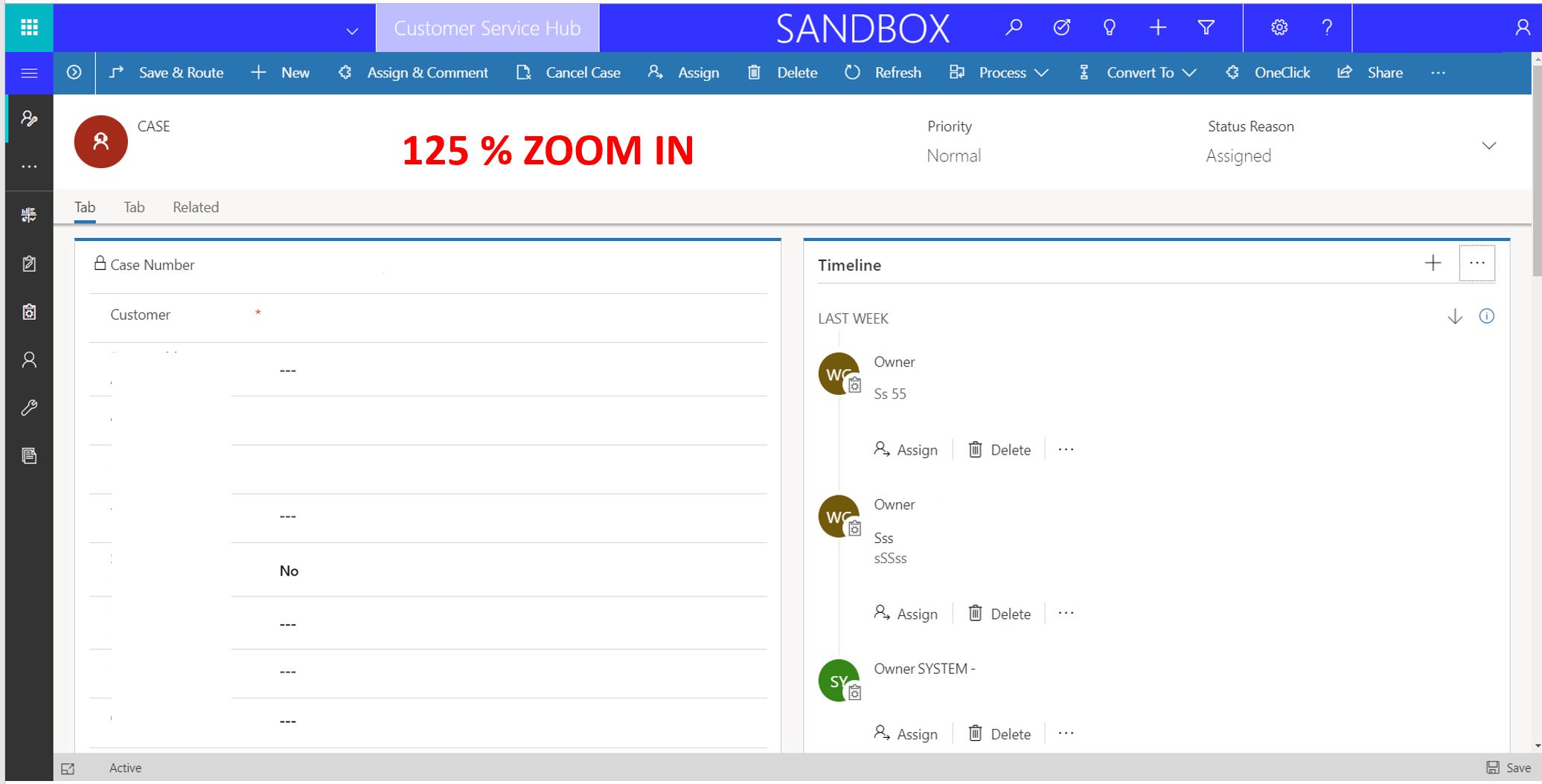
This should look like this:
6281.screen2.JPG

Any idea how can I achieve this?

Thanks! 

*This post is locked for comments

I have the same question (0)
  • Verified answer
    Blitzey Profile Picture
    370 on at

    When using CARDS in CRM, these are not sections. This seems to be a package/tool with no chances to edit in the solution.

    See the Edit mode:

    8461.screen4.JPG

    However, I just clicked on that control and unticked the option that says HIDE FILTERS (it was not there a month ago) I assume is a new feature added "magically"

    Thanks 

  • RaviKashyap Profile Picture
    55,410 Moderator on at

    Hi,

    Yes, hiding/deleting it using CSS is not supported. If you don't want the controls, then navigate to Settings >> Customization >> Customize the System >> Select Case entity and the relevant form and delete the required sections. Once done, save & publish.

    You can look for this video or search on web for "form customization in dynamics 365"

    www.youtube.com/watch

    Hope this helps.

Under review

Thank you for your reply! To ensure a great experience for everyone, your content is awaiting approval by our Community Managers. Please check back later.

Helpful resources

Quick Links

Introducing the 2026 Season 1 community Super Users

Congratulations to our 2026 Super Stars!

Meet the Microsoft Dynamics 365 Contact Center Champions

We are thrilled to have these Champions in our Community!

Congratulations to the April Top 10 Community Leaders

These are the community rock stars!

Leaderboard > 🔒一 Microsoft Dynamics CRM (Archived)

#1
ScottDurow Profile Picture

ScottDurow 2

#2
GJones Profile Picture

GJones 1

Last 30 days Overall leaderboard

Featured topics

Product updates

Dynamics 365 release plans
