web
You’re offline. This is a read only version of the page.
close
Skip to main content

Announcements

No record found.

News and Announcements icon
Community site session details

Community site session details

Session Id :
Microsoft Dynamics CRM (Archived)

unable to add child records for a parent record (which is in Inactive state)

(0) ShareShare
ReportReport
Posted on by 790

dear all

i do have account-restaurant relationship, parent is account, child is restaurant.

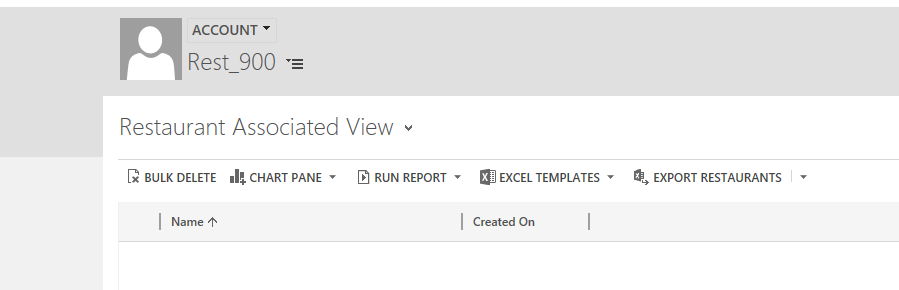
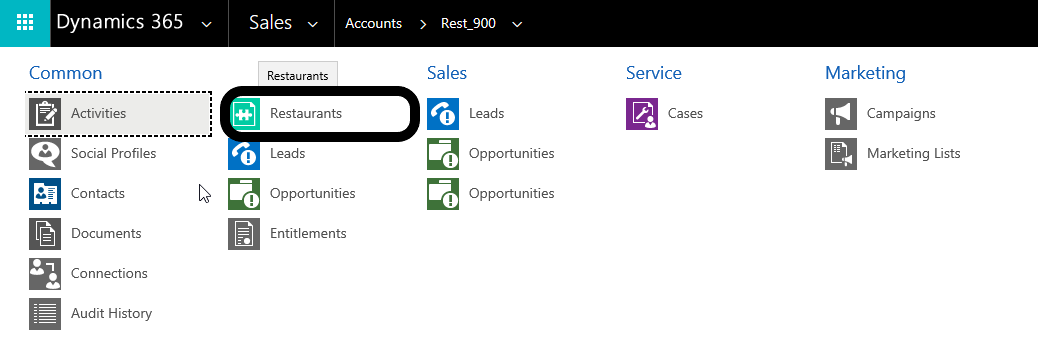
when i try to add a new restaurant for an inactive account then i dont see the NEW option.

please check below.
2018_2D00_09_2D00_16-16_5F00_26_5F00_01_2D00_Window.png

i only see the other options

2018_2D00_09_2D00_16-16_5F00_26_5F00_08_2D00_Window.png

please help.

thanks,

*This post is locked for comments

I have the same question (0)
  • Suggested answer
    gdas Profile Picture
    50,091 Moderator on at

    Hi Ahmad,

    Can you please check at the time of creating relationship between those entities what  relationship behaviour you choose for account and restaurant entity?.

    Can you please activate the record and check again.

    Seems this is by design you can not add child record  which having parent is inactive when parent is mandatory.

  • Suggested answer
    RaviKashyap Profile Picture
    55,410 Moderator on at

    Hi Ahmad,

    This is an expected behaviour i.e. once the record is inactive, you cannot add the records to it however you can still associate the inactive records from your child records i.e. Create a new restaurant from the main menu and select the inactive account records. You might have to change the account looku view while selecting the account on your restaurant entity.

    Hope this helps.

  • Ahmad Saud Profile Picture
    790 on at

    dear Goutam

    it is the default behavior , i did change nothing.

    thanks,

  • Ahmad Saud Profile Picture
    790 on at

    thanks Ravi

    i will check and update you.

  • Ahmad Saud Profile Picture
    790 on at

    Hi Ravi

    it is did not work, even after changing the view to include inactive records.

    thanks,

  • Abdul Wahab Profile Picture
    12,119 Moderator on at

    Hi Ahmad,

    Did you resolve your issue? If no than please let me know.

    Thanks

    Regards,

    Abdul

  • RaviKashyap Profile Picture
    55,410 Moderator on at

    Hi Ahmad,

    So after changing the view to show inactive record. what happened? You didn't see the records or you see the recorda bit you get some error after adding it?

  • Suggested answer
    Abdul Wahab Profile Picture
    12,119 Moderator on at

    Hi Ahmad,

    Did you have a proper security role or privilege?

    Thanks

    Regards,

    Abdul

  • Ahmad Saud Profile Picture
    790 on at

    dear Ravi

    simply when i open the parent record (inactive) which i am trying to add a child record for it, then because parent is inactive, then i see the orange bottom banner (Inactive) and the + sign to add the child record is not there.

    thanks,

  • Ahmad Saud Profile Picture
    790 on at

    yes, i do, it works fine with the active records, but not the inactive ones.

    thanks,

Under review

Thank you for your reply! To ensure a great experience for everyone, your content is awaiting approval by our Community Managers. Please check back later.

Helpful resources

Quick Links

Introducing the 2026 Season 1 community Super Users

Congratulations to our 2026 Super Stars!

Meet the Microsoft Dynamics 365 Contact Center Champions

We are thrilled to have these Champions in our Community!

Congratulations to the April Top 10 Community Leaders

These are the community rock stars!

Leaderboard > 🔒一 Microsoft Dynamics CRM (Archived)

Last 30 days Overall leaderboard

Featured topics

Product updates

Dynamics 365 release plans