web
You’re offline. This is a read only version of the page.
close
Skip to main content

Announcements

No record found.

News and Announcements icon
Community site session details

Community site session details

Session Id :
Microsoft Dynamics NAV (Archived)

How to display Employee Numbers In horizontal Column in bar chart in RDLC Report NAV 2015?

(0) ShareShare
ReportReport
Posted on by

Hi All,

Here is Bar Chart Report issue i want to print all employee No's in Horizontal column of Bar chart report,But here it is taking 4 number's difference to print each employee so please observe this image you can find in horizontal row employee numbers like (ICS033,ICS061,ICS070,ICS078) but in b/w this numbers four Numbers i mean Employee numbers are there and their bars also displayed clearly then see this image
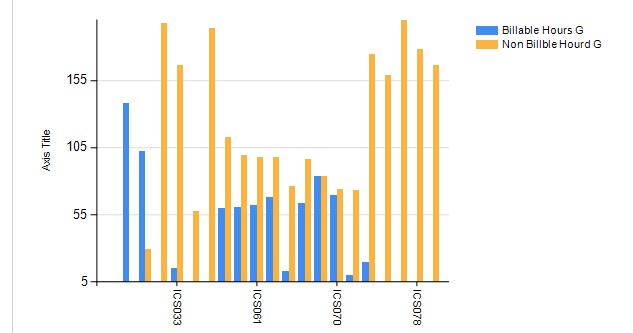
2626.Untitled.jpg

for this employee numbers i given a Category Group Expression is Fields!Empno.value you can see this in below image
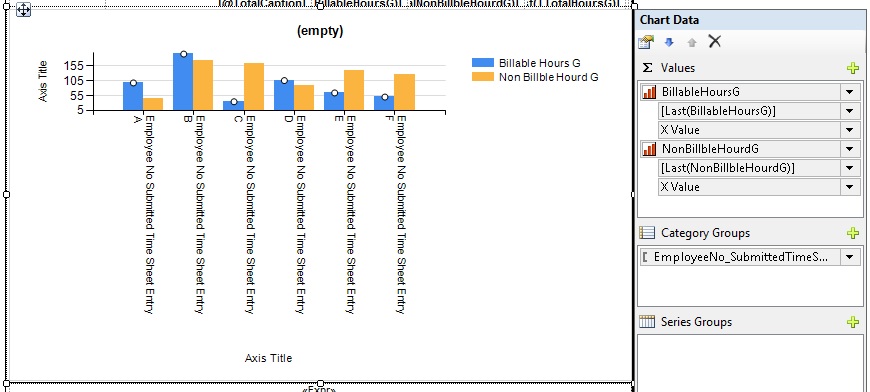
3443.Untitled1.jpg

here in above image in horizontal rows it displays clearly right or you want to see full expression see this image
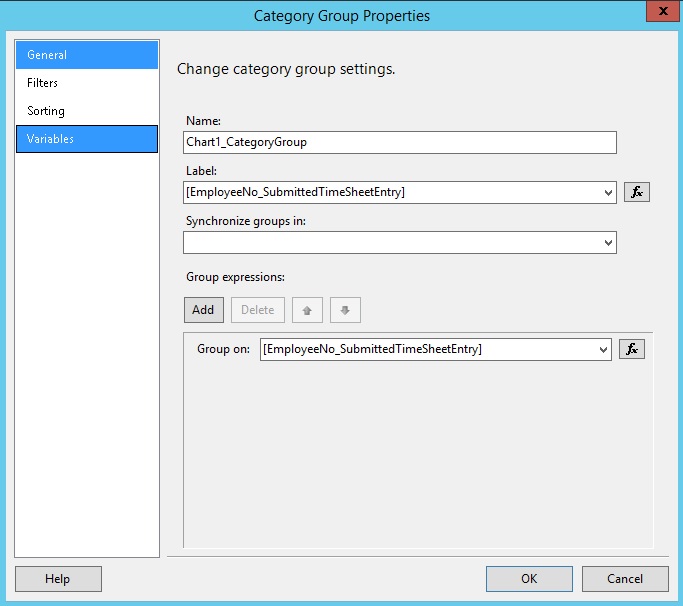
Untitled2.jpg

see above image i think the horizontal row was reflect by this label Expression i have already experience in creation of bar charts but this type of issue i didn't get why it is taking 4 numbers difference and one more thing this employee No is direct field from data item but this billable and non billable fields came from my code there also i calculated this billables and non- billable based on emp no only.

but how to achieve this one can any one tell me...............

Regards,

Ramesh.

*This post is locked for comments

I have the same question (0)
  • Community Member Profile Picture
    on at

    Hi,

    Any one have experience with bar chart's can you suggest me please...........

    Regards,

    Ramesh.

  • Verified answer
    Community Member Profile Picture
    on at

    i got solution to change this value in horizontal row properties see this

    21.jpg

    and i got output as

    21.jpg

Under review

Thank you for your reply! To ensure a great experience for everyone, your content is awaiting approval by our Community Managers. Please check back later.

Helpful resources

Quick Links

Introducing the 2026 Season 1 community Super Users

Congratulations to our 2026 Super Stars!

Meet the Microsoft Dynamics 365 Contact Center Champions

We are thrilled to have these Champions in our Community!

Congratulations to the April Top 10 Community Leaders

These are the community rock stars!

Leaderboard > 🔒一 Microsoft Dynamics NAV (Archived)

Last 30 days Overall leaderboard

Featured topics

Product updates

Dynamics 365 release plans
