




 4,481
4,481 Like
Like Share
Share
 Report
Overview
Not all customers uses Office 365 as their e-mail. The other popular option companies use is G Suite from Google.
When you’re trying to setup the SMTP Mail using Gmail accounts in G Suite, you may encounter this error:
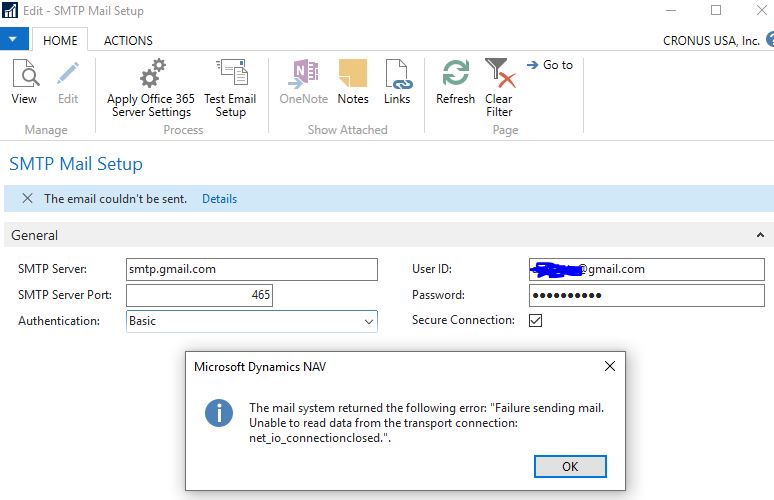
The mail system returned the following error: “Failure sending mail.
Unable to read data from the transport connection: net_io_connectionclosed.”.
Resolution
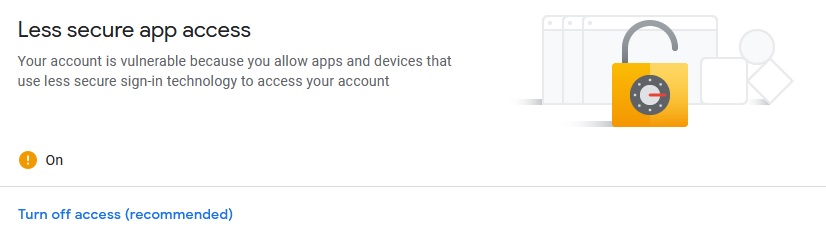
The problem is with how Google detects which application it deems as less secure. If you’re using an application it deems less secure, Google will refuse the connection.
What you’ll need to do is change your settings on Gmail.
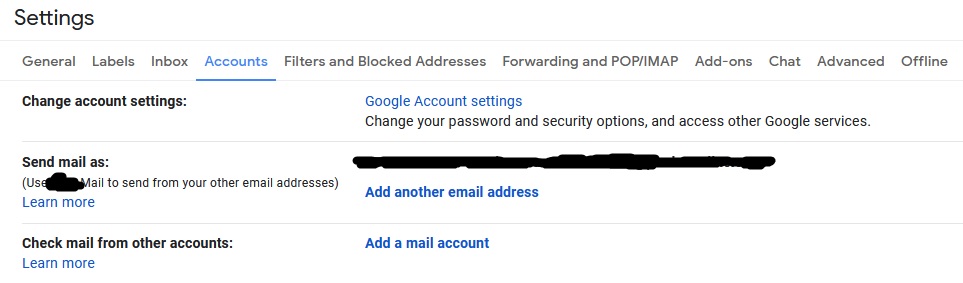
On the Less Secure App access, you will need to turn this on.
Conclusion
Now when you go back to your Dynamics 365 Business Central (aka Dynamics NAV) application, you will be able to send the mail from the SMTP settings.
*This post is locked for comments