




 841
841 Like
Like Share
Share
 Report
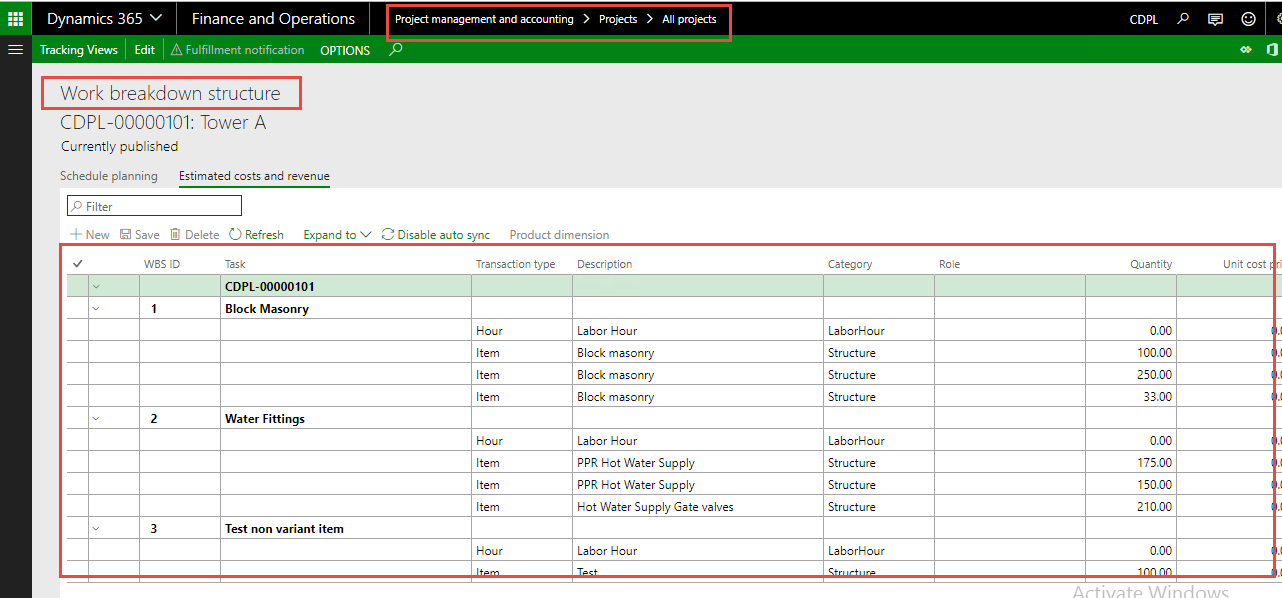
Work break down structure lines which needs to be imported:
Source code of a method which breakdown in three images:
Image 1.1:
Explanation of below source code image:
- Initialize of the tables and AXPurchLine class.
- Get purchase order. (Here I have provided hard coded Purch Id)

Image 1.2:
Explanation of below source code image:
- Query to iterate smmActivityParentLinkTable table that contains the references to entities which are associated with an activity.
- Sub query to iterate PSAActivityEstimates table that contains project quotation estimates.
- Declaration of AXPurchLine class.
- Set OOTB Parm methods of the class that can handle the given values.
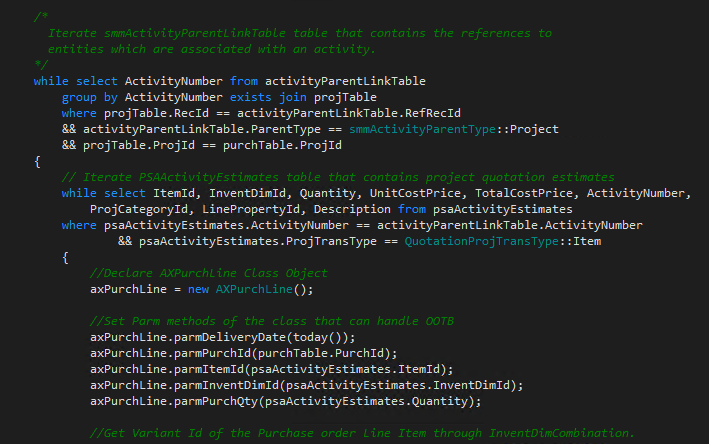
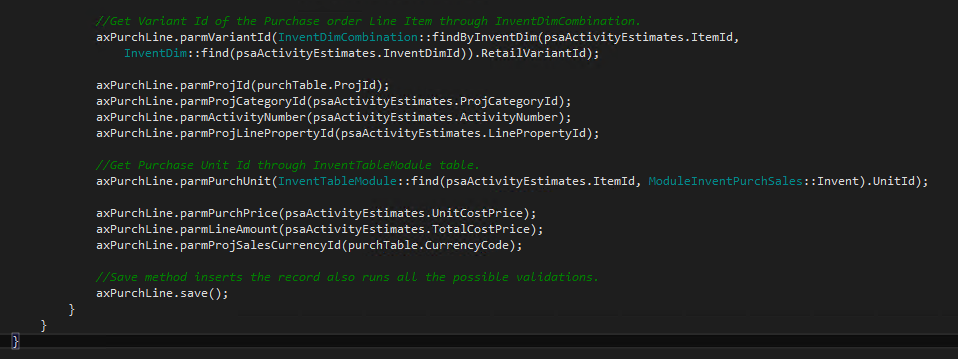
Image 1.3:
Explanation of below source code image:
- For parm method "parmVariantId" get variant Id of the Purchase order Line Item through InventDimCombination.
- For parm method "parmPurchUnit" get purchase unit id through InventTableModule table.
- Save method of AXPurchLine class that inserts the records also runs all the possible validations for purchase order lines.
Result:

*This post is locked for comments