




 22,784
 Like
Like Share
Share
 Report
 I’ve worked with Jet Reports against Microsoft Dynamics GP with a few clients over the last couple of years (as well as writing a book on using it with Microsoft Dynamics GP). One recent client I was working with developed some reports against the live companies, but we had a problem when trying to include some data from historic companies (after a merger, new companies were created and the old ones marked as historic).
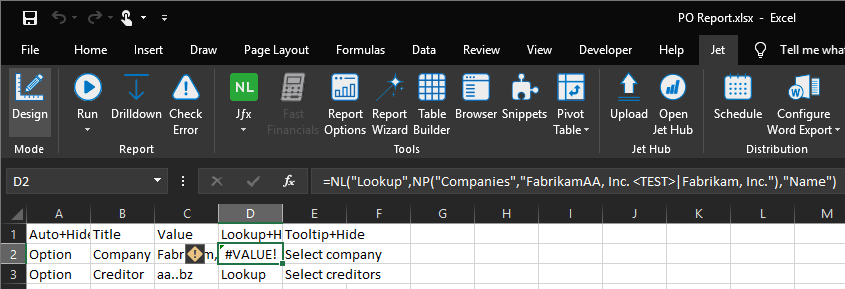
I was able to repeat the problem on my demo environment. When oa test company was selected the Options tab showed a #VALUE! error:
When running the report we then received a popup error message:
When you name a test company you can add to the end of the name and it will invoke a popup when a user logs into the test company informing them they are in test; you can also use for a test company for a similar popup message
The problem is that Jet Reports is interpreting the chevrons as less than/greater than symbols. The workaround is to not use the full company name, but to use the * wildcard instead:
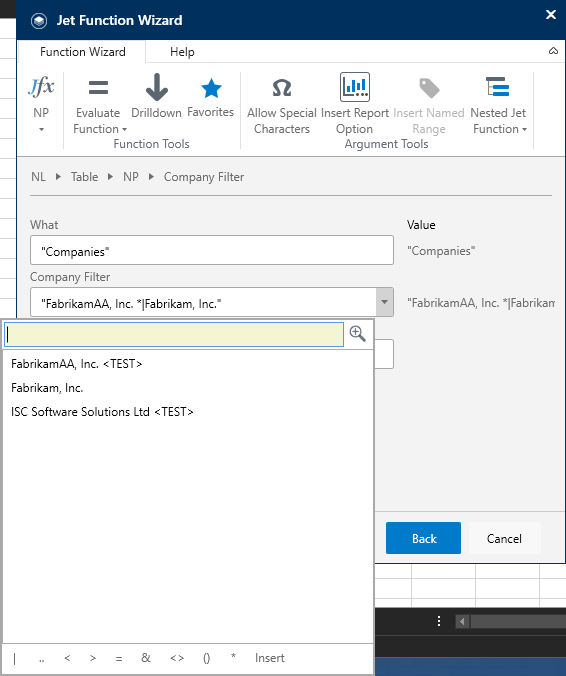
The only issue with this is that users can't select the company from the lookup without replacing the chevroned section with a wildcard.
Read original post Error With Microsoft Dynamics GP Historical Company Name in Jet Reports at azurecurve|Ramblings of an IT Professional
*This post is locked for comments