




 Like
Like Share
Share
 Report
Hi Everyone,
I am going to show how to generate the marketing code for tracking online behavior of the individual user on the organisation website.
Go to Marketing - Internet Marketing - Website:
We can create a new website by selecting a "new" on the command bar.
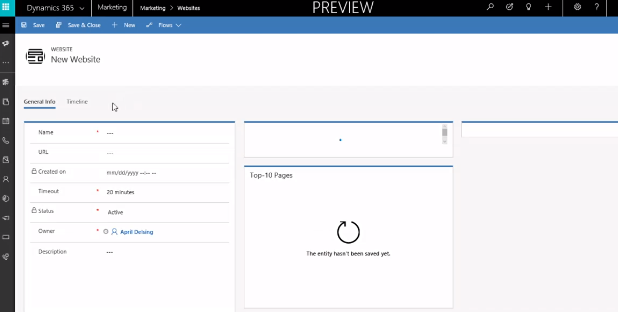
Fill in the fields "Name", "URL" this url contain the website url + page, "Timeout" value is defaulted to 20 minutes and add some "Description", and scroll down and save the record.
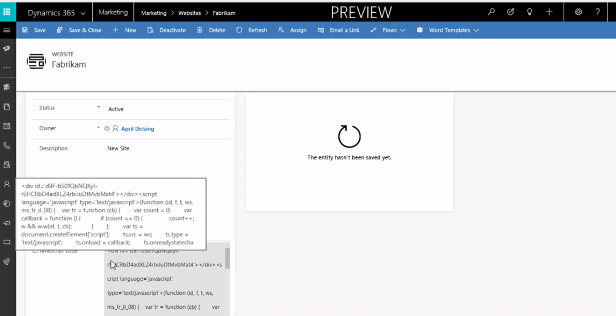
Then at the bottom of the page you can see the Java script code
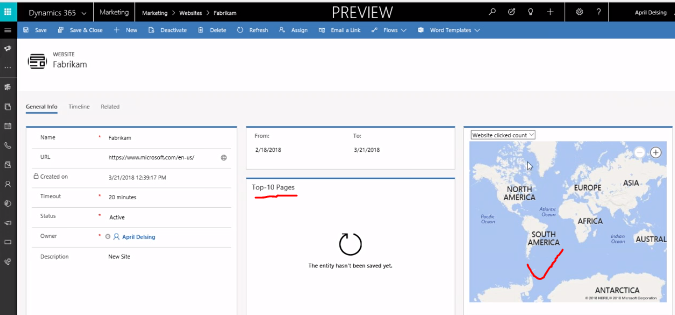
You can check the website click count and website visitor count, also you can check the General Info, Timeline and Related information of the website visits on the website record.
Note: website features uses cookies to track visitors to log page visits where you place the tracking scripts.
If your website don't have cookies feature enabled, then you need to enable this cookies feature on your website before you use the java script code to work.
I hope this helps.
For Microsoft Dynamics 365 Consultancy/Training/Support/Licensing
Contact us: www.gmritsolutions.co.uk
Email: admin@gmritsolutions.co.uk
Contact us: www.gmritsolutions.co.uk
Email: admin@gmritsolutions.co.uk
*This post is locked for comments