web
You’re offline. This is a read only version of the page.
close
Skip to main content

Announcements

No record found.

News and Announcements icon
Community site session details

Community site session details

Session Id :

In Microsoft Dynamics 365 Business Central (Administration), how do I… Start a Free Trial (Updated for the new “customised trial”)

Ian Grieve Profile Picture Ian Grieve 22,784
Microsoft Dynamics 365 Business CentralThis post is part of the In Microsoft Dynamics 365 Business Central (Administration), how do I… series and of the wider In Microsoft Dynamics 365 Business Central, how do I… series which I am posting as I familiarise myself with Microsoft Dynamics 365 Business Central.

Back in August when I was early in this series, I wrote an article about how you sign up for a free trial of Microsoft Dynamics 365 Business Central; well, in the last few days Microsoft have changed the process, in what is a somewhat contentious way. It seems that for the US and UK when you try to sign up for a free trial Microsoft are often guiding you to sign up to a customised trial through Bam Boom Cloud instead of just starting a free trial the way you did originally.

James Crowter has a full explanation of this change on Linked In, including why it is contentious, but in summary Microsoft have picked a favoured partner and are sending all referrals to them based on the answers you give to three questions; I tired a few different combinations and it was about 50/50 as to whether they recommended a customised trial with Bam Boom Cloud or a normal free trial. James said from his testing it was less than 11 users and not requiring an extended licence (i.e. manufacturing or service) that would get you guided to the customised trial.

The steps to sign up for a free trial are outlined below.

Visit the Microsoft Dynamics 365 Business Central Overview page and click the Try for free button:
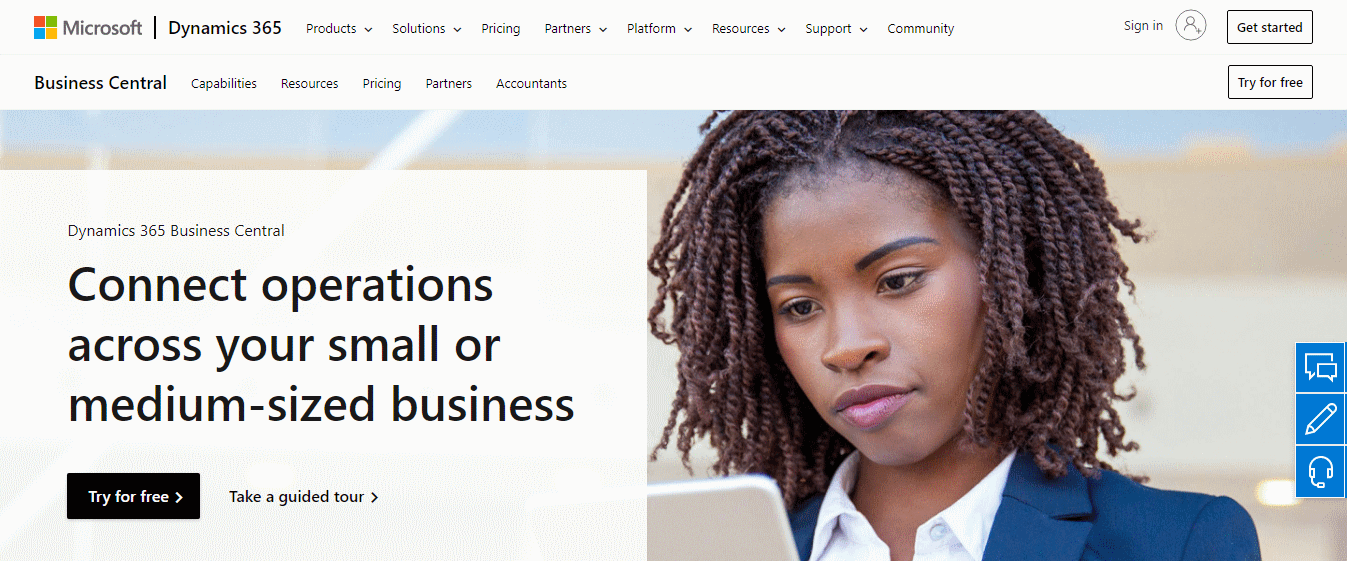
Microsoft Dynamics 365 Business Central Overview page

You’ll need to answer the three questions; from my testing to avoid the customised trial and go straight to a normal free trial select Automotive, Sage 200 and 11 to 20 users:
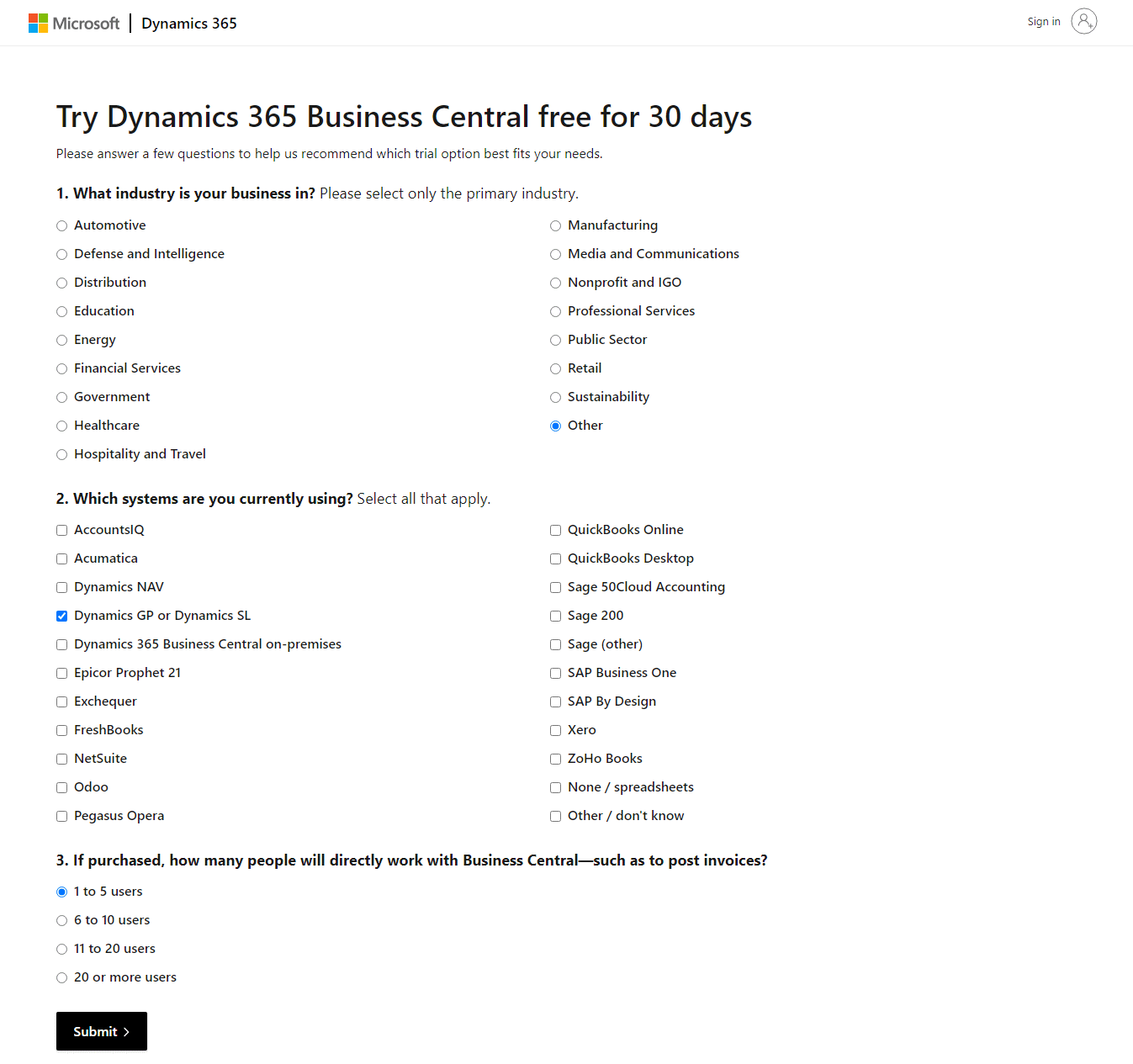
Three questions to get recommended the best trial option for your needs

If you answered wrong and get recommended the customised trial, click the Compare to a basic trial (ringed in red) which will jump you to the bottom of the page:
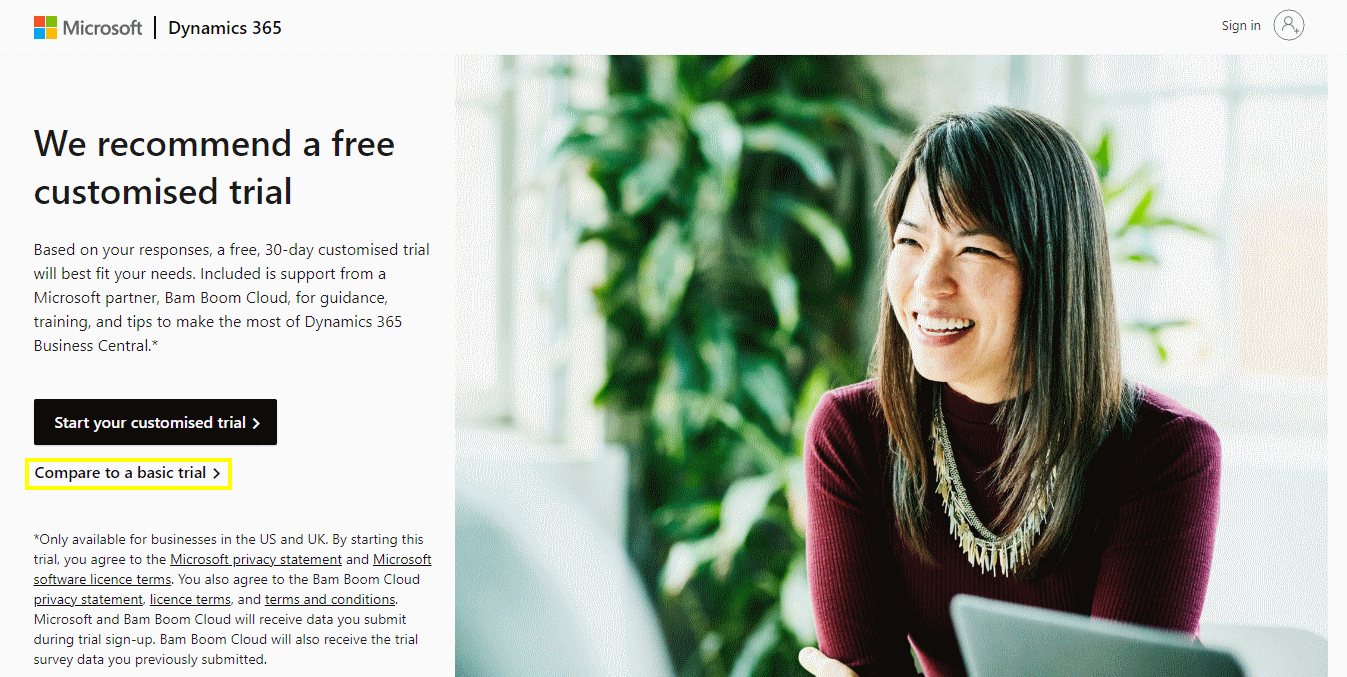
Customised trial recommendation page

To take the basic free trial, click the (link rather than button) Or choose a basic trial (ringed in yellow):
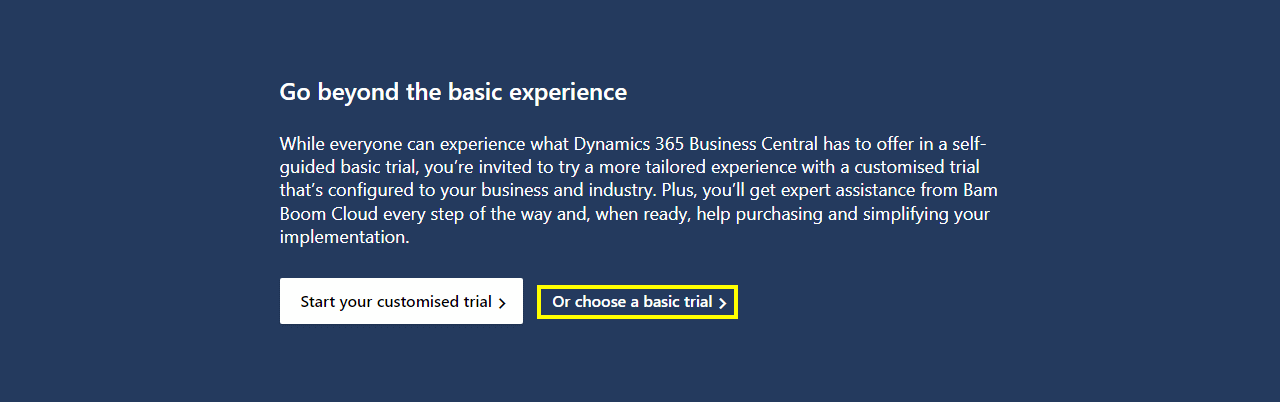
Customised trial recomendation page showing the option at the bottom of the page to select a basic trial

You’ll then be taken to the You’ve selected Dynamics 365 Business Central page, but you actually end up at this page regardless of which button you selected on the customised trial offer page with nothing to signify which page you selected:
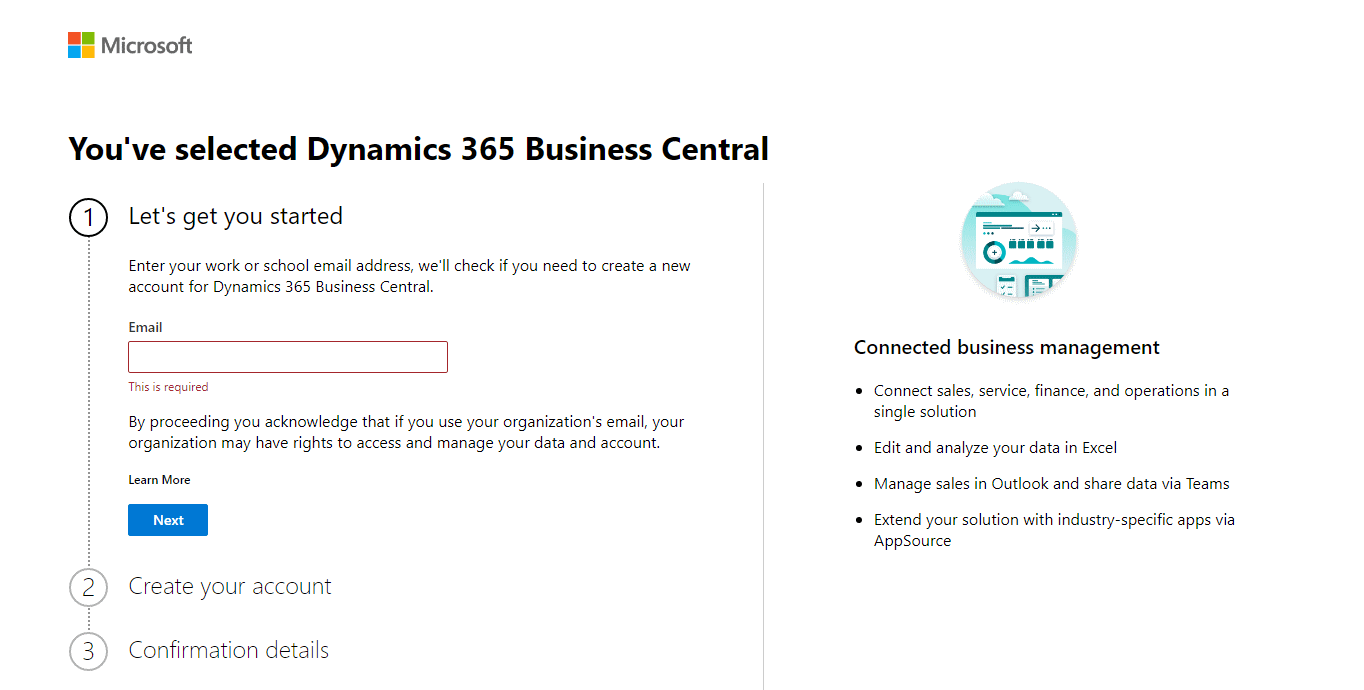
You've selected Dynamics 365 Business Central

I may sign up to a customised trial to test what the differences are, but to avoid being linked to Bam Boom Cloud, you’ll need to select your options carefully before you get to this page where you enter your email.

In Microsoft Dynamics 365 Business Central, how do I…

In Microsoft Dynamics 365 Business Central, how do I…
In Microsoft Dynamics 365 Business Central, how do I… Sign Up For a Trial
In Microsoft Dynamics 365 Business Central, how do I… Get Access to the Microsoft 365 Admin Center
In Microsoft Dynamics 365 Business Central, how do I… Create a Company
In Microsoft Dynamics 365 Business Central, how do I… Copy a Company
In Microsoft Dynamics 365 Business Central, how do I… Switch Between Companies
In Microsoft Dynamics 365 Business Central, how do I… Create a Sandbox Environment With Cronus
In Microsoft Dynamics 365 Business Central, how do I… Access Dynamics BC Admin Centre
In Microsoft Dynamics 365 Business Central, how do I… Create a Sandbox Environment With a Copy of Production
In Microsoft Dynamics 365 Business Central, how do I… Create a User
In Microsoft Dynamics 365 Business Central, how do I… Add a User In 365 Admin Center
In Microsoft Dynamics 365 Business Central, how do I… Add a User in Dynamics BC
In Microsoft Dynamics 365 Business Central, how do I… Change My Role
In Microsoft Dynamics 365 Business Central, how do I… Create an Advanced Evaluation Company
In Microsoft Dynamics 365 Business Central (Administration), how do I… Understand the Role Center
In Microsoft Dynamics 365 Business Central, how do I… Change the User Experience in a Company from "Essentials" to "Premium"
In Microsoft Dynamics 365 Business Central (Administration), how do I… Understand the Update Rollout Timeline
In Microsoft Dynamics 365 Business Central, how do I… Hide the Teaching Tips
In Microsoft Dynamics 365 Business Central (Administration), how do I… Set Update Date
In Microsoft Dynamics 365 Business Central (Administration), how do I… Set Update Window
In Microsoft Dynamics 365 Business Central (Administration), how do I… Extend Trial
In Microsoft Dynamics 365 Business Central (Administration), how do I… Understand Search
In Microsoft Dynamics 365 Business Central (Administration), how do I… Understand the Types of Pages Available
In Microsoft Dynamics 365 Business Central (Administration), how do I… Know Which Keyboard Shortcuts Are Available
In Microsoft Dynamics 365 Business Central (Administration), how do I… Switch Between Companies
In Microsoft Dynamics 365 Business Central (Administration), how do I… Use List Pages
In Microsoft Dynamics 365 Business Central (Administration), how do I… Use Advanced Filters on Lists
In Microsoft Dynamics 365 Business Central (Administration), how do I… Use Card Pages
In Microsoft Dynamics 365 Business Central (Administration), how do I… Understand the FactBox
In Microsoft Dynamics 365 Business Central (Administration), how do I… Understand the Action Bar
In Microsoft Dynamics 365 Business Central (Administration), how do I… Use Company Badges to Identify Companies or Environments
In Microsoft Dynamics 365 Business Central (Administration), how do I… Start a Free Trial (Updated for the new "customised trial")
In Microsoft Dynamics 365 Business Central (Customisation), how do I… Personalize a Page
In Microsoft Dynamics 365 Business Central (Customisation), how do I… Remove Personalization from a Page
In Microsoft Dynamics 365 Business Central (Customisation), how do I… Personalize Card Pages
In Microsoft Dynamics 365 Business Central (Customisation), how do I… Understand the Best Way of Customising a Card Page
In Microsoft Dynamics 365 Business Central (Customisation), how do I… Personalize the FactBox
In Microsoft Dynamics 365 Business Central (Customisation), how do I… Personalize the Action Bar
In Microsoft Dynamics 365 Business Central (Customisation), how do I… Understand the Best Way of Personalizing the Action Bar
In Microsoft Dynamics 365 Business Central (Customisation), how do I… Create Customizations for Other Users Using Profiles
In Microsoft Dynamics 365 Business Central (Customisation), how do I… Copy Profile Personalizations to Another Environment
In Microsoft Dynamics 365 Business Central (Administration), how do I…
In Microsoft Dynamics 365 Business Central, how do I… Sign Up For a Trial
In Microsoft Dynamics 365 Business Central, how do I… Get Access to the Microsoft 365 Admin Center
In Microsoft Dynamics 365 Business Central, how do I… Create a Company
In Microsoft Dynamics 365 Business Central, how do I… Copy a Company
In Microsoft Dynamics 365 Business Central, how do I… Switch Between Companies
In Microsoft Dynamics 365 Business Central, how do I… Create a Sandbox Environment With Cronus
In Microsoft Dynamics 365 Business Central, how do I… Access Dynamics BC Admin Centre
In Microsoft Dynamics 365 Business Central, how do I… Create a Sandbox Environment With a Copy of Production
In Microsoft Dynamics 365 Business Central, how do I… Create a User
In Microsoft Dynamics 365 Business Central, how do I… Add a User In 365 Admin Center
In Microsoft Dynamics 365 Business Central, how do I… Add a User in Dynamics BC
In Microsoft Dynamics 365 Business Central, how do I… Change My Role
In Microsoft Dynamics 365 Business Central, how do I… Create an Advanced Evaluation Company
In Microsoft Dynamics 365 Business Central (Administration), how do I… Understand the Role Center
In Microsoft Dynamics 365 Business Central, how do I… Change the User Experience in a Company from "Essentials" to "Premium"
In Microsoft Dynamics 365 Business Central (Administration), how do I… Understand the Update Rollout Timeline
In Microsoft Dynamics 365 Business Central, how do I… Hide the Teaching Tips
In Microsoft Dynamics 365 Business Central (Administration), how do I… Set Update Date
In Microsoft Dynamics 365 Business Central (Administration), how do I… Set Update Window
In Microsoft Dynamics 365 Business Central (Administration), how do I… Extend Trial
In Microsoft Dynamics 365 Business Central (Administration), how do I… Understand Search
In Microsoft Dynamics 365 Business Central (Administration), how do I… Understand the Types of Pages Available
In Microsoft Dynamics 365 Business Central (Administration), how do I… Know Which Keyboard Shortcuts Are Available
In Microsoft Dynamics 365 Business Central (Administration), how do I… Switch Between Companies
In Microsoft Dynamics 365 Business Central (Administration), how do I… Use List Pages
In Microsoft Dynamics 365 Business Central (Administration), how do I… Use Advanced Filters on Lists
In Microsoft Dynamics 365 Business Central (Administration), how do I… Use Card Pages
In Microsoft Dynamics 365 Business Central (Administration), how do I… Understand the FactBox
In Microsoft Dynamics 365 Business Central (Administration), how do I… Understand the Action Bar
In Microsoft Dynamics 365 Business Central (Administration), how do I… Use Company Badges to Identify Companies or Environments
In Microsoft Dynamics 365 Business Central (Administration), how do I… Start a Free Trial (Updated for the new "customised trial")

Read original post In Microsoft Dynamics 365 Business Central (Administration), how do I… Start a Free Trial (Updated for the new “customised trial”) at azurecurve|Ramblings of an IT Professional


This was originally posted here.

Comments

*This post is locked for comments