




 2,500
2,500 Like
Like Share
Share
 Report
Dynamics 365 for Finance and Operations has placeholders which can be inserted into the instructions. Normally you would want this to show up in the email that is sent. One of the most useful ones is the URL link to the exact record that you are approving.
In the workflow configurations use the placeholder and build up your message. Towards the end it has workflow specific ones. The URL token is %Workflow.Link to web%.

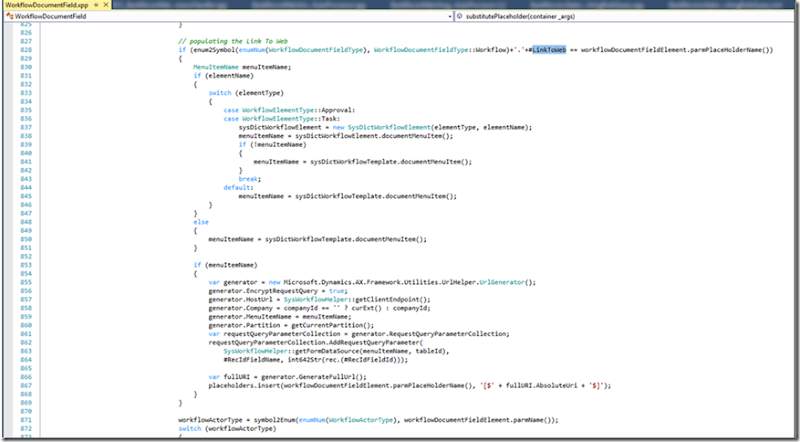
For the technical people the token is replaced in this class WorkflowDocumentField.
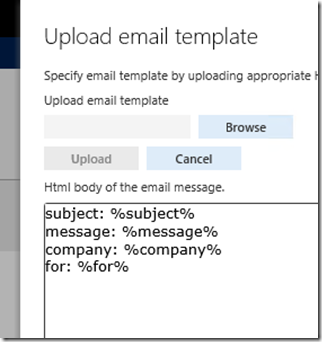
This is what I inserted into my email template.
<BODY>
subject: %subject%
<BR>
message: %message%
<BR>
company: %company%
<BR>
for: %for%
<BR>
</BODY>
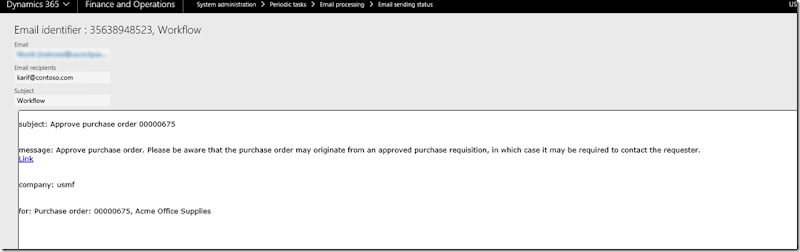
Should look like this.
The final result looks like this.
If you debug these are the place holders that are put together.

*This post is locked for comments