




 14,419
 Like
Like Share
Share
 Report
Hi all,
After Reading More about next major release i.e NAV 2015 i found some great things which i would like to share.
Twitter -
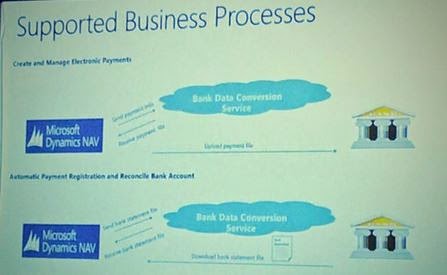
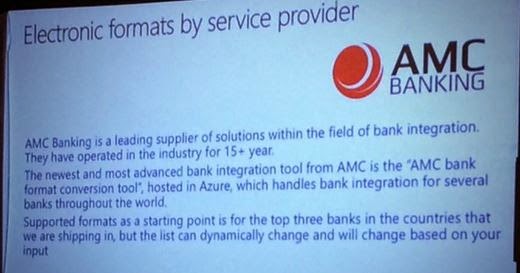
Supported Cash Management process in NAV 2015.
#NAV2015 available to new Customers on October 1 and to existing customers on October 6!

Multi column search in the #NAV2015 Tablet Client, export to Excel for iPad (or Windows / Android)
15,000 objects loaded and merged in less than 2 minutes with NAV 2015 demo. No external dependencies. Impressive.
But what about data upgrades? Sample 2GB db & 6 companies upgraded from NAV 2013 to 2015. 9-10 seconds w/o human interaction!
MVP'S Blog -
After Reading More about next major release i.e NAV 2015 i found some great things which i would like to share.
Twitter -
Supported Cash Management process in NAV 2015.
#NAV2015 available to new Customers on October 1 and to existing customers on October 6!
Multi column search in the #NAV2015 Tablet Client, export to Excel for iPad (or Windows / Android)
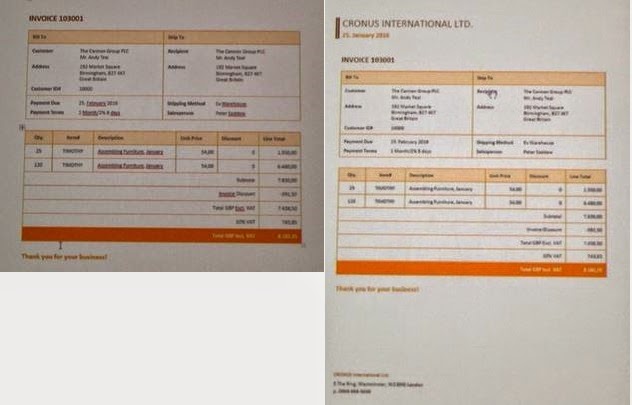
Impressive and quick Word document reports. And PDF versions with the press of a button.
#NAV2015 comes with lots of Office templates for Document reports.
#NAV2015 comes with lots of Office templates for Document reports.
15,000 objects loaded and merged in less than 2 minutes with NAV 2015 demo. No external dependencies. Impressive.
But what about data upgrades? Sample 2GB db & 6 companies upgraded from NAV 2013 to 2015. 9-10 seconds w/o human interaction!
MVP'S Blog -
Here it is! NAV 2015! With Enhanced Cues.
Enhanced Cues
Cues appear as tiles in the Microsoft Dynamics NAV client that display business data and key performance indicators (KPIs) on Role Centers. Microsoft Dynamics NAV 2015 includes the following new features that expand the data that can be displayed in a Cue, and enhance Cue set up and appearance.
Read More At - Mohana Blog
Commenting and un-commenting multiple lines of C/AL Code:
But from now the Comment Selection and Uncomment Selection options available in the Edit menu.
The Comment Selection and Uncomment Selection options enable you to comment or uncomment multiple lines of code all at once.
To comment lines of code, select the lines, and then, in the Edit menu, choose Comment Selection (Shift+Ctrl+K).
To uncomment lines of code, select the lines, and then choose Uncomment Selection (Shift+Ctrl+O).
Read More at - Mohana Blog
Thanks Mohana for sharing new things in NAV 2015.
There is more coming on NAV 2015, so stay tuned.
Regards,
Saurav Dhyani
*This post is locked for comments