




 481
481 Like
Like Share
Share
 Report
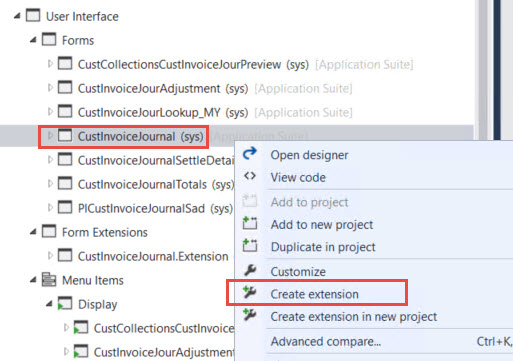
1. Create extension of 'CustInvoiceJour' form

2. Open extension of that form from the solution explorer and add a button
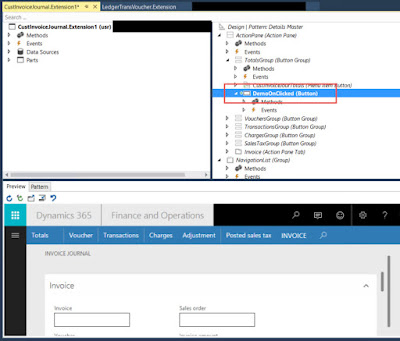
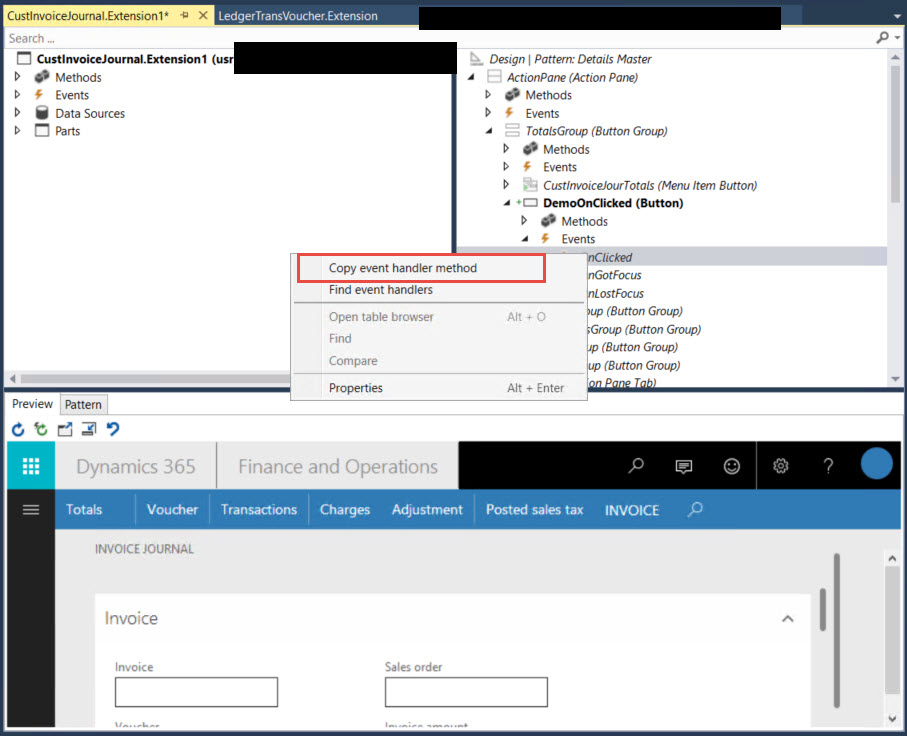
3. We have added a button, now we have to perform some operations on click of that button. And for that we need to write the 'OnClicked' event. In order to do that, expand the 'Event's under that control and right click on 'onClicked' event and select 'Copy Event Handler Method'
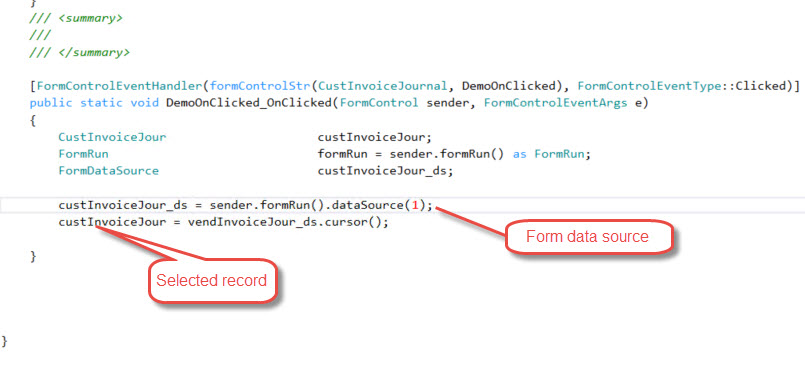
 4. 'OnClicked' event handler is copied and now you can paste as a method in any of your custom class or you can create a new class. I am using one of my custom classes.
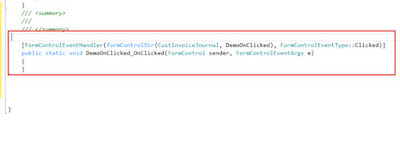 5. Now the question is, how we will get the selected record on that form or how would we get the form data source, if you take a look of this above method, you will seen we have a formContol as a parameter and by using that we can get the form data source and selected records.
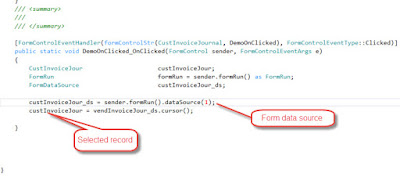
After getting the table buffer and form data source, we can perform other operations.
2. Open extension of that form from the solution explorer and add a button
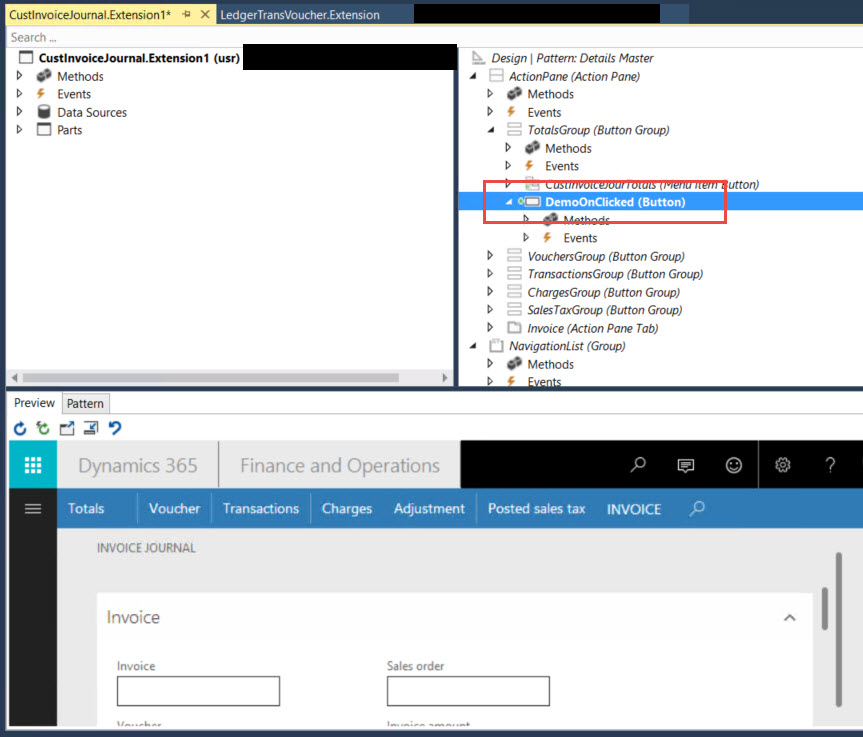
3. We have added a button, now we have to perform some operations on click of that button. And for that we need to write the 'OnClicked' event. In order to do that, expand the 'Event's under that control and right click on 'onClicked' event and select 'Copy Event Handler Method'

After getting the table buffer and form data source, we can perform other operations.
*This post is locked for comments