




 3,040
3,040 Like
Like Share
Share
 Report
Xrm.Page.ui.getFormType() is used in form script to find out what type of form is currently loaded. Sometimes, we want to apply a certain logic, depending on whether it is a create form or update form. e.g I want to disable some fields, if it is an update form. If we are using Business Rules, it is not very obvious (at least to me) on how this can be achieved. The answer is quite simple: just check the value of any of these system fields (created, createdon, modifiedby, modifiedon). Here is a business rule that will trigger only for update form.
 Here is the rule for create form.
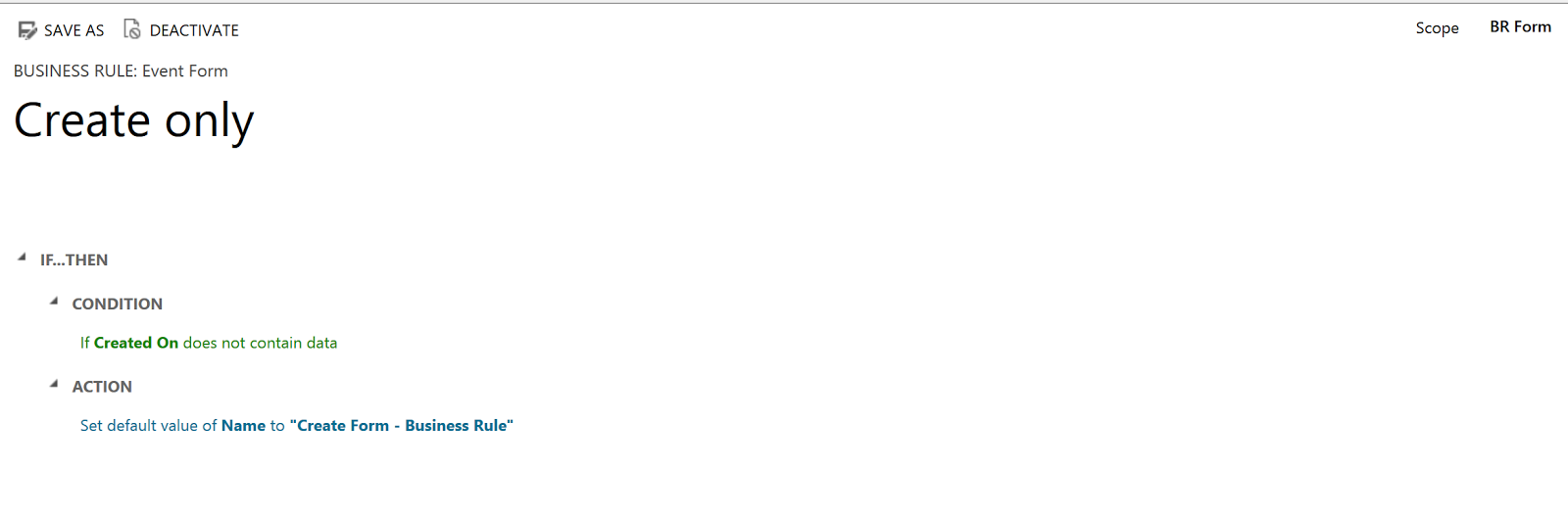
Here is the result after the rule has run on an existing record
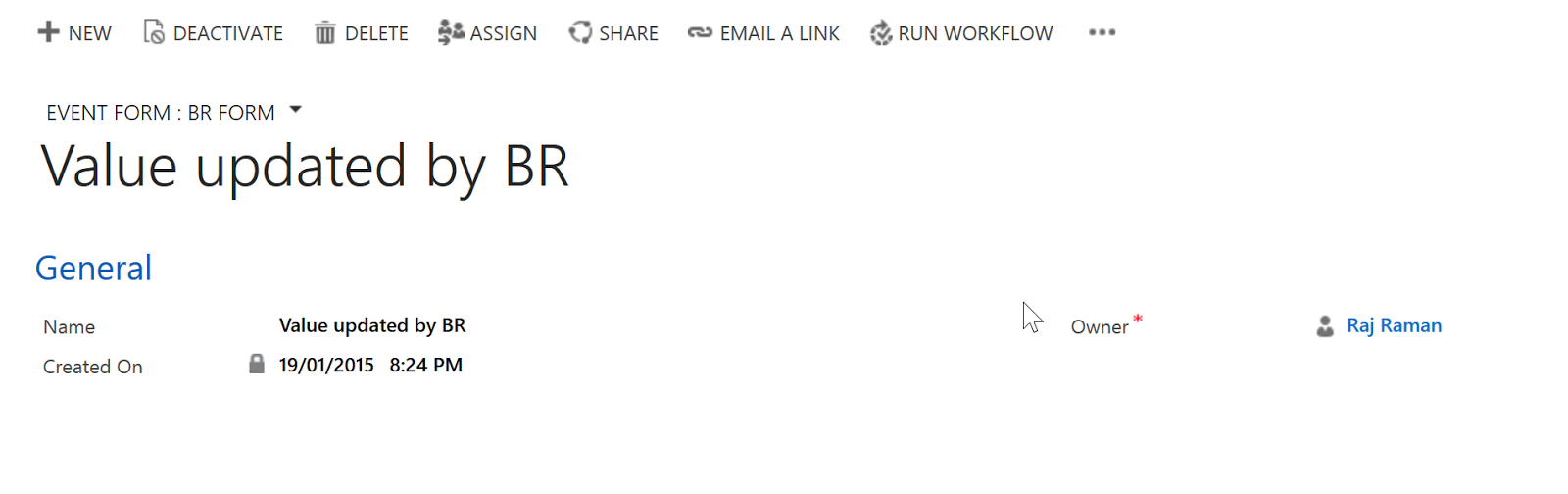
The important thing to remember is: The system field you are checking (in this case createdon), has to be on the form. Otherwise the rule will not fire.
Credits to @BernadoNH for this info.
Here is the result after the rule has run on an existing record
The important thing to remember is: The system field you are checking (in this case createdon), has to be on the form. Otherwise the rule will not fire.
Credits to @BernadoNH for this info.
Business rule only runs if the fields are on the BODY section of the form #msdyncrm. Too risky - JavaScript feels like a better way to go.
— Bernado Nguyen-Hoan (@BernadoNH) January 19, 2015
*This post is locked for comments