




 22,784
 Like
Like Share
Share
 Report
 Most Microsoft Dynamics GP upgrades run through quickly ad without issue but every so often one will encounter a problem. I had one of the upgrades which encountered a problem recently with a client we’d taken over the support from a previous partner.
We always recommend that a test upgrade be done on a standalone server before live to identify exactly this sort of issue. We restored all of the databases onto the new server, installed the client and started the upgrade through GP Utilities; it ran through without issue for a few minutes upgrading several companies before popping up an error window showing there was an issue with the Item Master table:
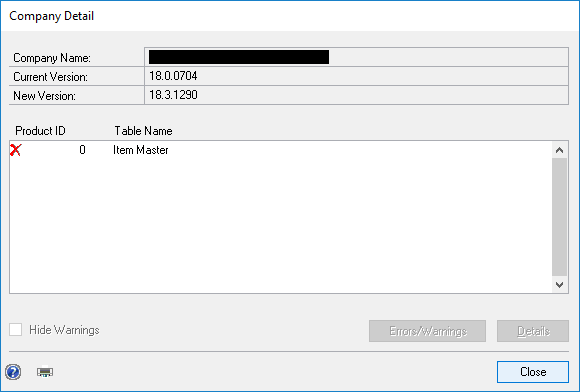
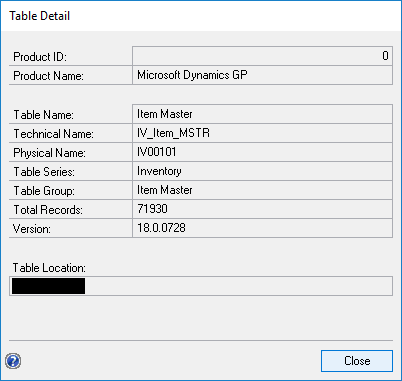
I selected the line and clicked the Details button to view details of the table:
The returned to the Company Detail window and clicked the Errors/Warnings button:
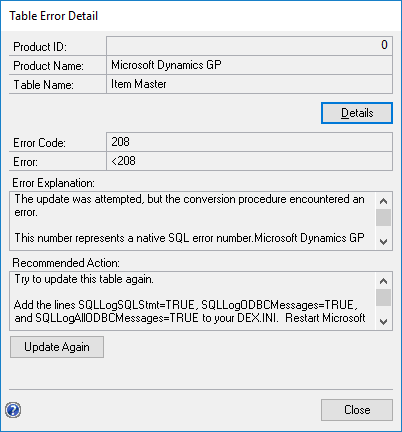
Unfortunately, all this showed was that there was an error, but no details. Following the recommended action, I enabled logging in the Dex.ini file and ran the upgrade again. When the error popped up again I checked the dex log and found the following error:

It showed that the Item Master (IV00101) could not be dropped as it was being referenced by a SQL object; I did some exploring in SQL and found this was a table function. I created scripts to drop and recreate the functions. Once the functions had been dropped, the upgrade ran successfully and I was able to then recreate the functions.
Read original post Upgrade Fails on Item Master (IV00101) at azurecurve|Ramblings of an IT Professional
*This post is locked for comments