




 17,887
 Like
Like Share
Share
 Report
How to create ??
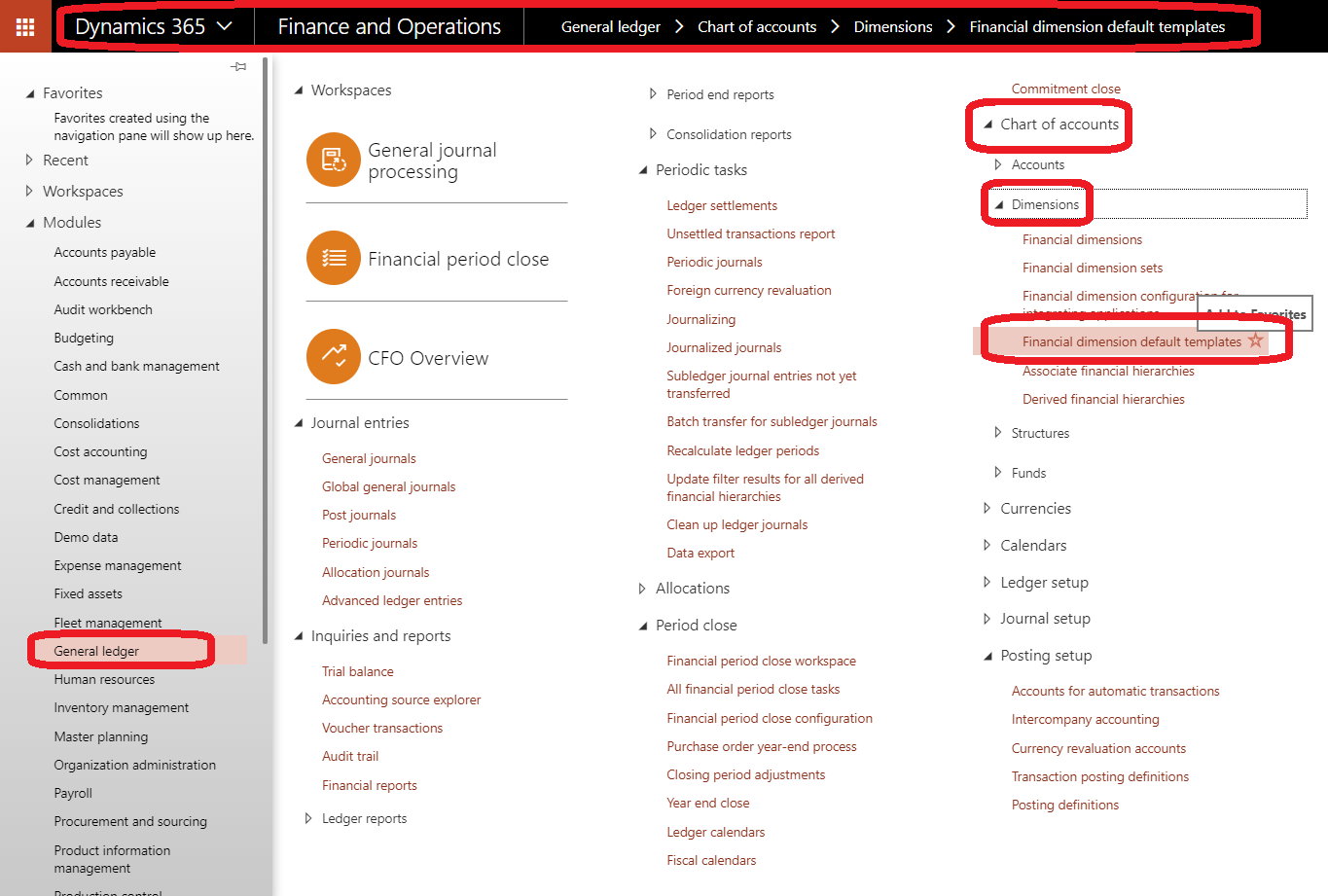
Just go to general ledger /chart of accounts /dimensions/Financial Dimension Default Template
click new and assign template id to select the distribution percentage
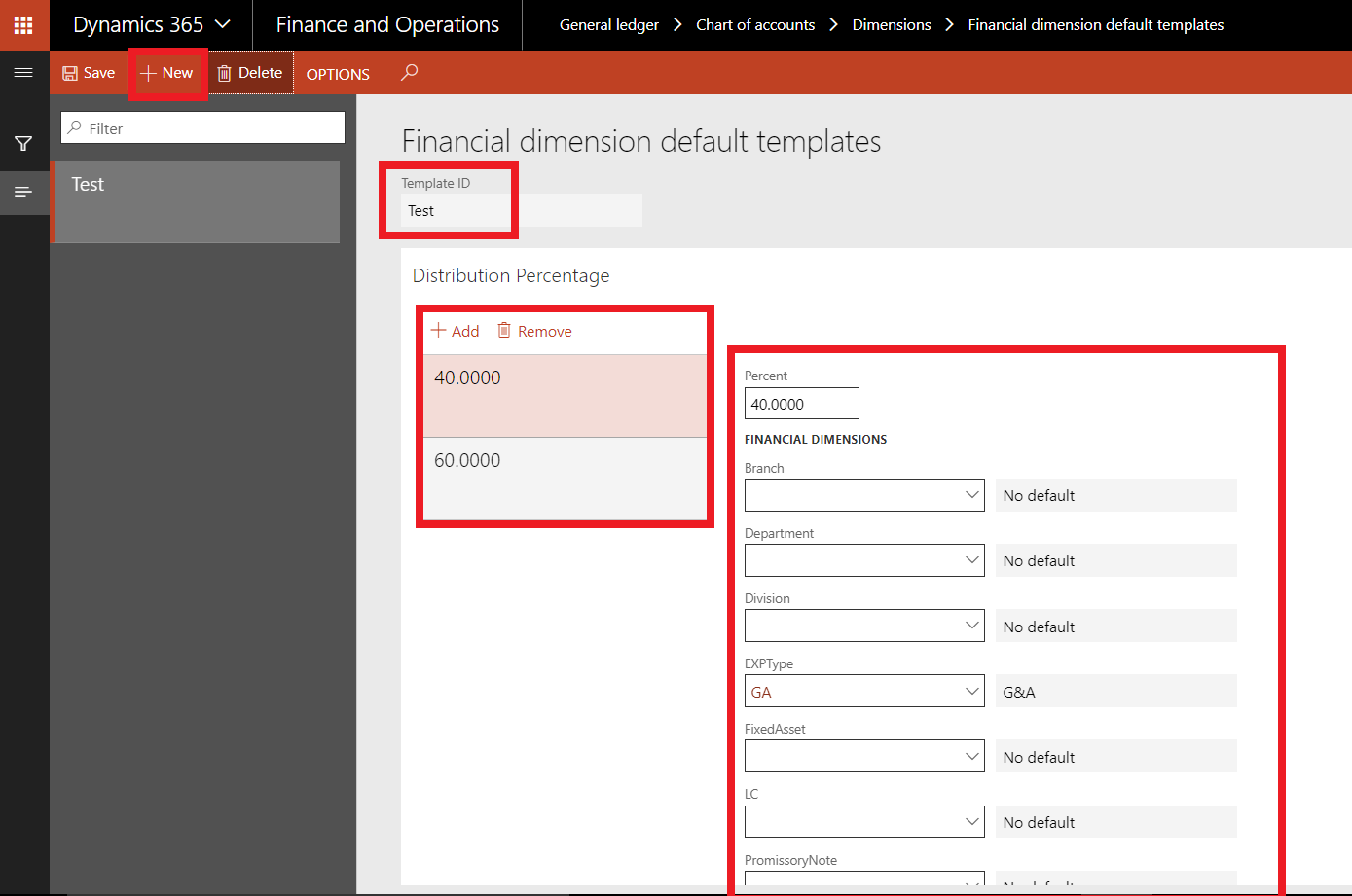
you can create complex distribution based on your business requirements
Note:: the sum of the distribution percentage must be equal 100
how to use??
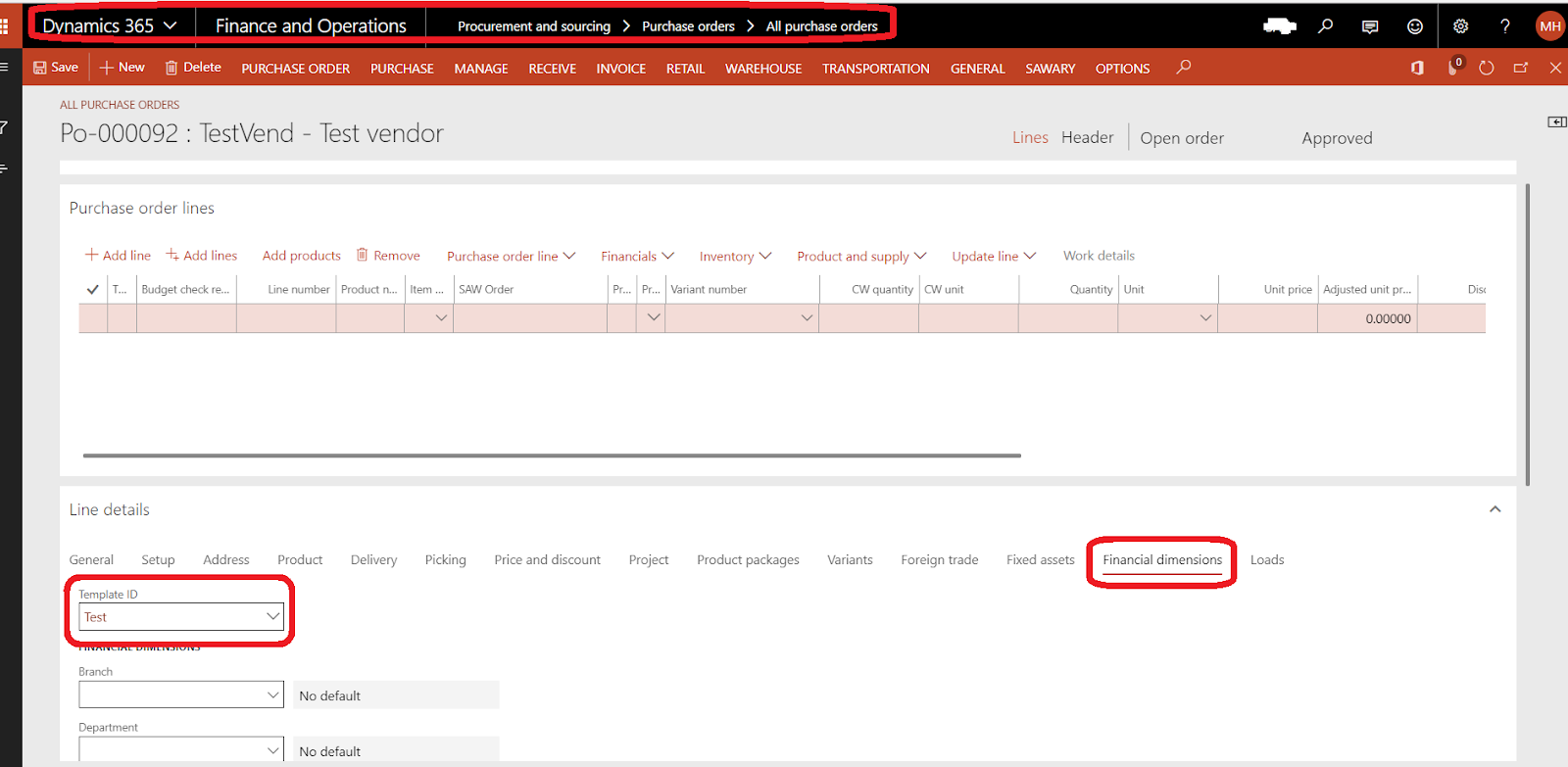
you can select this template in purchase order header

you can select this template in purchase order lines
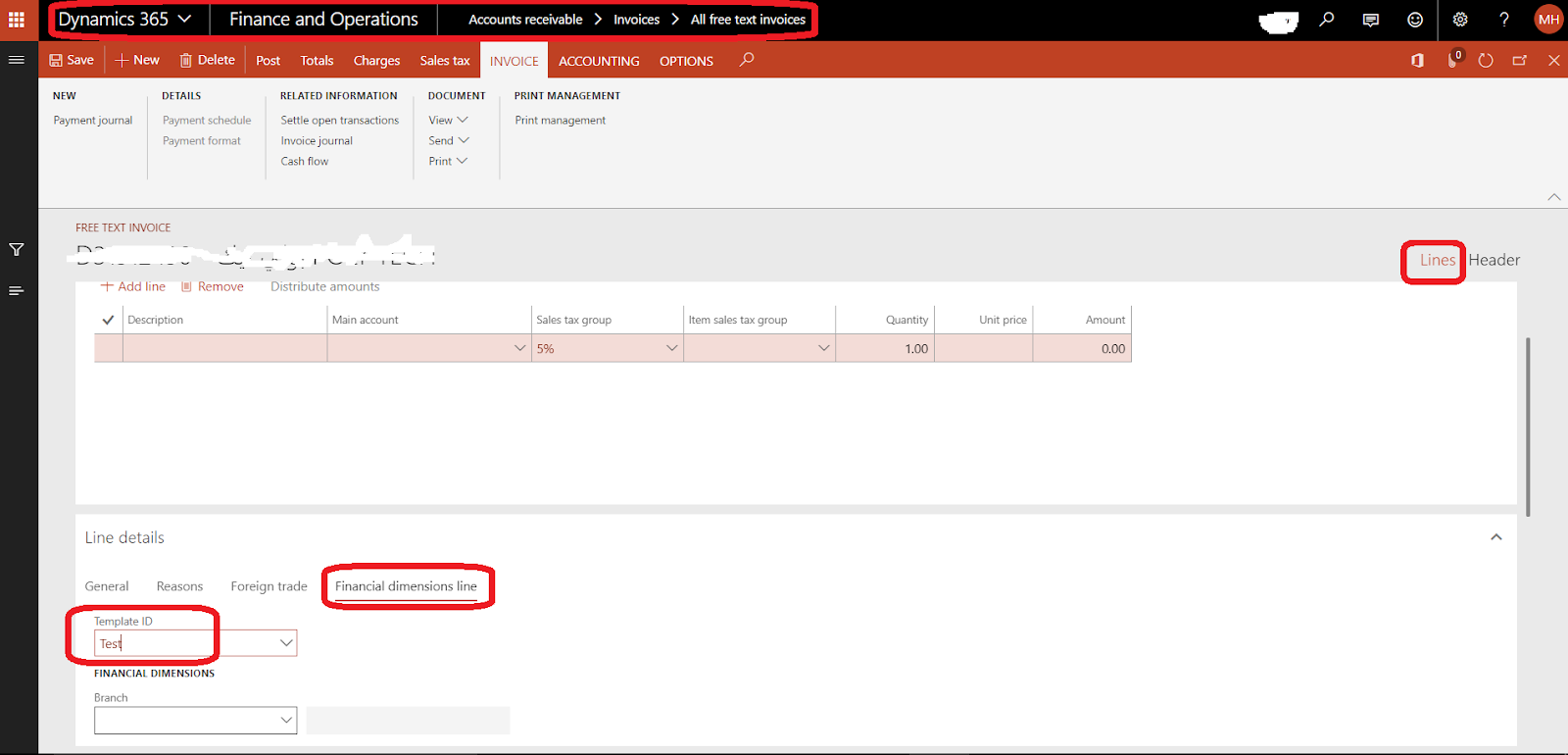
you can select this template in free text invoice header

you can select this template in free text invoice lines
Note:: this function not available in sales order header and lines
also, you can use this template to purchase requisition,, etc
*This post is locked for comments