




 17,887
 Like
Like Share
Share
 Report
Today, how to delete?
take care from delete action and don't forget to backup your work
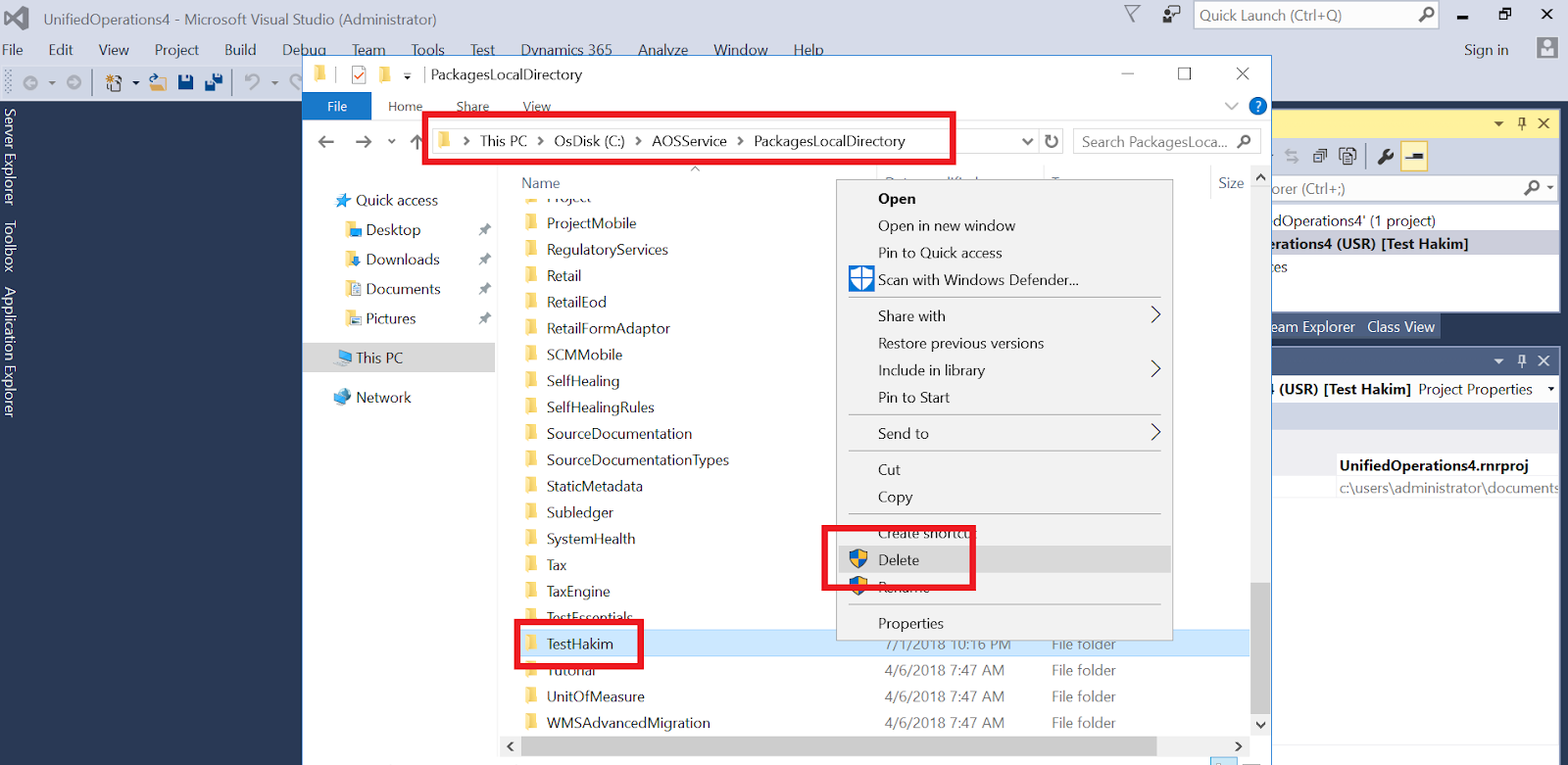
you can delete model easily by delete model folder in this path
"C:\AOSService\PackagesLocalDirectory"
for example, if you need to delete Test Hakim model

Stop AOS web service and the Batch Management Service
and Go to "C:\AOSService\PackagesLocalDirectory"
after delete, don't forget to refresh models
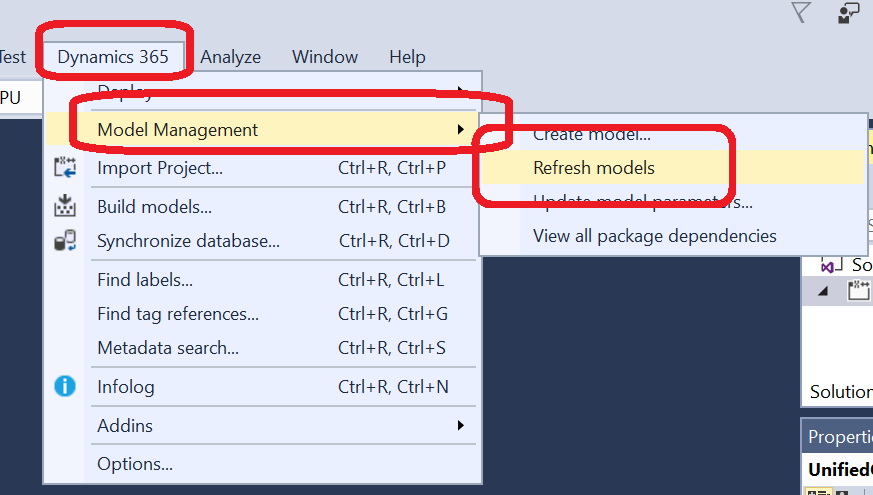
check the available models now,
try to update model parameters to see the available models

as you see, Test Hakim model not available
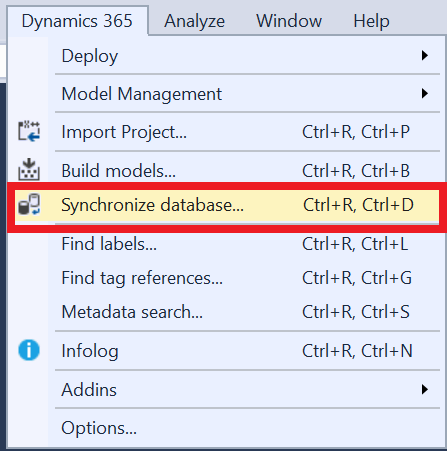
synchronize database
if you need to lock model only without delete, check this POST
Thanks
*This post is locked for comments