




 Like
Like Share
Share
 Report
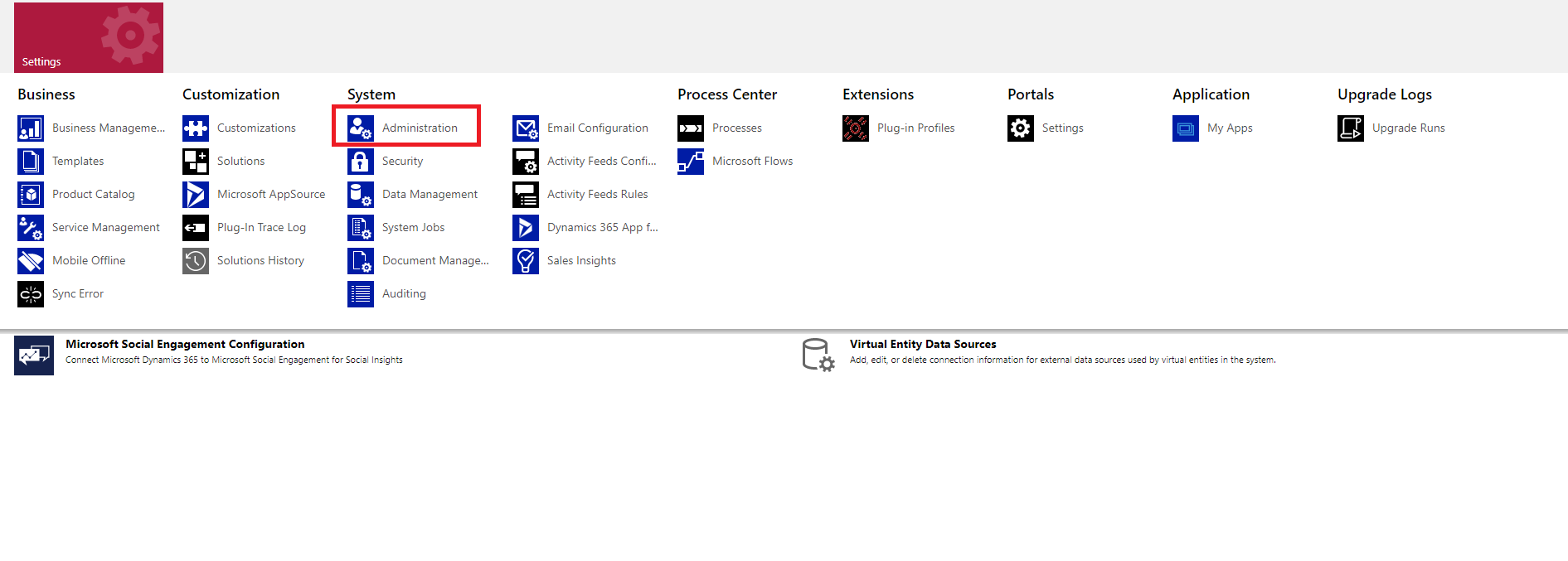
- Go to Admin settings
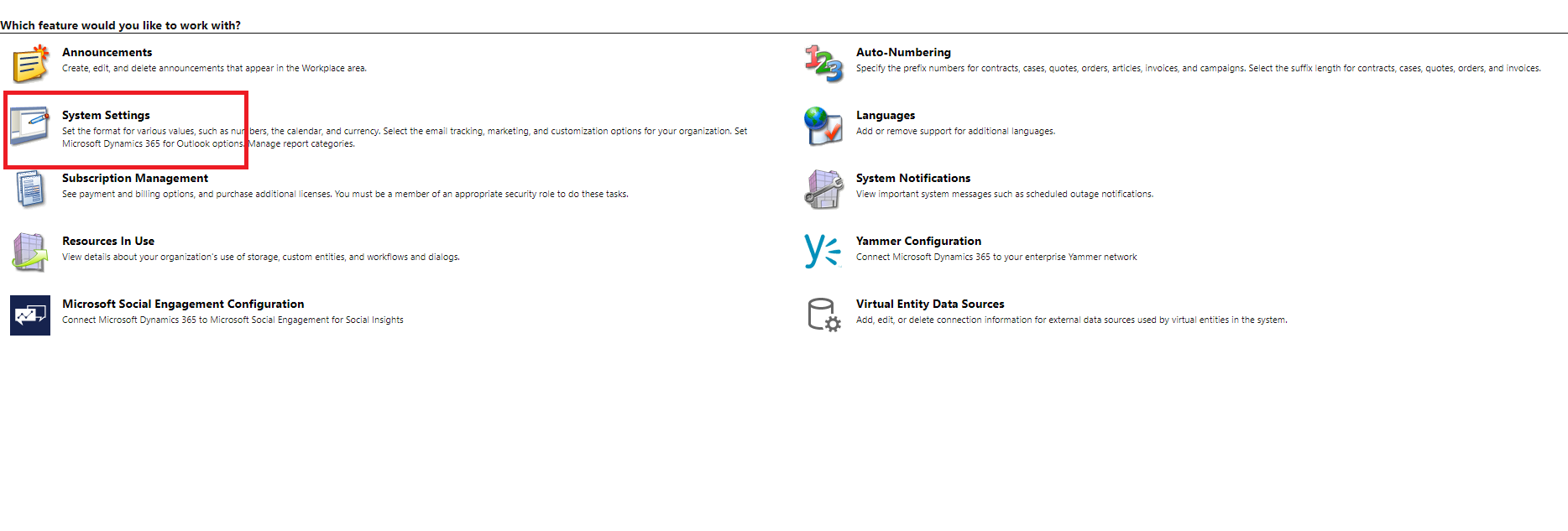
- Click on system setting
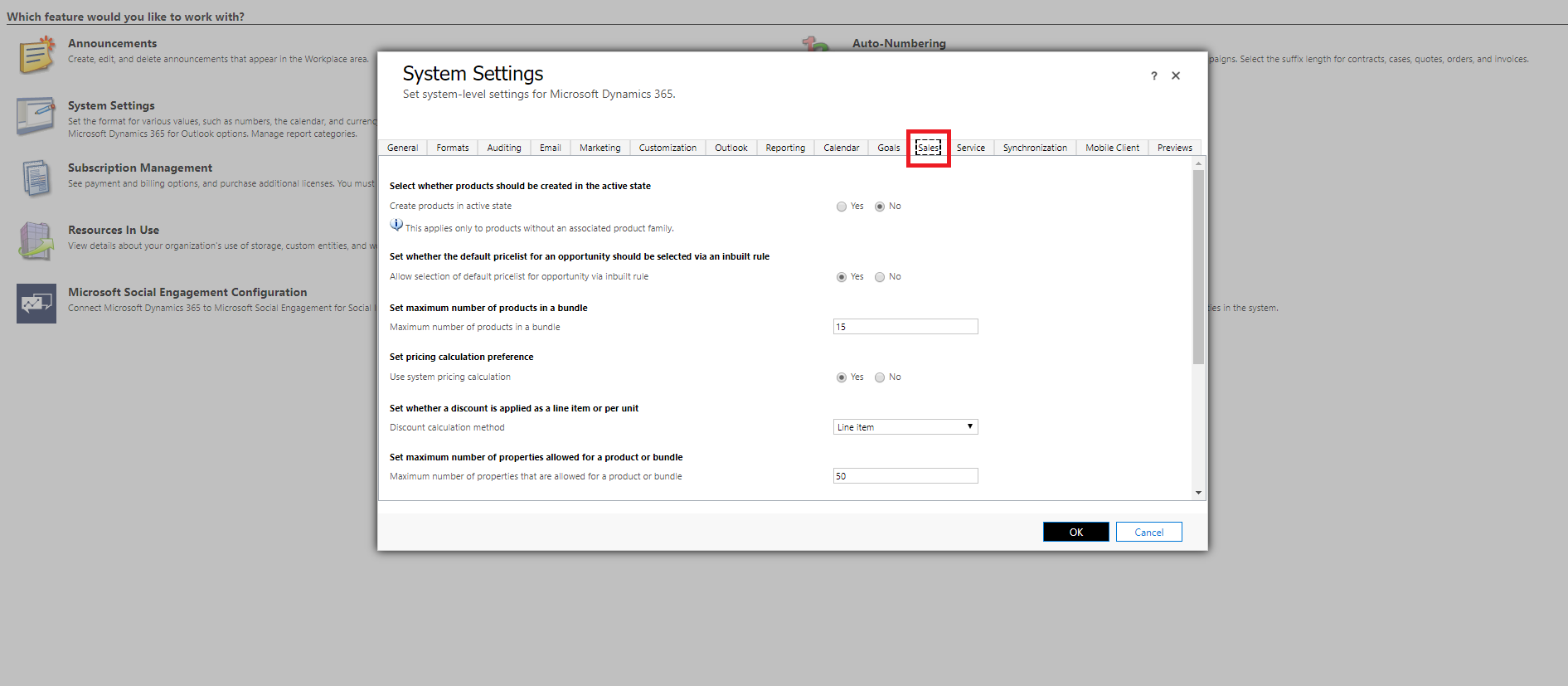
- After clicking on System settings, a popup opens, click sales tab as shown below.
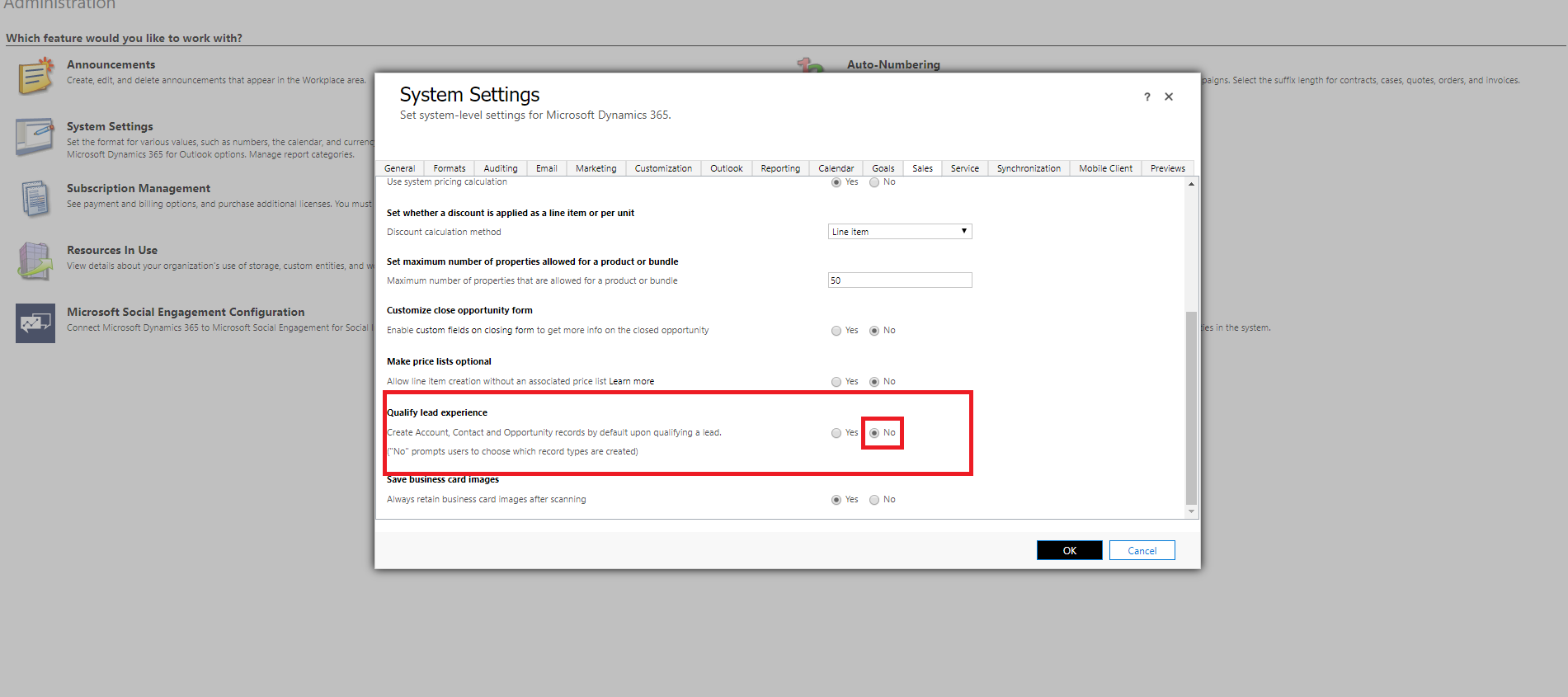
- Now, select no for Qualified lead experience refer below image.
The post Choose which All Records To Create While Qualifying Lead appeared first on Cloudfronts - Microsoft Dynamics 365 | Power BI | Azure.
*This post is locked for comments