




 4,009
4,009 Like
Like Share
Share
 Report
Introduction:
In Dynamics NAV Users Page, a SUPER User has the ability to add more specific user permissions to another user.
However, while adding permission if the User mistakenly adds the company name to a SUPER Permission Set for all companies.
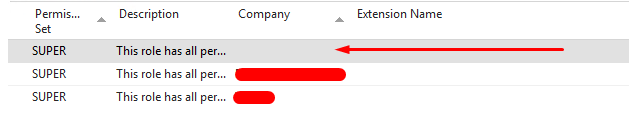
This is actually a trap, as the user did not remove any permissions but only added by mistake and after adding this value, the data cannot be again set to BLANK.
However, while adding permission if the User mistakenly adds the company name to a SUPER Permission Set for all companies.
This is actually a trap, as the user did not remove any permissions but only added by mistake and after adding this value, the data cannot be again set to BLANK.
Pre-requisites:
- Understanding of NAV Powershell Module
- Microsoft Dynamics NAV
Books & References:
- https://olisterr.blogspot.com/2021/03/setting-up-administrator-account-in-nav.html
Demonstration:
In my previous blog LINK, I discussed about a workaround to this issue using SQL and NAV Users pages.
In this blog I will be sharing the steps to do the same using PowerShell Commands.
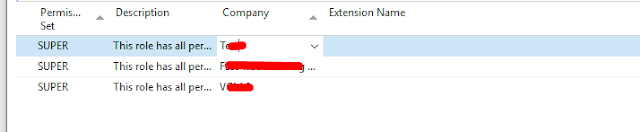
New-NAVServerUserPermissionSet -PermissionSetId SUPER -ServerInstance <ServerInstanceName> -WindowsAccount <WindowsUserName>

Conclusion:
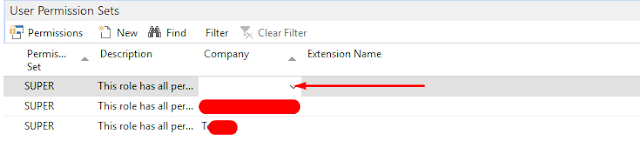
Using the New-NAVUserPermissionSet definitely works adding SUPER PermissionsSet to the User.
I hope this helps!!
I hope this helps!!
*This post is locked for comments