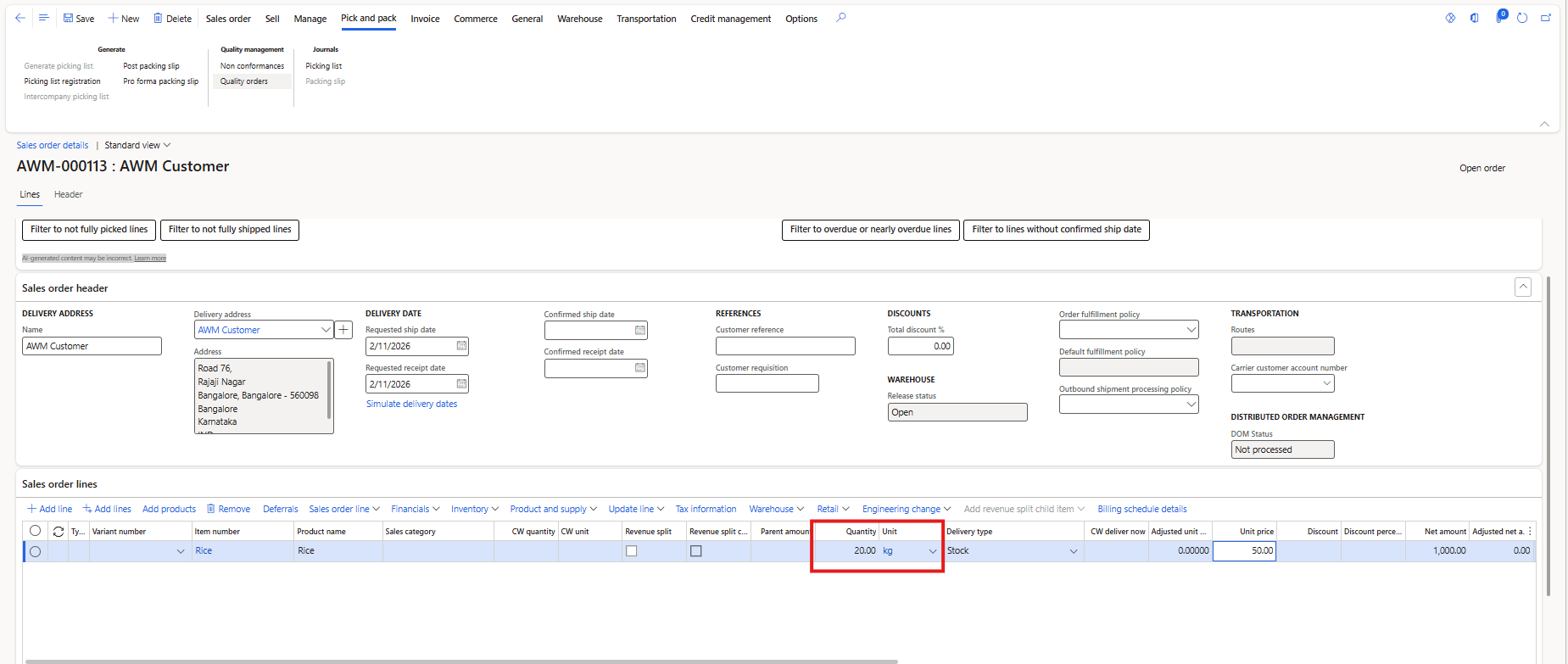
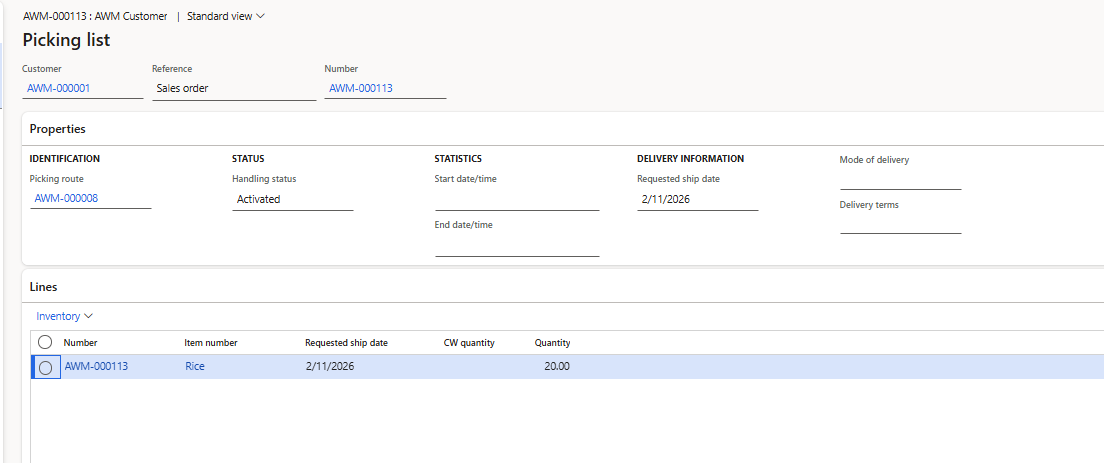
Take a sales order with a total quantity of 20 KG. The user generates the picking list for the 20 KG as shown in the image below:
Sales Order:
Picking List:
During the packing slip registration, the user splits it into 2 deliveries as shown in the image: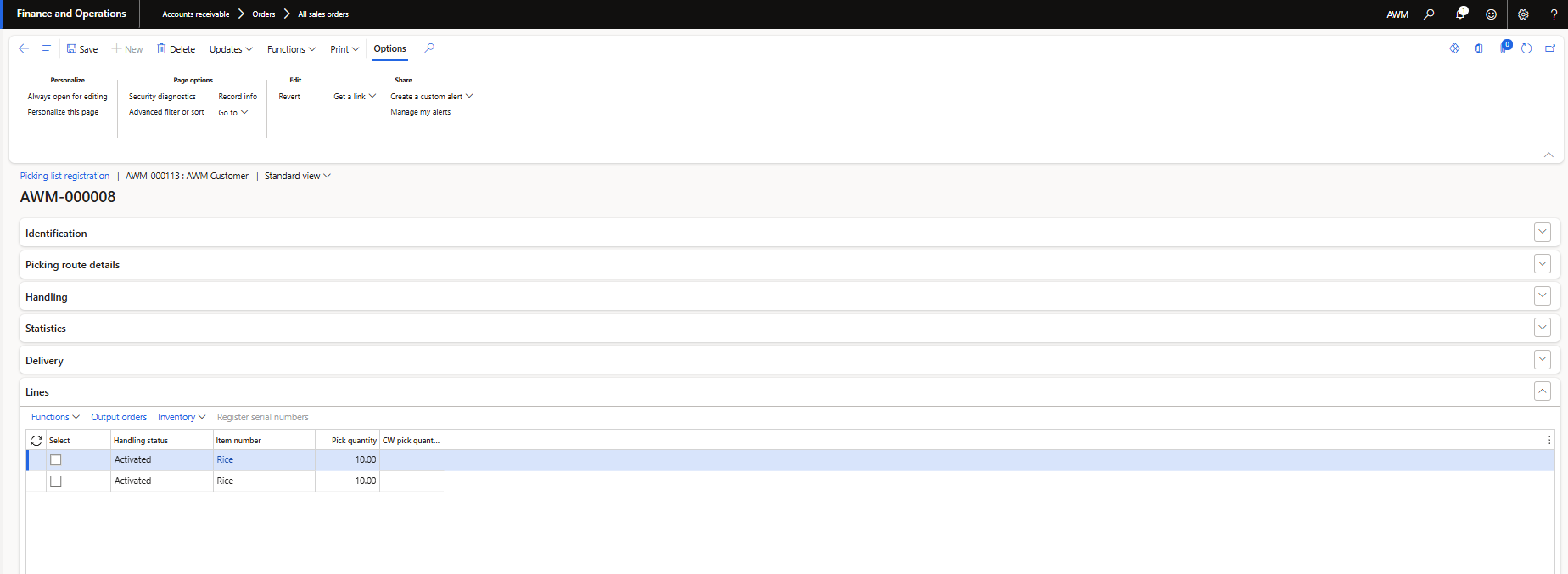
The user registers the 10 quantities from the picking list registration to pick for the delivery: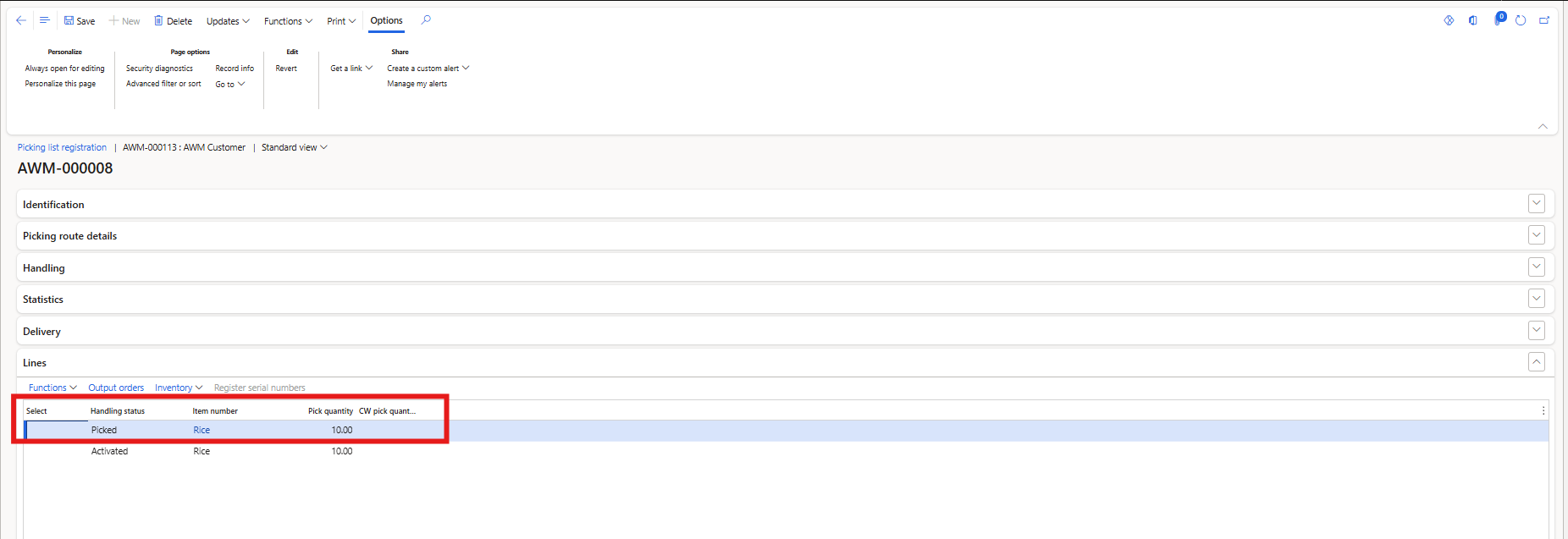
The user posts the packing slip for the 10 quantities picked to proceed with the shipping:
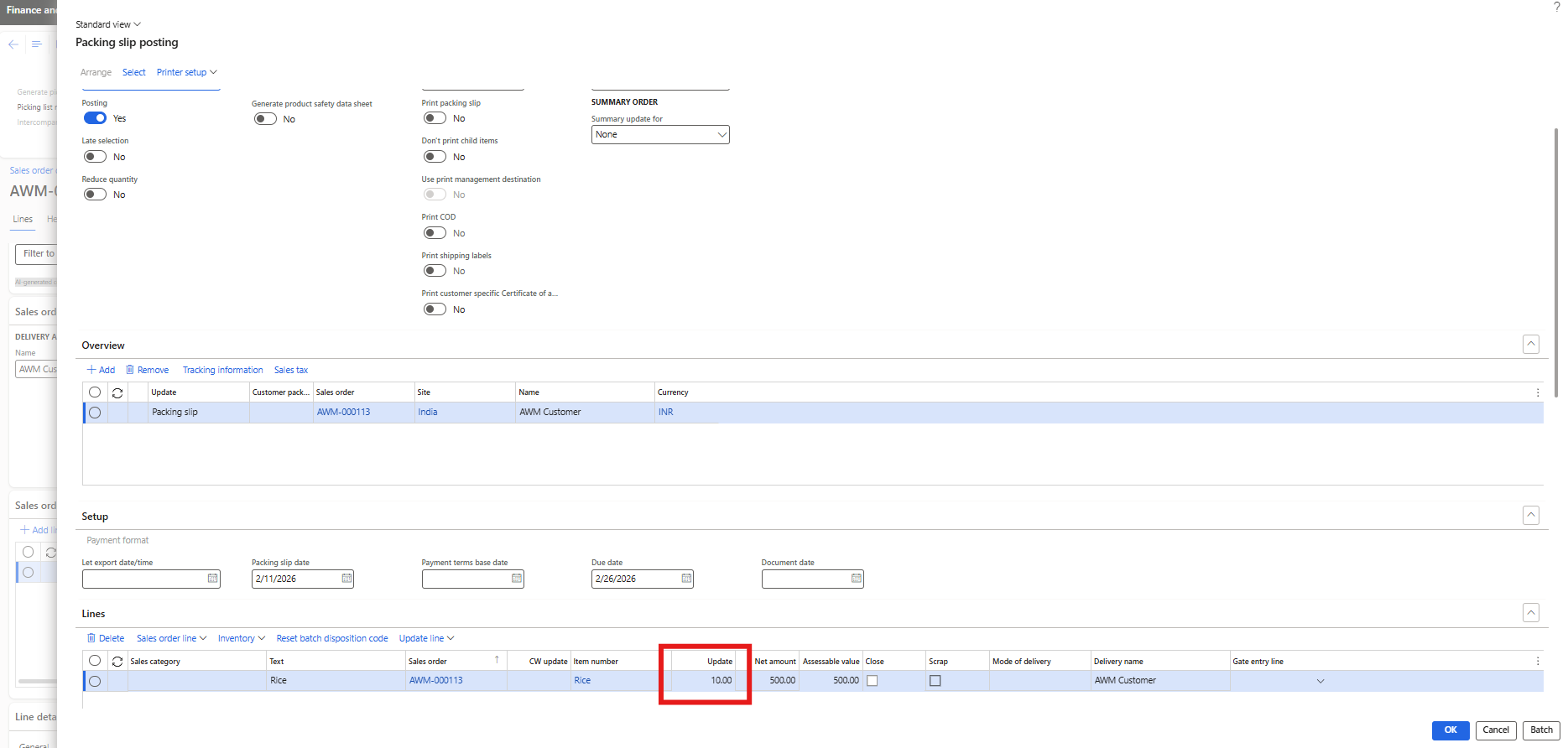
The remaining 10 units should be cancelled per the customer's request. The user tries to cancel the delivery remainder, but D365 throws the error as shown below:
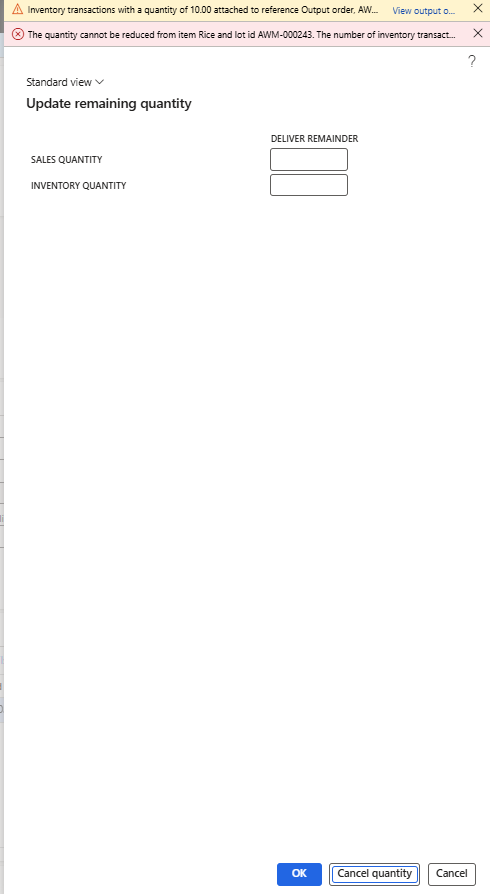
Quick solution:
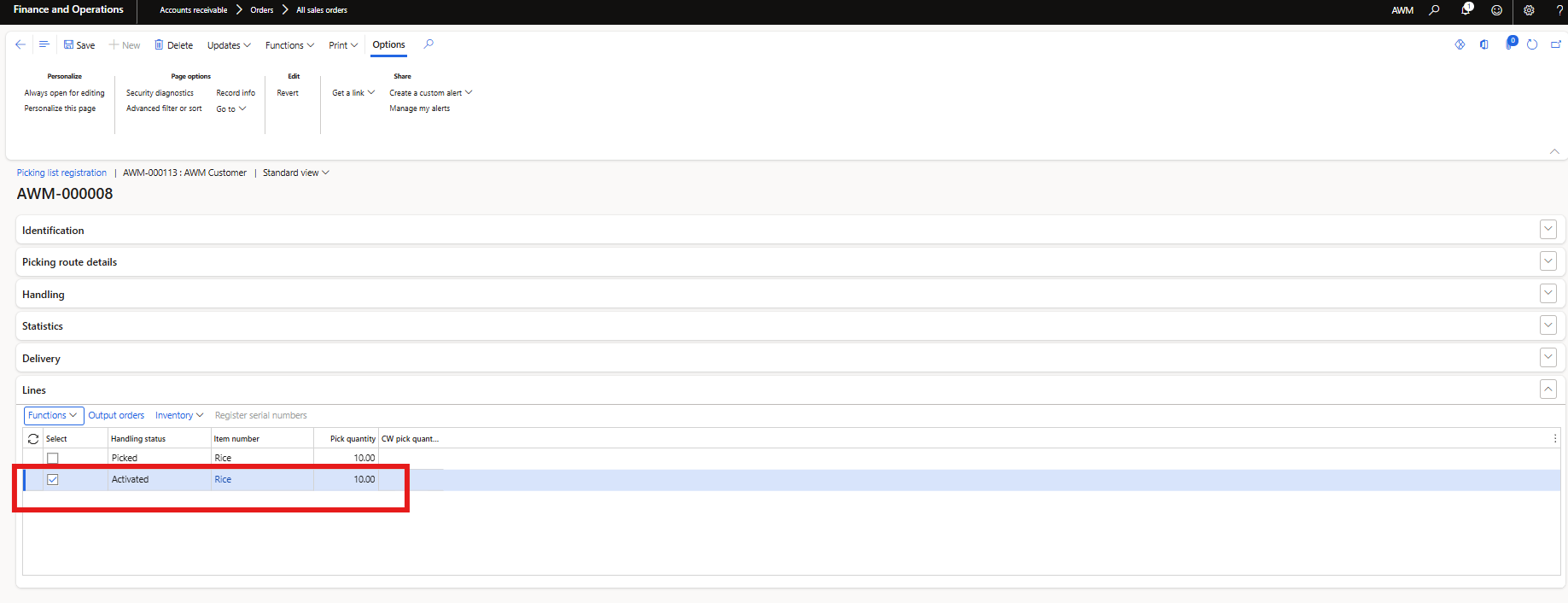
Cancel the active record in the picking list registration:
Cancellation is done:
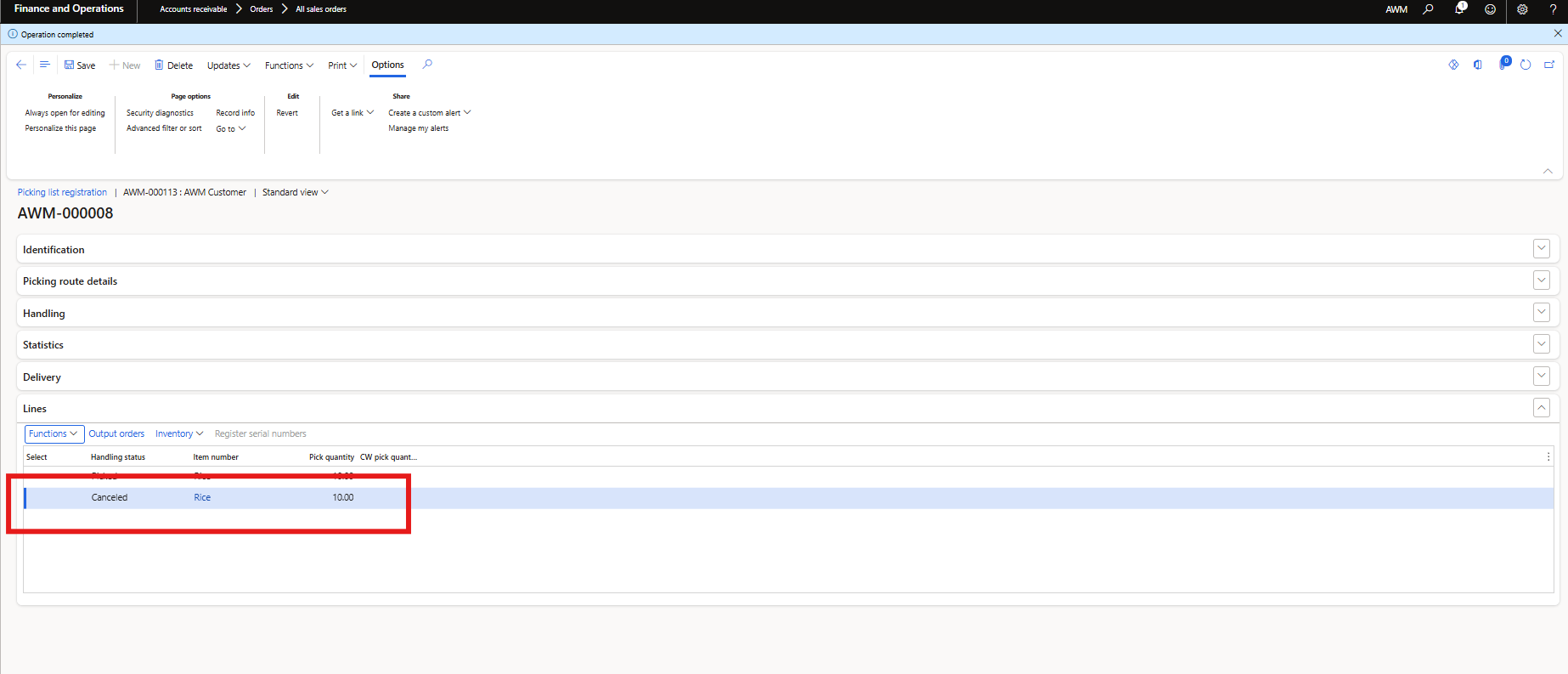
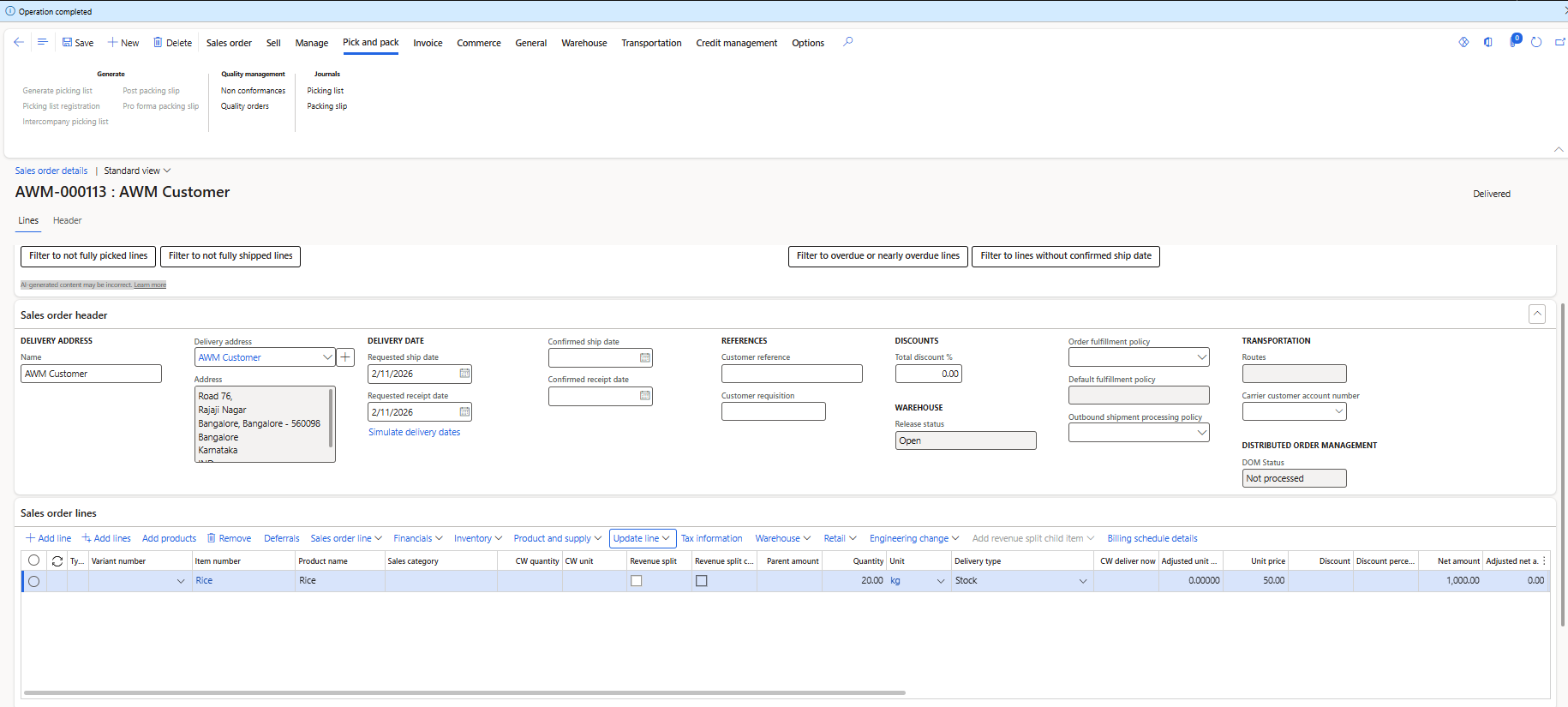
Cancelling the delivery remainder. D365 allows the user to cancel the delivery remainder and changes the status of the sales order to "Delivered":
Conclusion:
When the Quantity is split in the Picking list registration form, and one of the records is in an active state, D365 doesn't allow the user to cancel the delivery remainder. The user should cancel the active record in the picking list registration form and proceed with cancelling the Delivery Remainder.
Written and posted by,
Harsha A P
D365 FnO Functional - SCM|AWM Lead Consultant


