




 6,230
6,230 Like
Like Share
Share
 Report
Security is of course very important when dealing with customer data. One way to safeguard customer data is to sign out of Dynamics when not using it. When using the tablet app, the sign out button is not immediately visible.
To sign out from the tablet app:
1. From the Menu Bar, click on the Home Icon
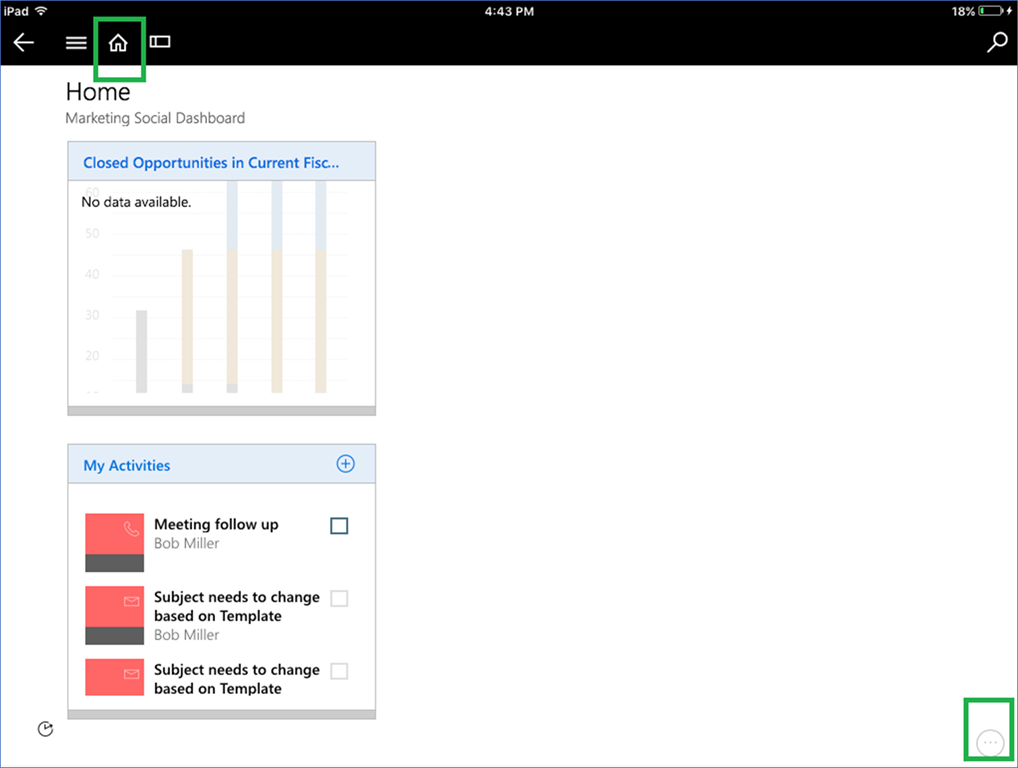
2. In the bottom right corner, click on ellipsis (…) button.
3. Select Settings and click on Sign Out
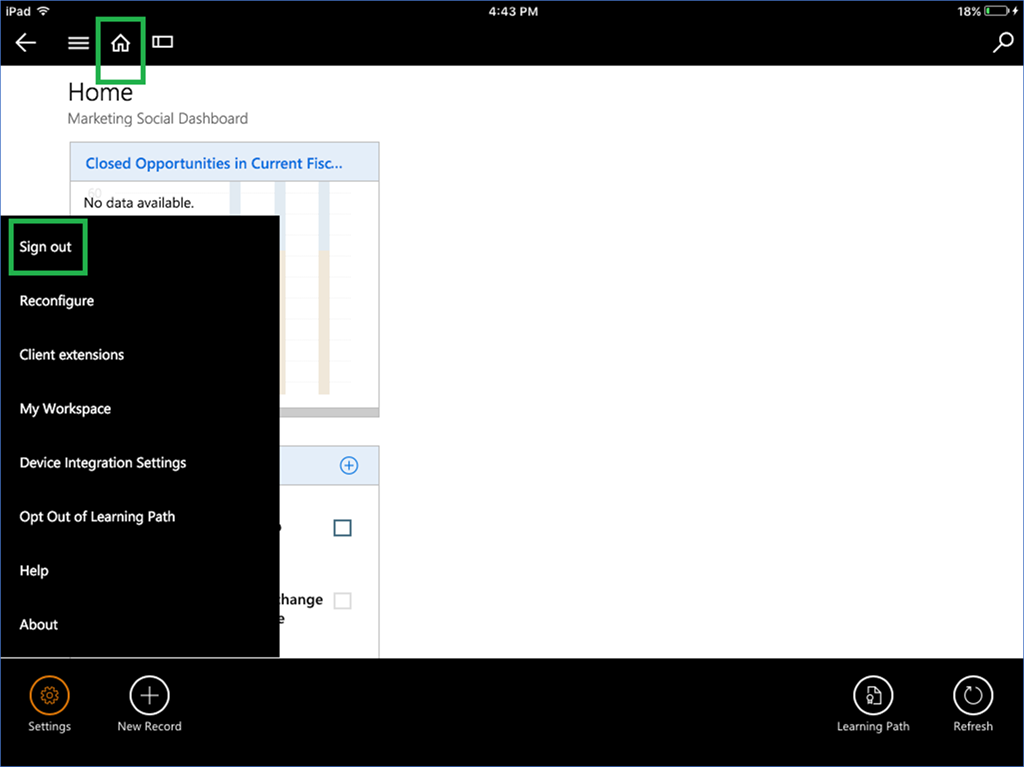
This way, you can be sure you’ve safeguarded your customer data.
*This post is locked for comments