




 8,994
8,994 Like
Like Share
Share
 Report
If you are also facing issue when debugging VS opens objects in IE, ironically Microsoft says its not supported any more but still object opens in IE.
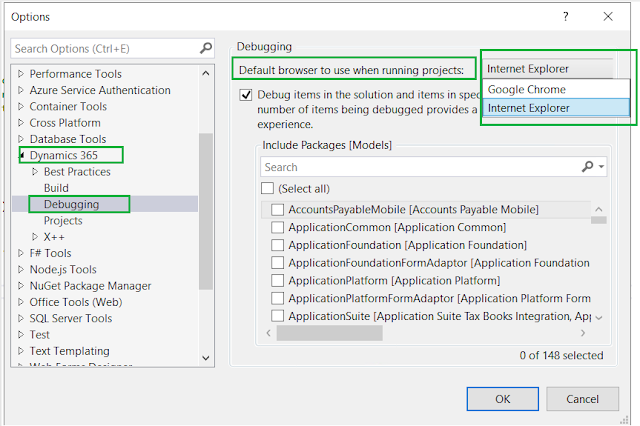
So to change the default browser to Chrome or any other, navigate to Visual Studio Extension > Dynamics 365 > Option > Debugging
set the default browser here as per your choice


*This post is locked for comments