




 4,009
4,009 Like
Like Share
Share
 Report
Introduction:
Imagine a scenario where as per the requirements provided by your clients, you have set up the Database structure in NAV/Business Central.
Then comes a requirement in Phase 2 which completely redefines the database structure which was provided by you and you need to delete a few fields in a table and move it to another table.
Pre-requisites:
Microsoft Dynamics NAV
Microsoft Dynamics Business Central
Books & References:
https://docs.microsoft.com/en-us/dynamics365/business-central/dev-itpro/developer/properties/devenv-obsoletestate-property
Solution:
1. In Microsoft Dynamics NAV, there was a flexibility to delete fields, tables, and keys and using Force-Sync, you can directly delete the field, table, and keys from SQL Database.
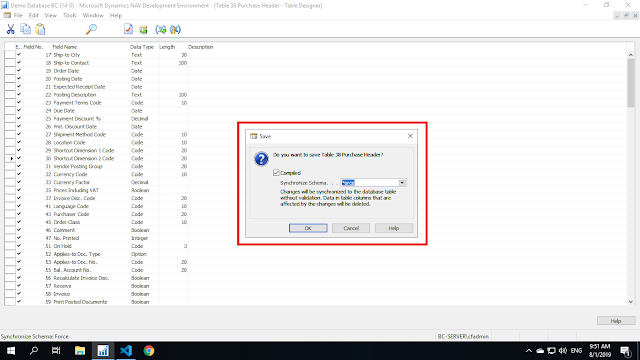
2. Whereas in Microsoft Dynamics Business Central, you cannot delete the fields, keys, and tables.
In order to deploy this deleted change, you need to mention this field, table, and keys with Obsolete State Removed.
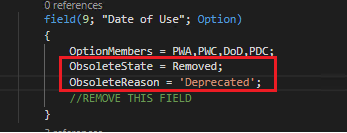
After you mention the field as Obsolete, in the page directly the field is
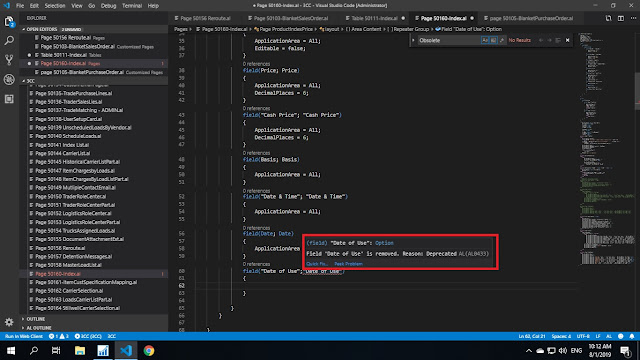
3. While deploying these changes in Business Central On-Premise, you can directly deploy the changes using Force-Sync through schemaUpdateMode property in AL.

Conclusion:
In order to delete a field the process has become relatively tedious in Business Central as compared to NAV. This is because from Business Central server point of view, the field is never actually deleted from the SQL Database it just gets disabled. Microsoft has made it easier for Business Central community by adding Force-Sync, other wise the developers will have to change the Application ID which in turn results in erasing of the data for the extension.
Hope you guys find this useful.
Imagine a scenario where as per the requirements provided by your clients, you have set up the Database structure in NAV/Business Central.
Then comes a requirement in Phase 2 which completely redefines the database structure which was provided by you and you need to delete a few fields in a table and move it to another table.
Pre-requisites:
Microsoft Dynamics NAV
Microsoft Dynamics Business Central
Books & References:
https://docs.microsoft.com/en-us/dynamics365/business-central/dev-itpro/developer/properties/devenv-obsoletestate-property
Solution:
1. In Microsoft Dynamics NAV, there was a flexibility to delete fields, tables, and keys and using Force-Sync, you can directly delete the field, table, and keys from SQL Database.

2. Whereas in Microsoft Dynamics Business Central, you cannot delete the fields, keys, and tables.
In order to deploy this deleted change, you need to mention this field, table, and keys with Obsolete State Removed.
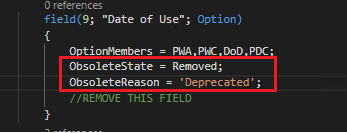
After you mention the field as Obsolete, in the page directly the field is
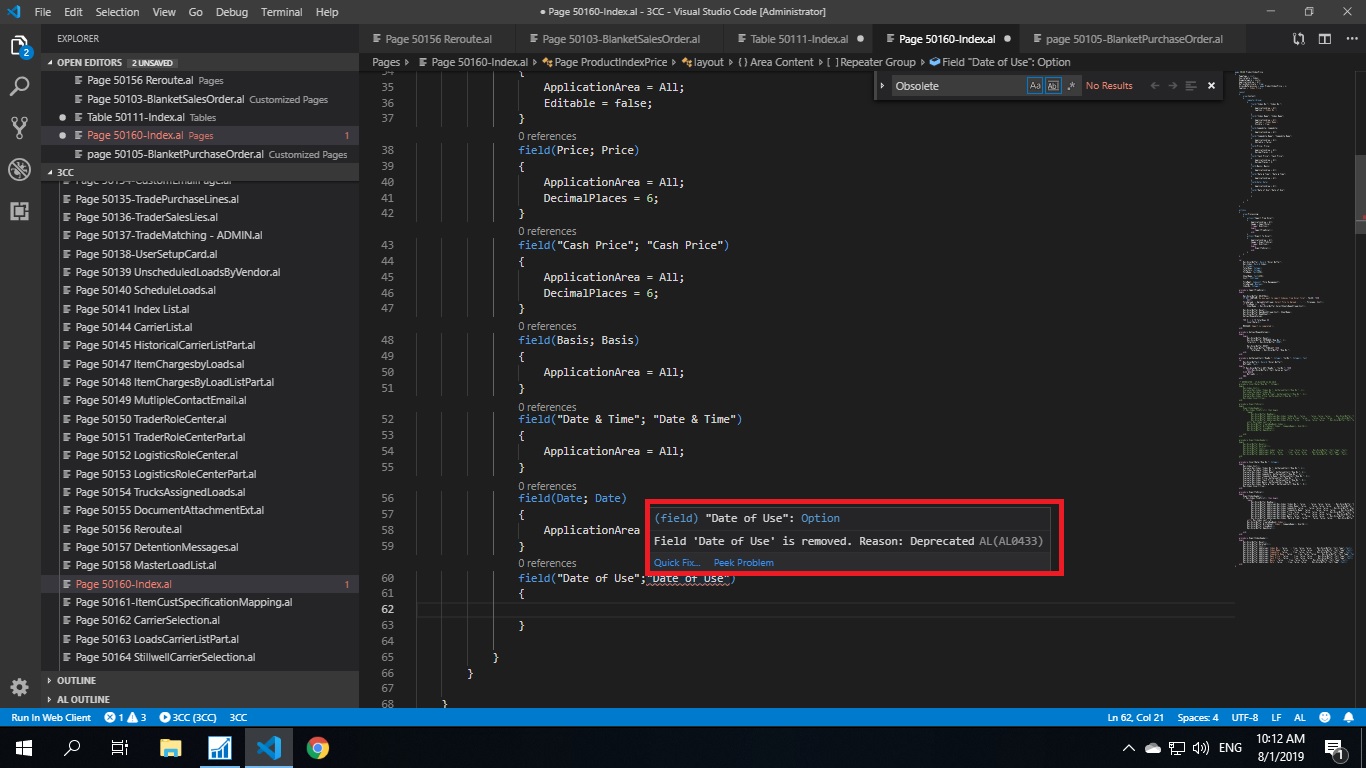
3. While deploying these changes in Business Central On-Premise, you can directly deploy the changes using Force-Sync through schemaUpdateMode property in AL.

Conclusion:
In order to delete a field the process has become relatively tedious in Business Central as compared to NAV. This is because from Business Central server point of view, the field is never actually deleted from the SQL Database it just gets disabled. Microsoft has made it easier for Business Central community by adding Force-Sync, other wise the developers will have to change the Application ID which in turn results in erasing of the data for the extension.
Hope you guys find this useful.
*This post is locked for comments