




 Like
Like Share
Share
 Report
It’s great to see the team advising us in advance about the upcoming features in the April ’19 Release Notes. As with any forward document, it is a living and breathing beast. Some features are being postponed, some replaced, new stuff added.
Some of the late-comers are new FetchXML operators. How often you wanted to send season greetings email to your best customers, or perhaps, even a gift? Where do I get 80% of my revenue from? By the same token, wouldn’t be great to know the customers you can live without – who generate large number of supprot calls but bring little to no revenue?
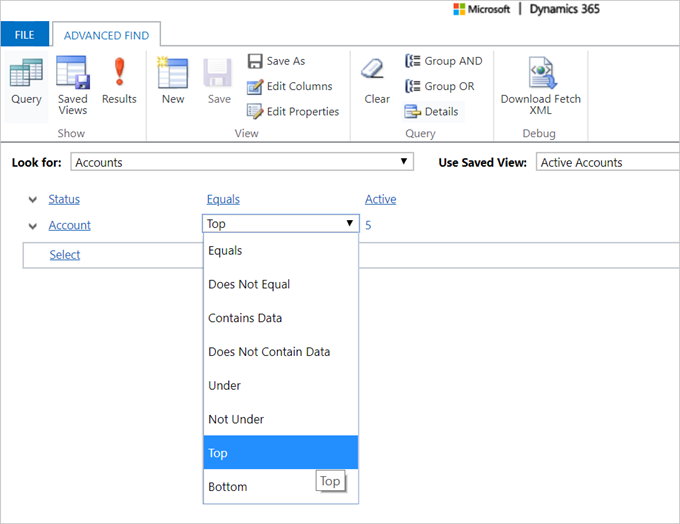
Now you can define both, top and bottom subsets of your customers with the new Top and Bottom filters in Advanced Find:
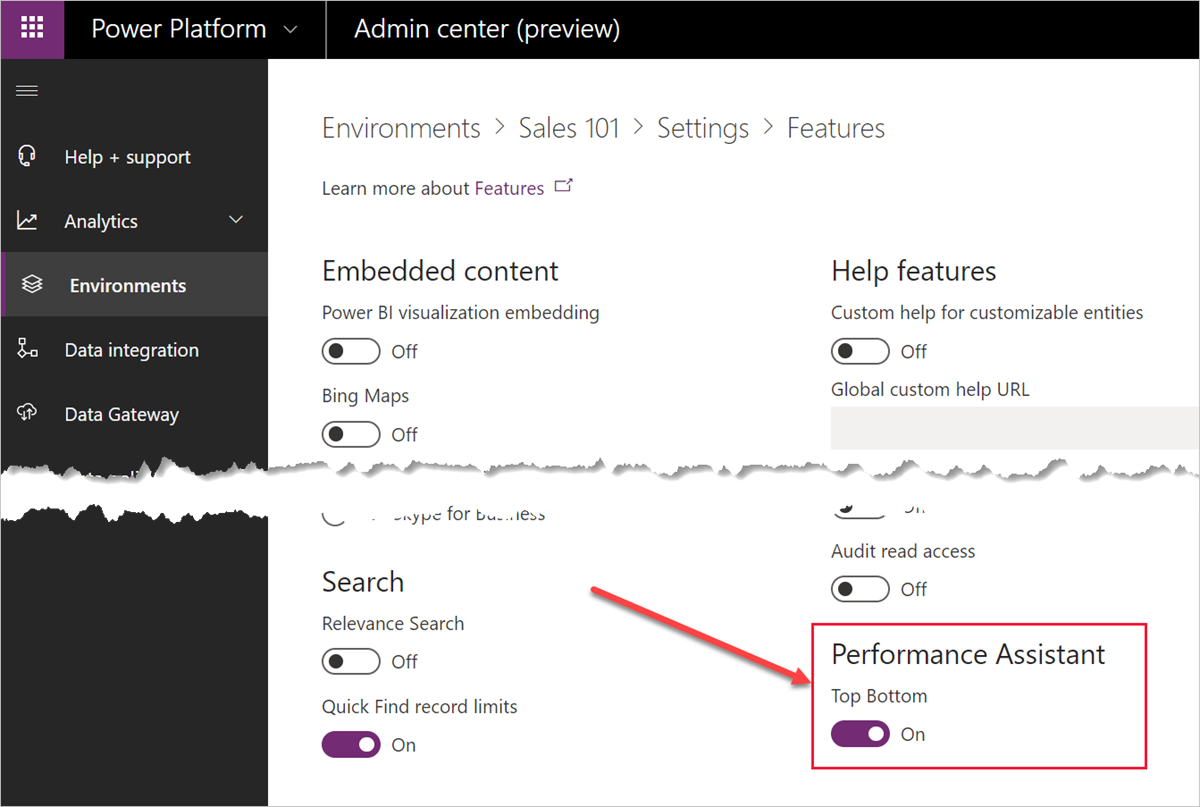
For these operators to appear, administrators need to enable the feature in admin center under Settings > Behavior:
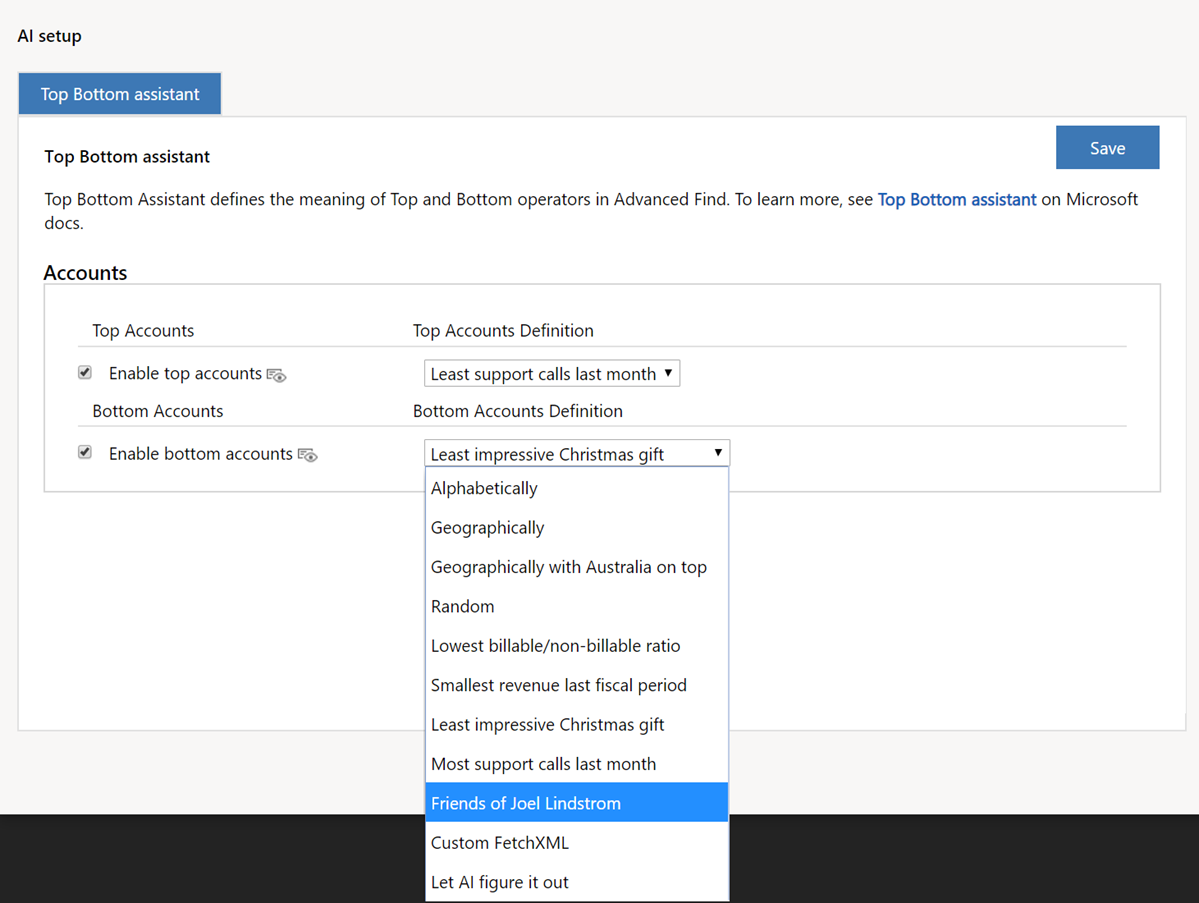
So, once the feature enabled, how do you define top and bottom records? That’s the best part. The settings are per user and per entity (currently accounts only) giving you full freedom to do whatever you want without affecting others. There are plenty available options but if your choice is not there you can always opt for “Custom” and define your own FetchXML filter:
For developers: the operators extend FetchXML schema as following:
<xs:simpleType name="operator">
  <xs:restriction base="xs:NMTOKEN">
    <xs:enumeration value="eq" />
    <xs:enumeration value="neq" />
    ...
    <xs:enumeration value="top-notch" />
    <xs:enumeration value="absolute-bottom" />
  </xs:restriction>
</xs:simpleType>
Cover photo by Banter Snaps
*This post is locked for comments