




 Like
Like Share
Share
 Report
You create a Flow that runs when a record is updated. Occasionally the Flow fails on one or more step with a template error that reads something like the following:
Unable to process template language expressions for action ‘Check_if_Last_Name_contains_data’ at line ‘1’ and column ‘1823’: ‘The template language expression ‘triggerBody()[‘lastname’]’ cannot be evaluated because property ‘lastname’ doesn’t exist.
You think: of course the lastname property exists–it’s one of the standard fields and it is available to be selected from the field list.
Not so fast–take a look at your failed flow and expand out the when a record is updated. You will notice that none of the fields that do not contain data (nulls) is included in the list.
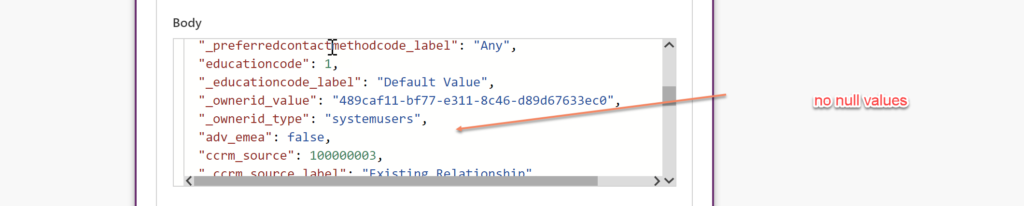
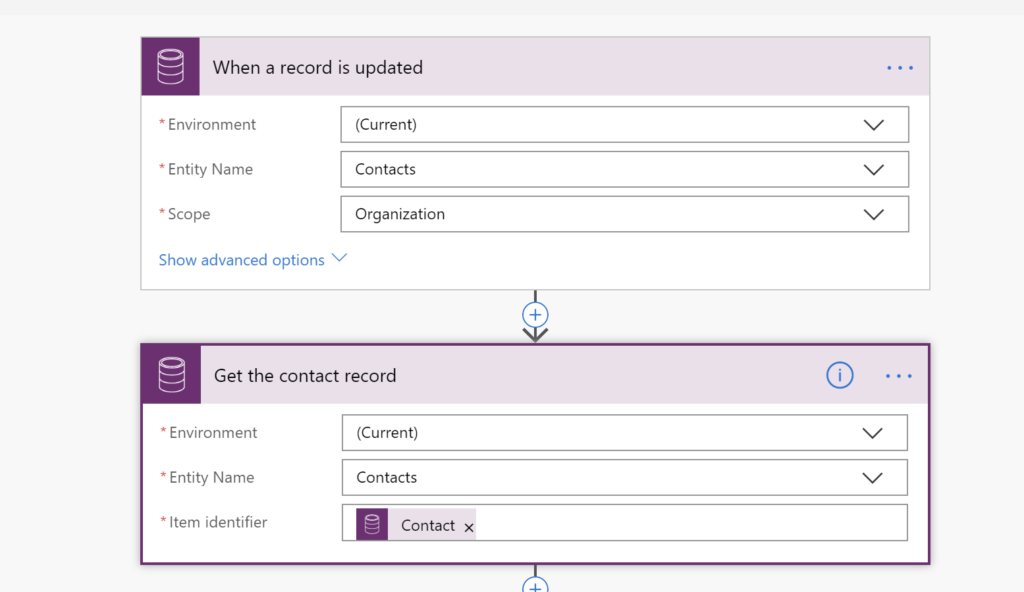
If you will be referencing fields from the updated record, insert a get record step after the when a record is updated step–then when you reference a field from the record that equals null, the Flow will succeed.
Cover photo by unsplash-logoBrian Taylor
*This post is locked for comments