




 2,822
2,822 Like
Like Share
Share
 Report
Author: Zohaib Uddin Khan
Version: Dynamics 365 v8.1 and onwards
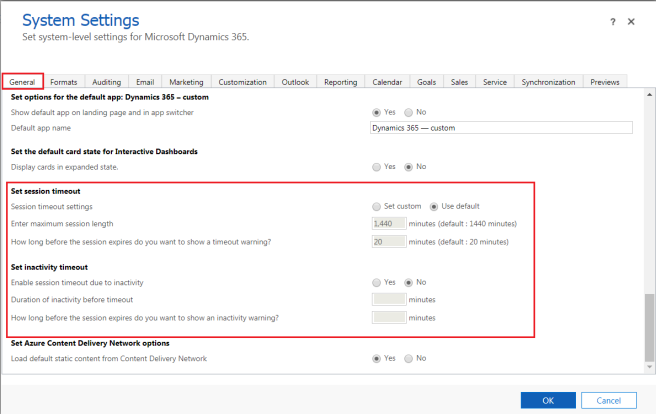
In this blog, we will be discussing two features which are available under Dynamics 365 – Settings – Administration – System Settings
- User session timeout
- A user is not required to log in with their credentials for up to 24 hours regardless of whether the user was active or inactive.
- Inactivity timeout
- A user can remain logged in the application until the session timeout expires.
Both of the above features can have custom values set by System Administrators.
Limitation of Inactivity timeout:
In the following cases, inactivity timeout wouldn’t get enforce:-
- Dynamics 365 for Outlook
- Dynamics 365 for phones and Dynamics 365 for tablets
- Unified Service Desk client using WPF browser (Internet Explorer is supported)
- Live Assist (Chat)
More information can be read here.
*This post is locked for comments