




 3,569
3,569 Like
Like Share
Share
 Report
In this quick post, we will see how to convert Query Expression to FetchXML and how to convert FetchXML to Query Expression in Dynamics 365.
- QUERY EXPRESSION TO FECTH XML
The below function can be used to convert a Query Expression into Fetch Xml query
public void ConvertQueryExpressionToFetchXml()
{
List<Account> lstAccounts = new List<Account>();
QueryExpression qeQuery = new QueryExpression(Account.EntityLogicalName)
{
ColumnSet = new ColumnSet(Account.Fields.Id),
Criteria = new FilterExpression()
{
FilterOperator = LogicalOperator.And,
Conditions =
{
new ConditionExpression(Account.Fields.StateCode, ConditionOperator.Equal, (int)AccountState.Active),
}
},
};
var qeToFetchXmlRequest = new QueryExpressionToFetchXmlRequest
{
Query = qeQuery
};
var qeToFetchXmlResponse = (QueryExpressionToFetchXmlResponse)AdminService.Execute(qeToFetchXmlRequest);
var fetchXml = qeToFetchXmlResponse.FetchXml;
}

- FETCH XML TO QUERY EXPRESSION
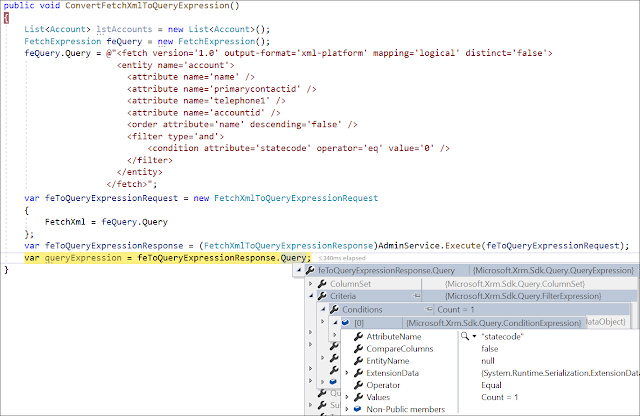
The below function can be used to convert a Fetch Xml query into a Query Expression
public void ConvertFetchXmlToQueryExpression()
{
List<Account> lstAccounts = new List<Account>();
FetchExpression feQuery = new FetchExpression();
feQuery.Query = @"<fetch version='1.0' output-format='xml-platform' mapping='logical' distinct='false'>
<entity name='account'>
<attribute name='name' />
<attribute name='primarycontactid' />
<attribute name='telephone1' />
<attribute name='accountid' />
<order attribute='name' descending='false' />
<filter type='and'>
<condition attribute='statecode' operator='eq' value='0' />
</filter>
</entity>
</fetch>";
var feToQueryExpressionRequest = new FetchXmlToQueryExpressionRequest
{
FetchXml = feQuery.Query
};
var feToQueryExpressionResponse = (FetchXmlToQueryExpressionResponse)AdminService.Execute(feToQueryExpressionRequest);
var queryExpression = feToQueryExpressionResponse.Query;
}
Hope This Helps!
*This post is locked for comments