




 14,419
 Like
Like Share
Share
 Report
Hi all,
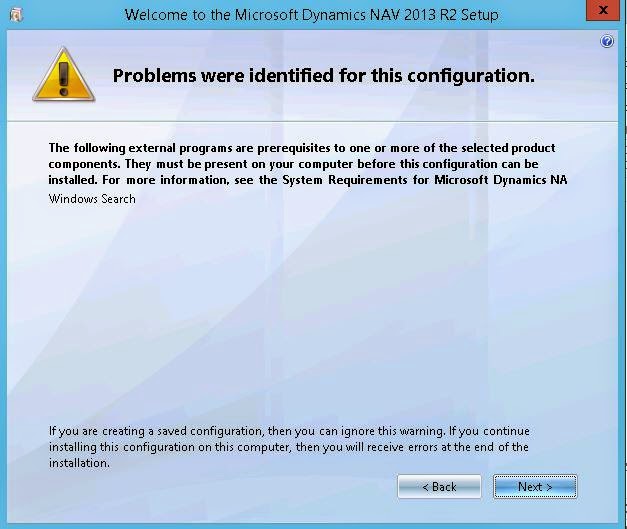
While installing NAV 2013 R2 on Windows Server 2008 the Installer gives an error message of missing component of Windows Serach.
ERROR - "The following external program are prerequisites to one of more of the selected product components. They must be present on your computer before the configuration can be installed. For more information, see the system requirements for Microsoft Dynamics NAV.
WINDOWS SEARCH.
If your server is Windows Server 2008 then follow the steps below -
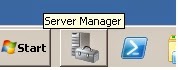
1. Start Server Manager.
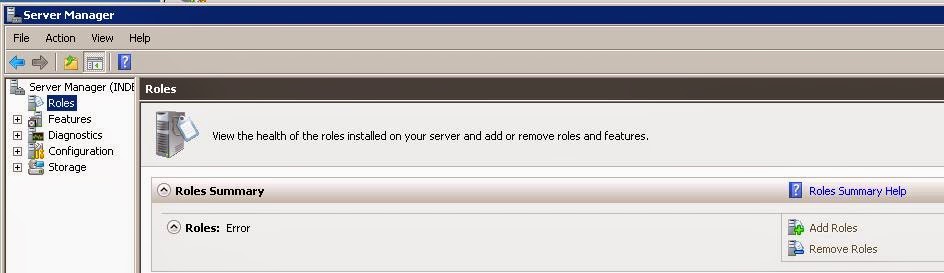
2. Click on Roles in the left navigation pane.

3. Select Add Role in the Roles Summary pane to the right.
4. Select the File Services role and click Next.

Finish the wizard and now you should have the Windows Search service up and running.
Hope this helps during installation of Middle Tier of Navision on Server.
These postings are provided "AS IS" with no warranties and confer no rights. You assume all risk for your use.
Regards,
Saurav Dhyani
saurav-nav.blogspot.com
While installing NAV 2013 R2 on Windows Server 2008 the Installer gives an error message of missing component of Windows Serach.
ERROR - "The following external program are prerequisites to one of more of the selected product components. They must be present on your computer before the configuration can be installed. For more information, see the system requirements for Microsoft Dynamics NAV.
WINDOWS SEARCH.
If your server is Windows Server 2008 then follow the steps below -
1. Start Server Manager.
2. Click on Roles in the left navigation pane.
3. Select Add Role in the Roles Summary pane to the right.
4. Select the File Services role and click Next.
Finish the wizard and now you should have the Windows Search service up and running.
Hope this helps during installation of Middle Tier of Navision on Server.
These postings are provided "AS IS" with no warranties and confer no rights. You assume all risk for your use.
Saurav Dhyani
saurav-nav.blogspot.com
*This post is locked for comments