




 Like
Like Share
Share
 Report
My work laptop is a mighty Lenovo W530 with upteen cores, bazillion GBs of RAM and quadrillions of TBs of SSD drive space. The only problem is that carrying it around keeps my chiropractor very busy. So when I travel, I dock this monster behind the firewall and carry around something like Surface or the other tablet.
When I need to test something on a client, I can RDP back into my bazooka of the laptops and fire up appropriate VM. This kind of works but it’s always felt like bending backwards.
Now, there is better way to do client testing. If you are MSDN subscriber (if not, why not?) then not only you get $150 monthly credit in Azure, you can now provision Windows 7 and Windows 8.1 machines:
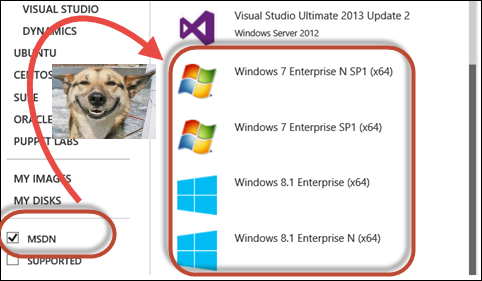
That made my upcoming overseas trip about 17kg lighter (or whatever’s the weight of the Lenovo’s powerbrick).
Cost? Just skip that double caramel cappuccino and you’ll be able to afford 2 cores, 3.5GB RAM (A2 image) for a sweet $3.80 per day. Or how do you feel about 16 cores, and a whopping 112GB RAM (A9) for a cool $4.90/hour? Achievement unlocked.
*This post is locked for comments