




 841
841 Like
Like Share
Share
 Report
Database Log setup
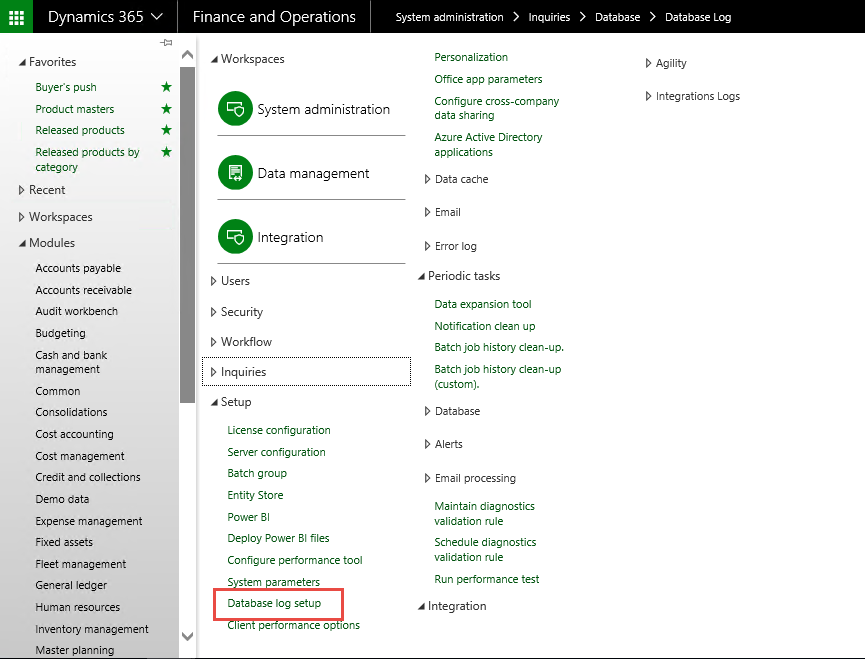
The setup is done under System administration > Setup > Database log setup.
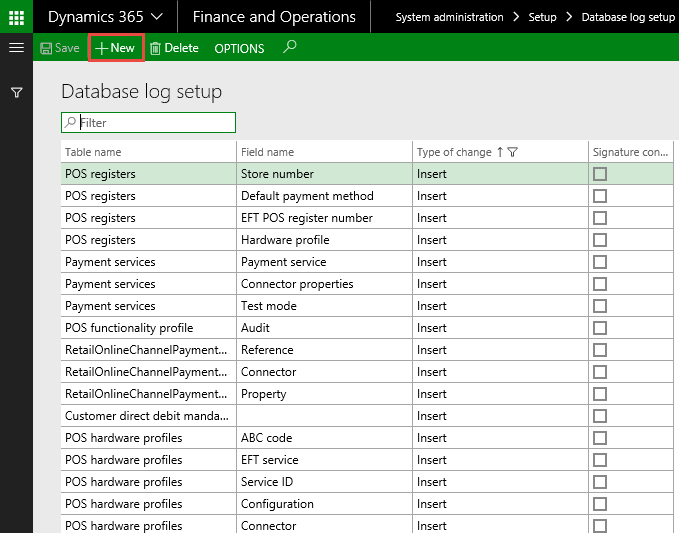
Press +New to create a new Database log.

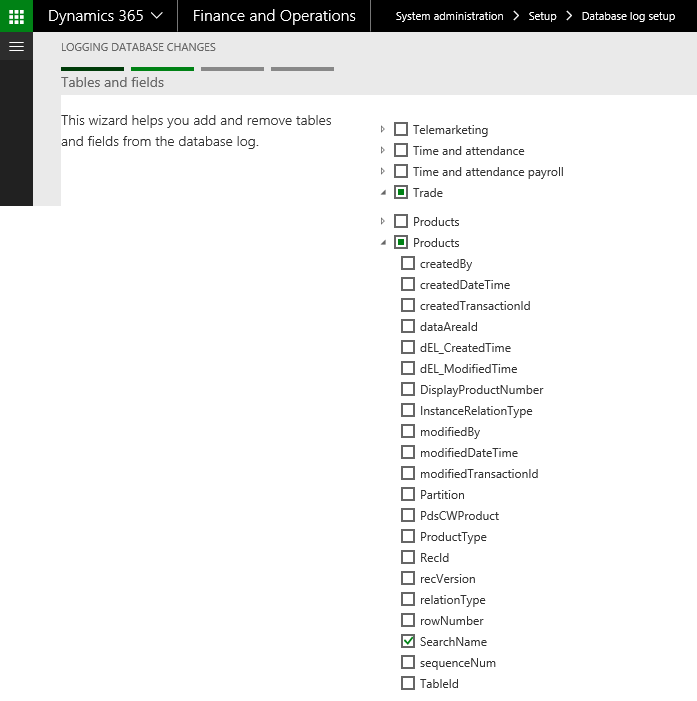
Find the table and field you want to setup data. In this document I want to setup the database log for the search name (Item) field on the Product Master.

The relevant field is found under Trade > Products > Search Name
Select the field Search Name and press Next in the bottom right corner of the page.
Since you only select one field on the customer record, you can only select "Update".

Press Next to continue and Finish to complete the setup.

The Database Log setup for the Search Name field on the Products is now added to the setup database logs.
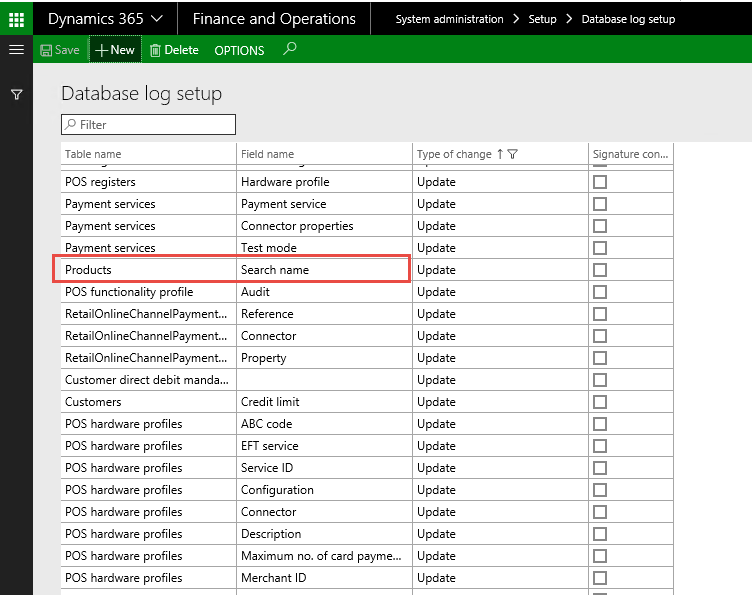
That is how we can setup database log. For testing change search name on a product master
Go to Product information management > Products > Product masters.
Select the product master where the search name value must be updated and press Edit.
Change the value to "TEST" and press Save to save the change than access to the Database log from the record through action pane on the customer record or list page select Option > Record info.
Action pane with Record information opens in the right side of the page. Select the menu item "Database log". This gives you direct access to the database log for the specific record.
Select Action pane "History". You can see that User "Admin" has change the search name. As same in AX2012 we have access to the same information from System administration > Inquiries > Database log.
*This post is locked for comments