




 46,631
 Like
Like Share
Share
 Report
Use the Sales Multiple Orders to Invoices Transfer window to transfer orders and back orders to invoices. Instead of transferring one document at a time, you can transfer groups of documents with the same characteristics, such as Batch ID, Customer ID, or Requested Ship Date. A separate invoice is created for each order or back order. You also can specify how to handle item quantity shortages and kit quantity shortages. This window is available only if you’re using sales fulfillment workflow.
Sales>Transactions>Transfer Multiple Orders
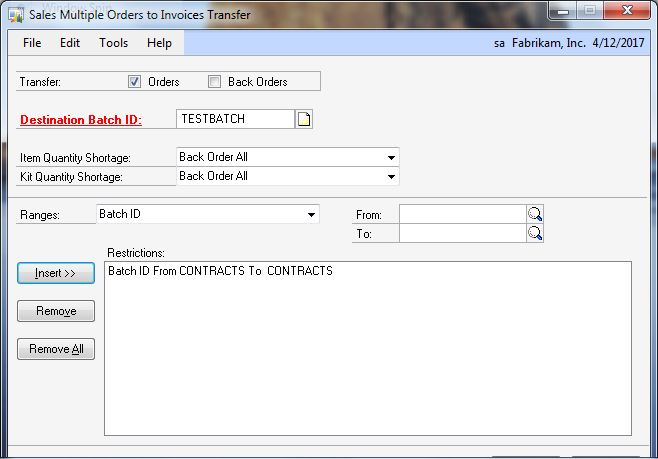
* click image to enlarge
If the document exceeds the customer’s credit limit and you are using customer credit limit override workflow, you can submit the document for approval.
If you are using customer credit limit override workflow, orders that exceed the customer’s credit limit won’t be transferred if they aren’t approved. You can transfer orders that don’t need approval.

*This post is locked for comments