




 Like
Like Share
Share
 Report
Introduction:
Working with failed Scheduled Jobs can be a tiresome process. This is exactly the case where one of my client has an Invoicing & Payment Jobs which run once a day and Job Queue Entries fail to trigger these Jobs. No Errors in the Logs, No Execution Entry, Simply No Way of Figuring it out as to why Job didn’t trigger.
Contacting Microsoft Support, they are asking to simply Upgrade the Application to latest version.
Which is not a preferred option as the database size is around 200GB.
Let’s see how to resolve this in a smarter way.
Pre-requisites:
Microsoft Windows Task Scheduler
Microsoft Windows Powershell
Microsoft Dynamics NAV(Administration Module for PowerShell & Development Environment)
Books & References:
Demonstration:
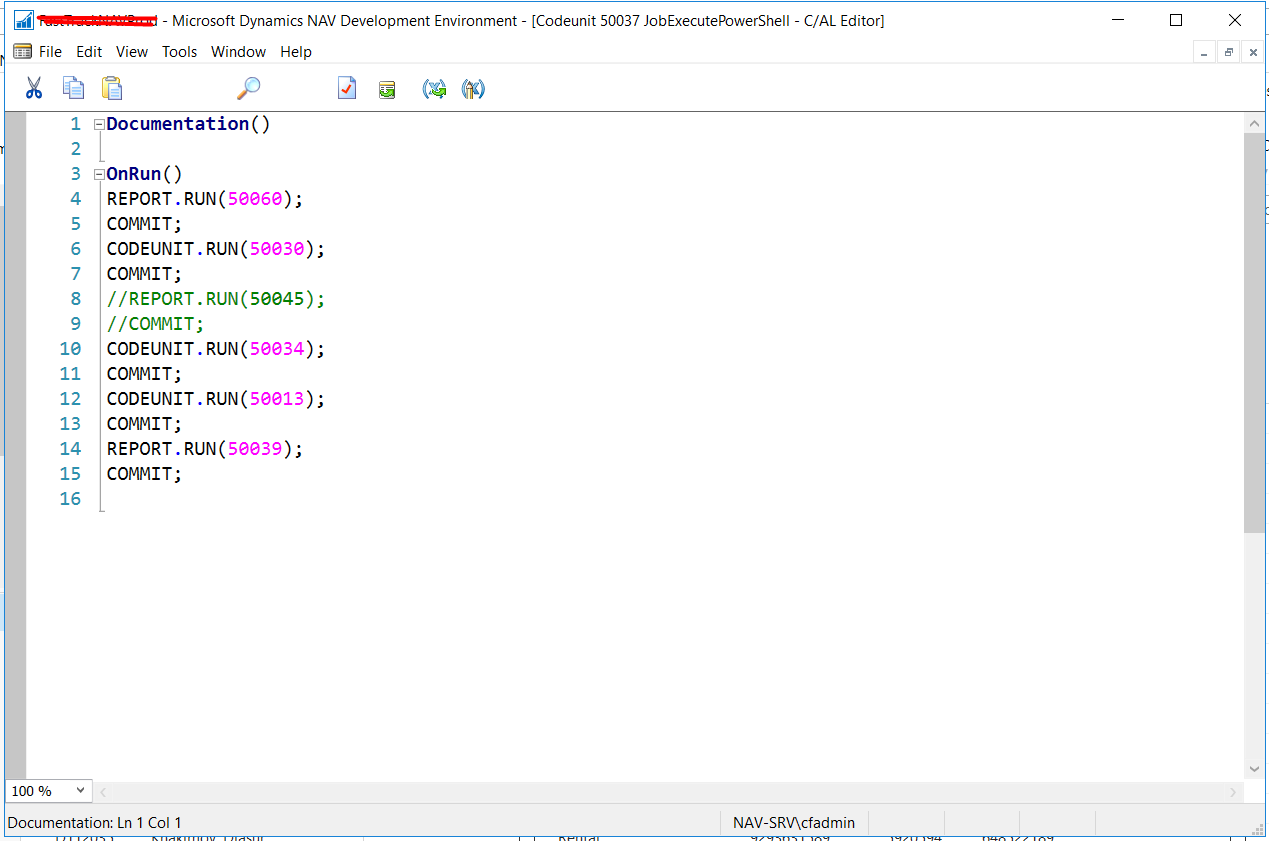
1. Building Objects to Run through a Codeunit:
As you know that Job Queue Entries support Reports and Codeunits and NAV Administration Module only supports Codeunit. So, inorder to make it work, create a Codeunit to execute all the Reports and Codeunits.
2. Creation of PowerShell Script:
This PowerShell Script execute with the help of NAV Administration to Run the Codeunit. Prior to running the Script you need to set the Execution Policy.
Syntax:
Invoke-NAVCodeunit <Codeunit No.> – ServerIntance <ServerInstanceName> -CompanyName <Company Name> -Force

3. Setting Up Task Scheduler Triggers:
By Setting up the Triggers, you can decide recurrence to execute the Codeunit. It can be Hours, Daily, Weekly, Monthly, One-Time or Infinite. You can also set the time for precise execution.

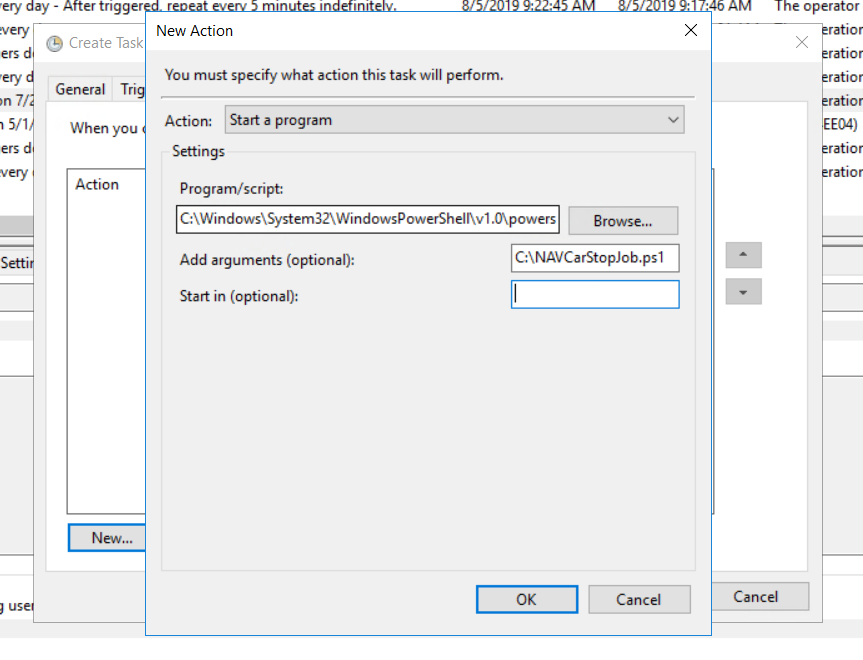
4. Setting Up Task Scheduler Commands:
Whenever we execute the PowerShell Script through CMD, we run the commands as follows.
Command: PowerShell.exe <PS Script File Path>
Here, we pass the PowerShell.exe into the script and PS Script File Path as Parameter.
Conclusion:
Thus, using NAV Administration Module, Power-Shell and Task Scheduler I was about to replicate Job Queue Entries functionality.
Although, this works perfectly for NAV and Business Central – On Premise, it work for Business Central on SaaS. In my upcoming blog I’ll also show we can achieve this.
Hope you guys find this blog useful 
The post What do you do when your NAV 2017 Job is not triggering through Job Queue Entries appeared first on Cloudfronts - Microsoft Dynamics 365 | Power Bi | Azure.
*This post is locked for comments