




 17,887
 Like
Like Share
Share
 Report
Cleanup jobs in Dynamics 365 can help delete old data that is not needed anymore, and this reduction in database size can improve performance.
In this post, we talk about clean up unused inventory dimension,
Click Inventory management > Periodic > Clean up > Inventory dimensions cleanup.

this batch job to maintain the InventDim table. To maintain the table, delete unused inventory dimension combination records that are not referenced by any transaction or master data. The records are deleted regardless of whether the transaction is open or closed.
You cannot delete an inventory dimension combination record that is still referenced because when you delete an InventDim record, related transactions cannot be reopened.
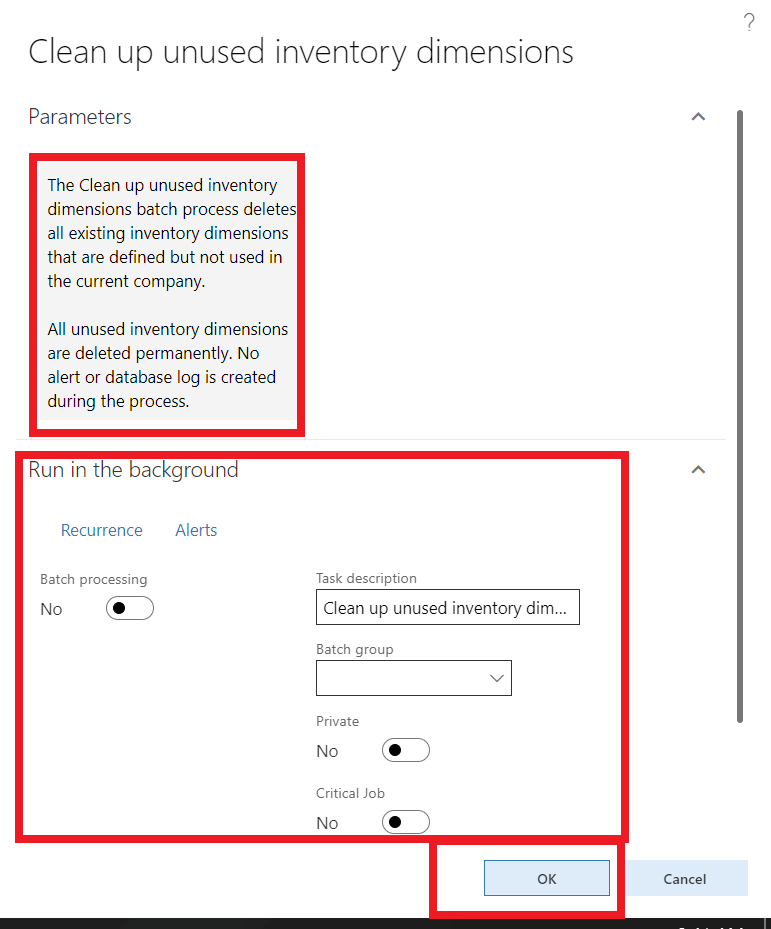
you can run this job in a batch to avoid any performance issue in workings hours
just wait until operation complete
Thanks
*This post is locked for comments