




 34,477
 Like
Like Share
Share
 Report
When you are working with the grids in Dynamics, the last line shows up as a list of letters from A to Z, so you can click one of the letters and that will quickly apply a filter to the grid.
What kind of filter, though?
After some digging around earlier today, it turned out the answer depends on whether you are using Unified Interface or whether you are using Classic Interface.
Classic interface is filtering by the first ordered column

Unified Interface is filtering by the first (ordered or not) column
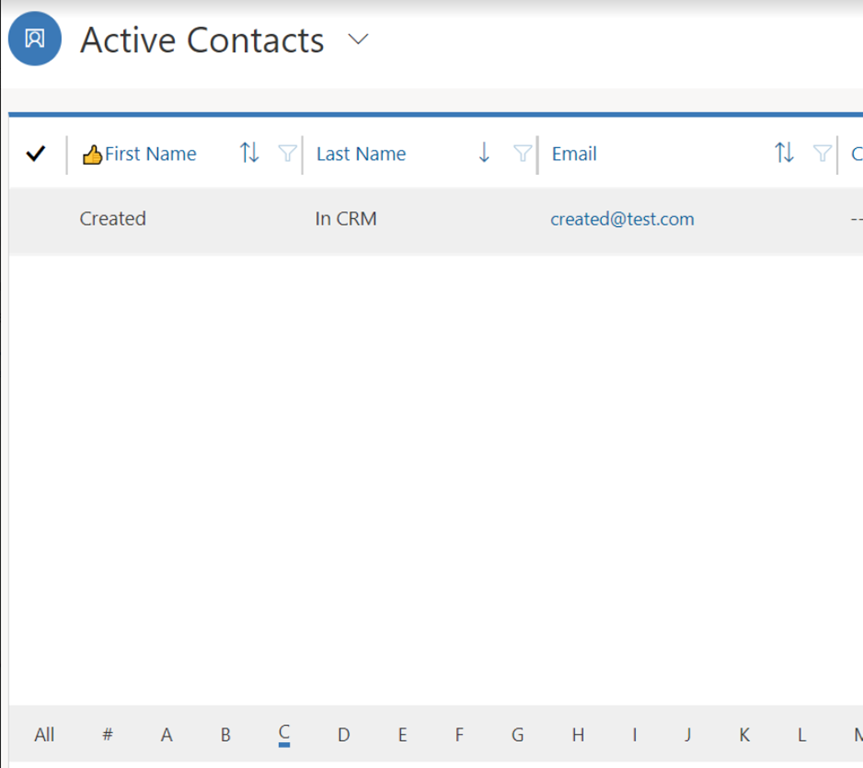
This means the behavior is slightly different between those two interfaces, although, it’s probably not such a big issue. Unless you are used to the way alphabetical filtering used to work before, you just need to know how it works in the Unified Interface since that’s the one to stay.
Besides, it may actually be a more straightforward approach. When sorting is applied to multiple columns in the grid, alphabetical filtering becomes a bit confusing since it only applies to the first sorted column, so it’s just more nuances for the users to keep in mind.
*This post is locked for comments