
How to view related roles for all duties ,related objects and license for all roles in dynamics 365?
Views (957)
1-you can view related roles for all duties in dynamics 365 from Dynamics 365 Tab in the visual studio
the system will generate the below report in Excel Format, you can access this report in documents
as you see, system view related roles for all duties.
2-you can view related objects and license for all roles in dynamics 365 from Dynamics 365 Tab in the visual studio
first sheet for roles /duty/privilege and license
and the other sheet for view related objects
the other columns in this sheet
you can see all details for all objects like role, sub role, privilege,...etc
Thanks.
the system will generate the below report in Excel Format, you can access this report in documents
as you see, system view related roles for all duties.
2-you can view related objects and license for all roles in dynamics 365 from Dynamics 365 Tab in the visual studio
the system will generate Excel file with 2 sheets as the below
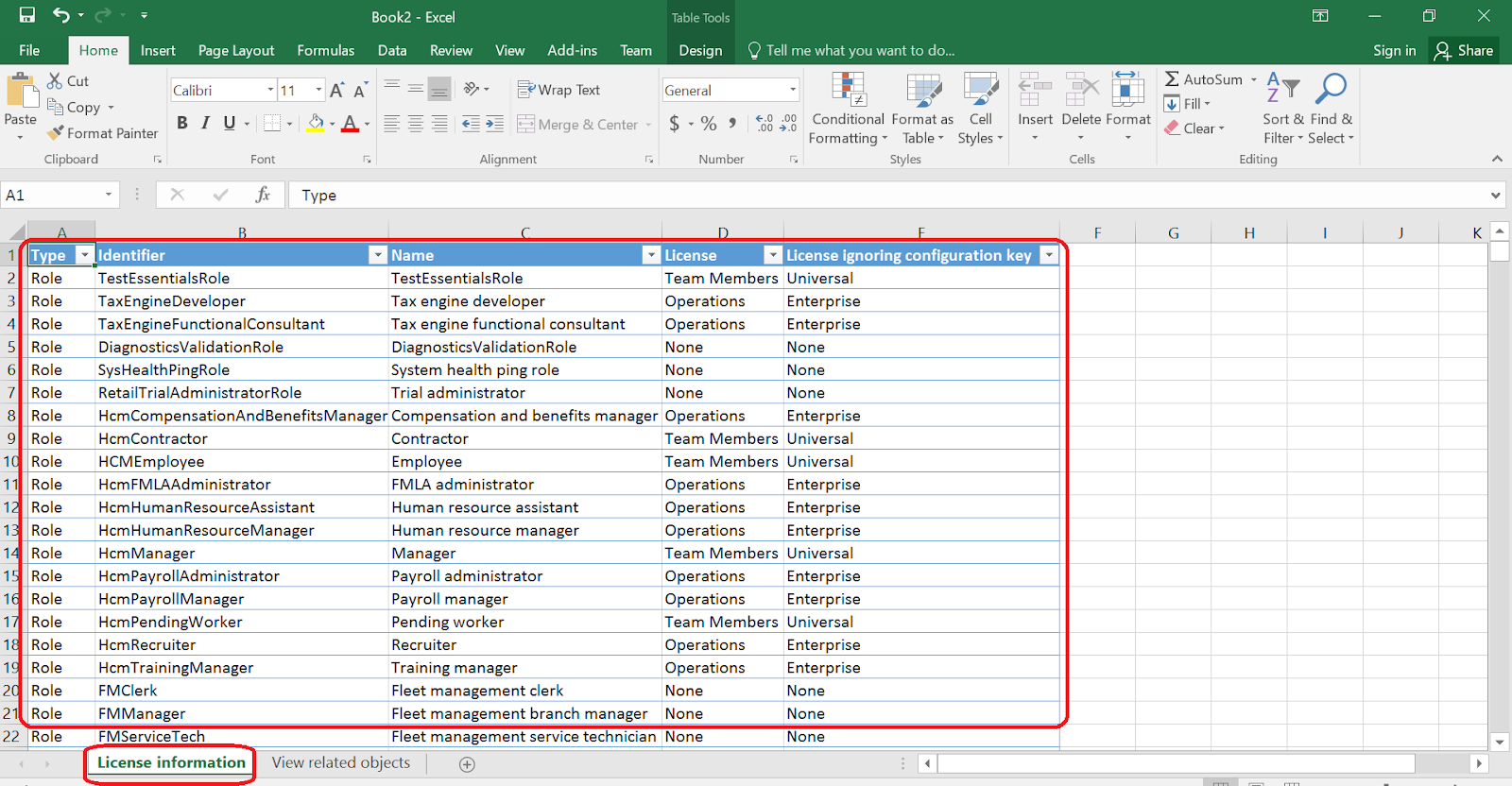
and the other sheet for view related objects
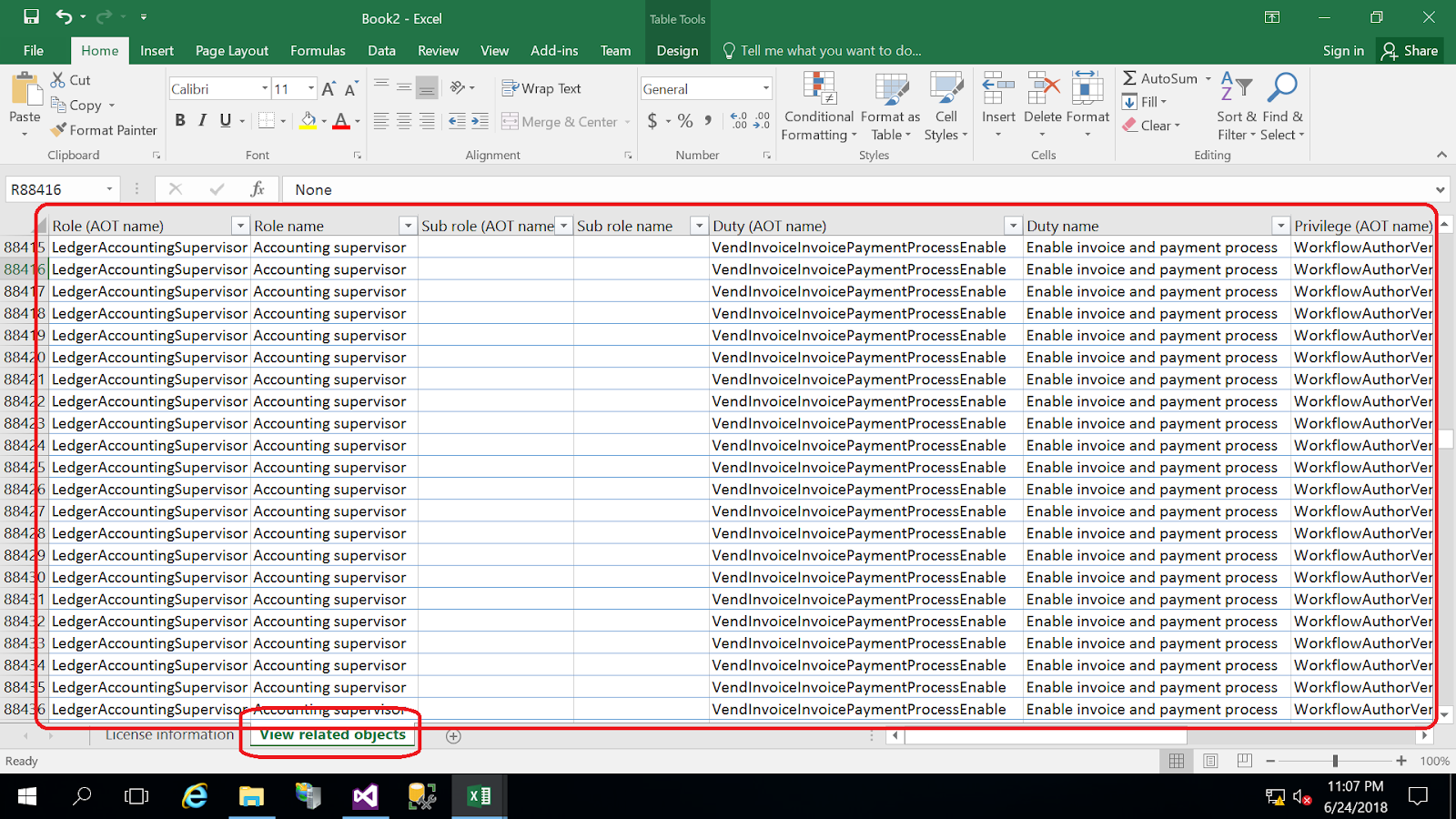
the other columns in this sheet
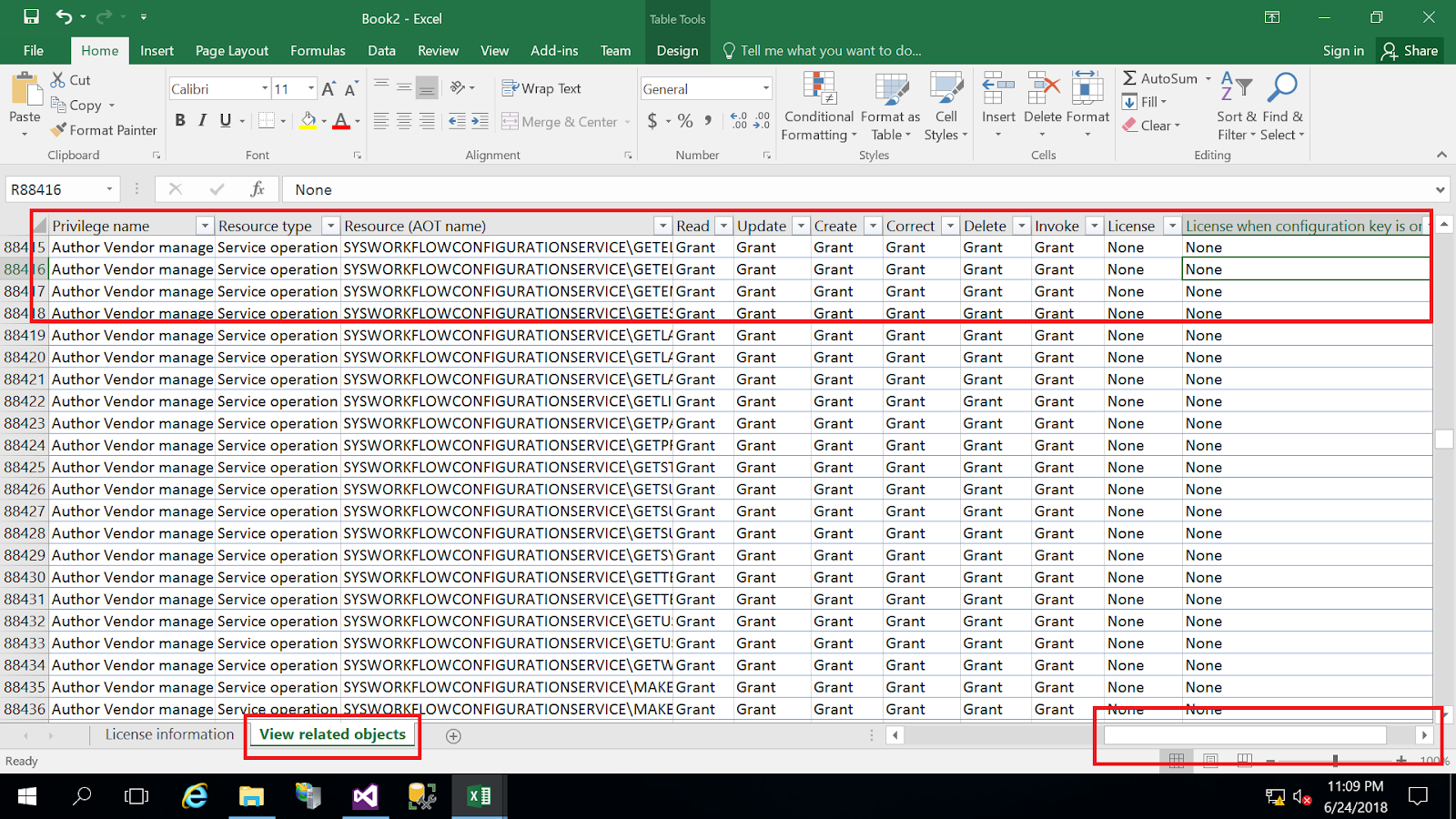
you can see all details for all objects like role, sub role, privilege,...etc
Thanks.
This was originally posted here.

Like
Report


*This post is locked for comments
