




 17,887
 Like
Like Share
Share
 Report
Go to Accounts payable / vendors / all vendor
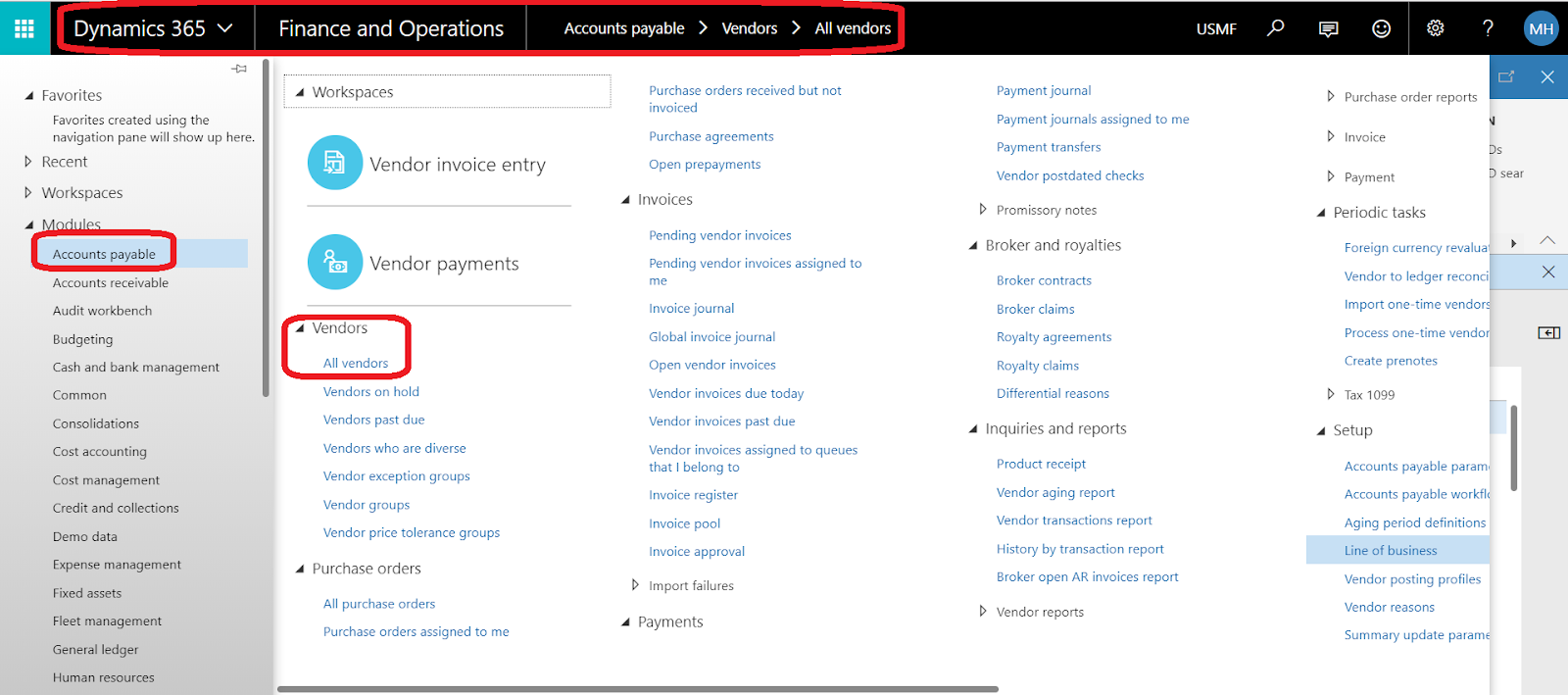
and select your vendor and click Add vendor to another legal entity

Note:: you must select vendors one by one (you can not add bulk vendors to another legal entity)
select the target legal entity

note:: you can not select more than one legal entity
click OK to confirm copy this vendor to the legal entity
you can see the created vendor as the below

But if you need to copy multiple vendors to multiple legal entities
you need to use Data Management functionality
use copy data into legal entity functionality
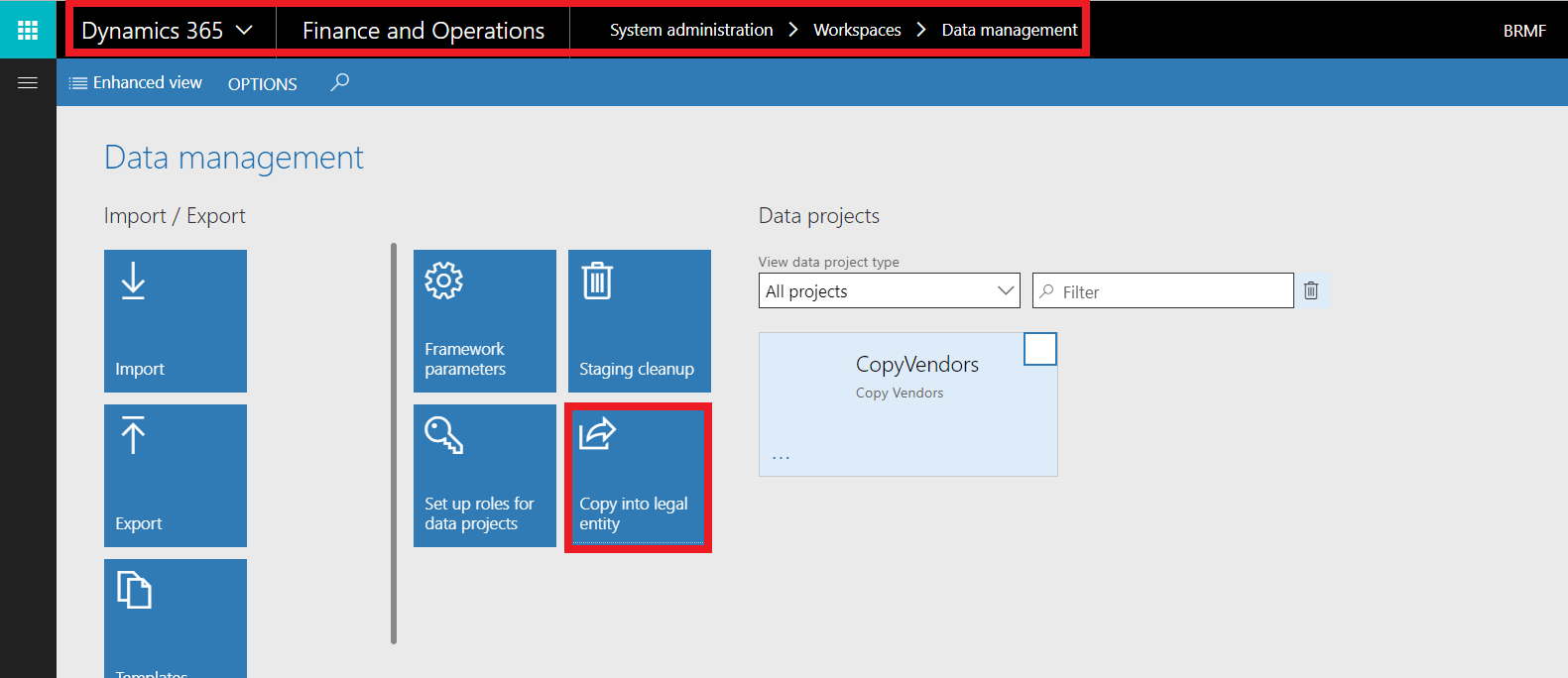
complete the required data and click copy into target entity

for more details, check this link
http://dynamics365ax2012.blogspot.com/2018/04/how-to-copy-legal-entity-configurations.html
*This post is locked for comments