


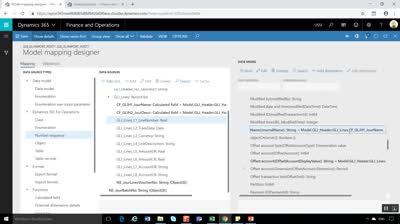
This webcast shows you one can create and import GL journals in MSDyn365FO with the help of Electronic Reporting. A major advantage of those imports are that they run faster than the standard Excel GL journal import functionality. In addition, journal headers and journal lines can be created in a single run without having to create the journal headers before. Finally, users have more flexibility in the way how they create their Excel import templates and there is no limitation in the number of templates and ER import configurations that can be made.
Electronic Reporting: Import of GL Excel Journals (Part 1)
Views (1229)
This was originally posted here.
Comments
-
Electronic Reporting: Import of GL Excel Journals (Part 1)Hi Ludwig
In your example you group by journal name and description, but have you tried to work with more groups to be able to create two ledger journals from the same Excel table.
ExXH1_JournName XH2_JourDesc ER ER J1 ER ER J1 ER ER J2 ER ER J2 The last two lines will newer be imported. If I change the journal description to be ER J1 for all four lines will all four lines be imported.
I have tried to add the journal number sequence on different levels. I have also tried different combination of the number sequence setup (Continues and manually)
Regards
Claus Warmdahl

Like
Report
*This post is locked for comments