




 Like
Like Share
Share
 Report
When CRM users see the infamous Microsoft Dynamics CRM has encountered an error dialog, they often select the option to send error report and honestly believe that system administrators, support, developers, all of the above will be getting a copy of the report that contains exact steps how to solve the problem.
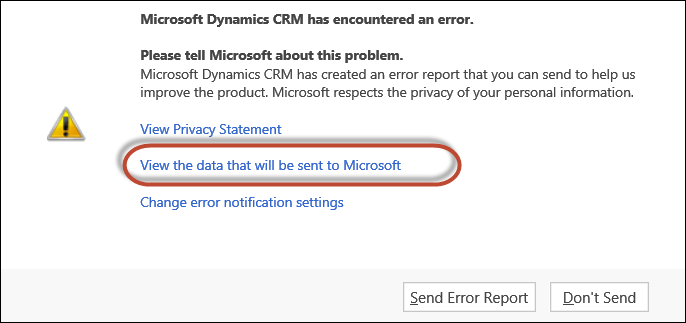
Explain to your CRM users that, while it’s quite important to send this error report, it’ll be delivered directly to Microsoft bypassing all the local “authorities”. Ask them always to perform two extra steps that will assist problem troubleshooting:
- Click View the data that will be sent to Microsoft link
- Press Ctrl-A, Ctrl-C to copy the content of the window that will come up, then paste it into the email to support
The content is immensely useful – it contains script messages, stack trace, all javascript developer could wish for.
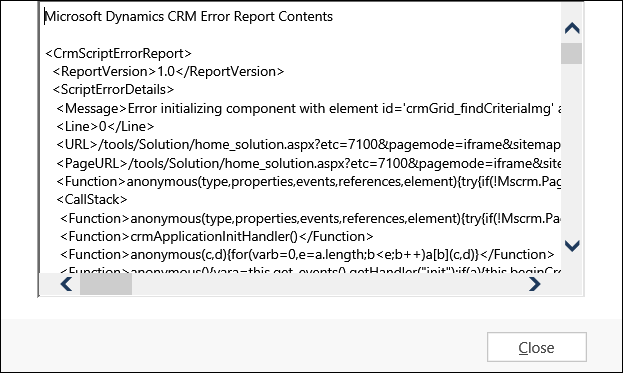
Ask your users for help and you shall receive.
*This post is locked for comments