




 1,551
1,551 Like
Like Share
Share
 Report
I met Lou Guercia when he was president and CEO of Scribe Software, the leading CRM integration tool. Scribe was acquired by TIBCO Software in 2018. I recently reconnected with Lou and learned about ScreenMeet, the company he joined as chief operating officer. The following is a description of the product provided by ScreenMeet:
ScreenMeet is a cloud-based remote support tool designed to integrate with Dynamics 365 Customer Service. By enabling customer service and IT support organizations to address critical technical issues directly from their CRM or ticketing platform, it streamlines the process and provides a fully browser-based support experience.
You can also use ScreenMeet with other CRM products or even on its own without a CRM.
Here is a short video demo of ScreenMeet with Dynamics integration:
ScreenMeet - Cloud-based Remote Support Integrated with Dynamics 365 Customer Support
Once integrated with a Dynamics 365 CS organization, the ScreenMeet widget appears on Case pages. It allows you to create and launch remote support sessions from the same location as the support agent’s CRM and ticketing platform. In addition, ScreenMeet captures a robust set of data from support sessions and stores it within the Dynamics Case object for use with auditing & analytics to improve support processes and self service initiatives.
ScreenMeet is 100% browser-based for the agent; after the end user connects to the session, the agent is prompted to join via a new tab. The following screen capture is of the viewer window with the associate suite of support tools:
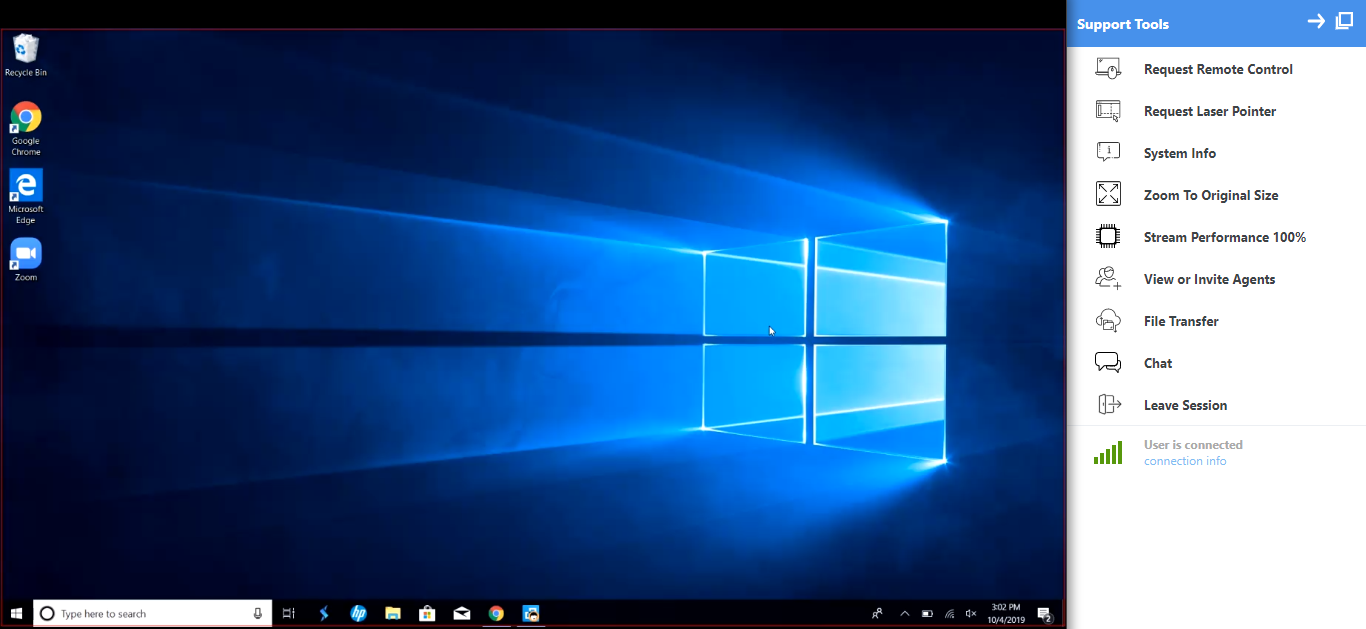
These tools enable the support agent to solve the end user’s issue quickly and effectively. Some key features include:
● Cross-platform support from all modern browsers
● Permission-based escalation of agent privileges
● Local and domain-level Windows admin (UAC) escalation
● Windows and Mac tools & shortcuts
● Multi-agent URL invites
● Bidirectional file transfer
● Remote clipboard
● Reboot and reconnect
● Low bandwidth mode
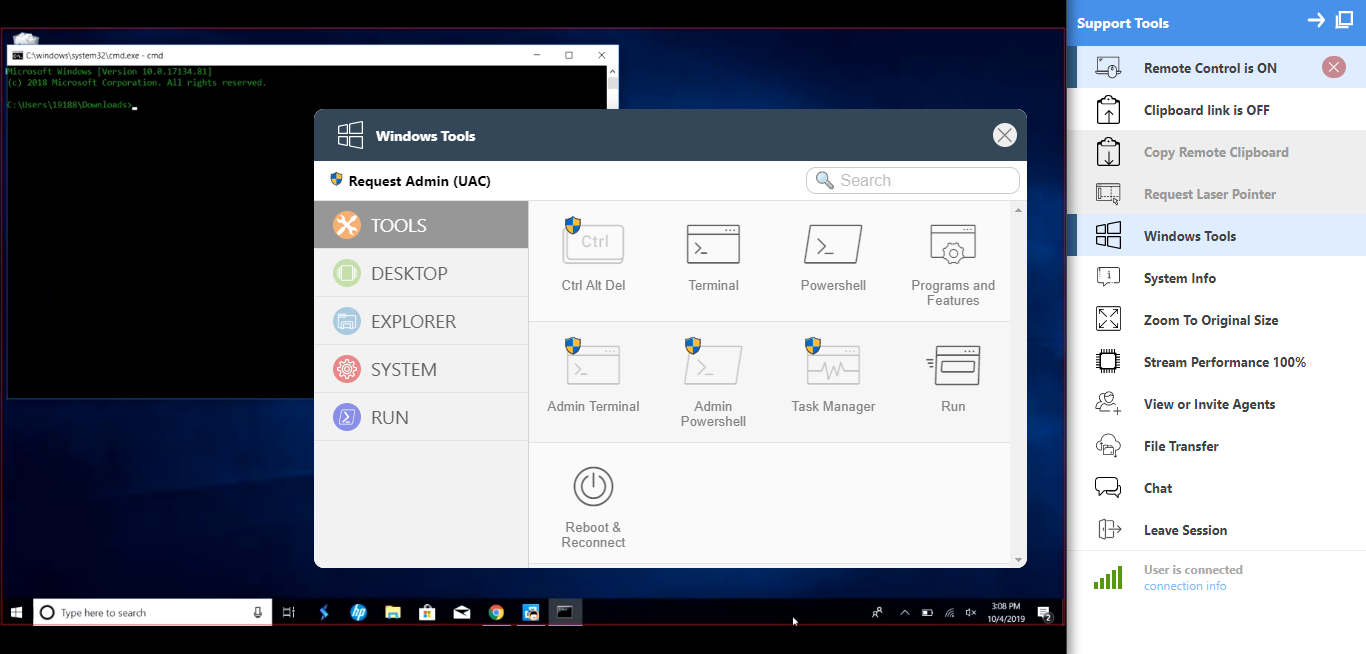
The above is an example of one key feature, the Windows Tools menu, which agents can use to perform actions on the end user device directly. It also has a built-in search functionality, so you can find the relevant shortcut and execute it without digging through the UI or the end user’s system.
ScreenMeet Cobrowse and Dynamics Omni-Channel
Screenmeet also offers a no-download solution for ecommerce and B2B browser-based support use cases. It will enable you to guide your end user through site navigation - for example, completing purchases from the shopping cart. Cobrowse sessions can be launched from the Dynamics Omni-Channel workflow.
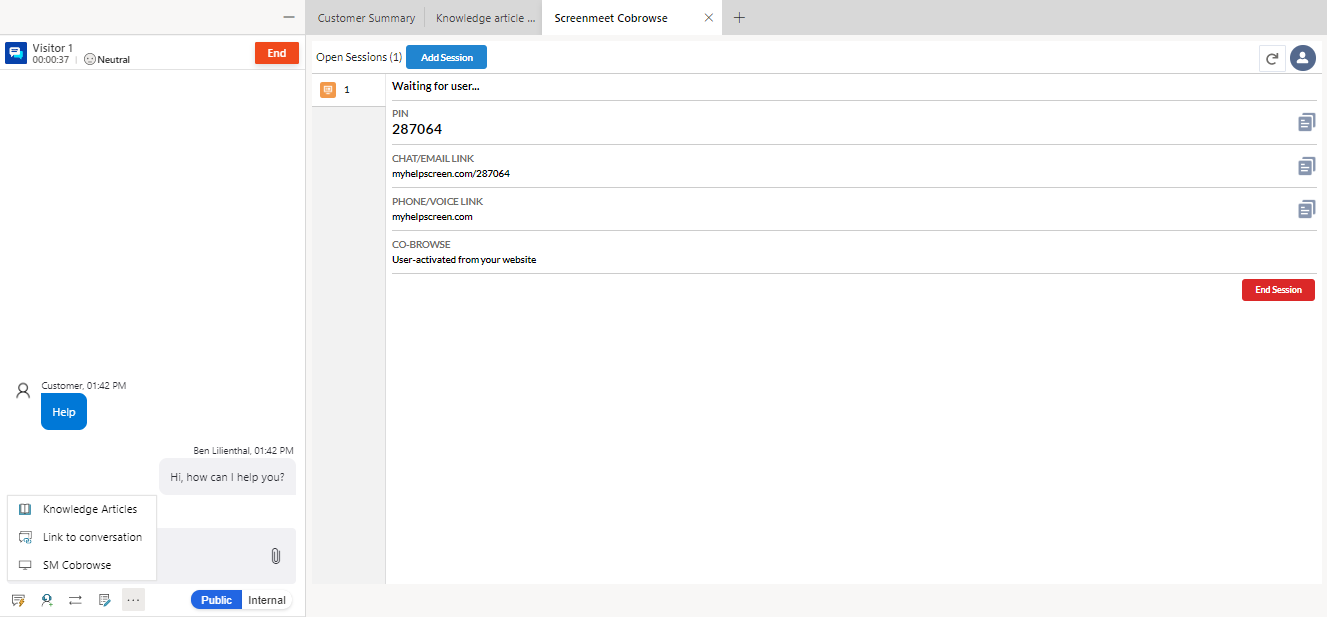
Once connected, the agent can guide the end user through site navigation similarly to the support solution--all from the browser!

Support Sessions: Records and Reports
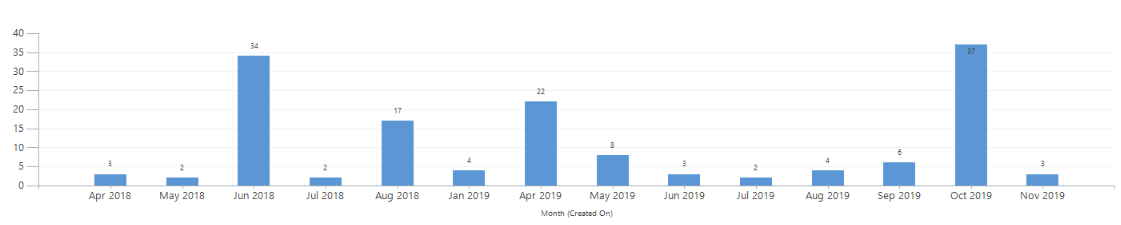
After a support agent creates and completes a session, a new record is generated. This record tracks agent/user connection and disconnection, all mid-session actions taken by the agent via the ScreenMeet support tool suite and the system info retrieved from the end user’s device.

In turn, this data can be leveraged to create reports using Dynamics’ native reporting features to gain insights on key benchmarks--session activity by month, for example:
Conclusion
Combined with the Dynamics 365 Customer Service, ScreenMeet provides an integrated support and ticketing solution with a similar, case-based workflow. Feel free to trial ScreenMeet Remote Support on AppSource.
You can learn more about ScreenMeet’s solution and capabilities at a webinar on January 15th at 11:00am PST. Link to webinar registration available here.
*This post is locked for comments