
How to know form information and control name in dynamics 365?
Views (2188)
It is important for developer and technical consultant to know more information about form name and control information like control data source and control field.
In AX 2012 , you can personalize your form information and control name as the below
for example , cost categories form
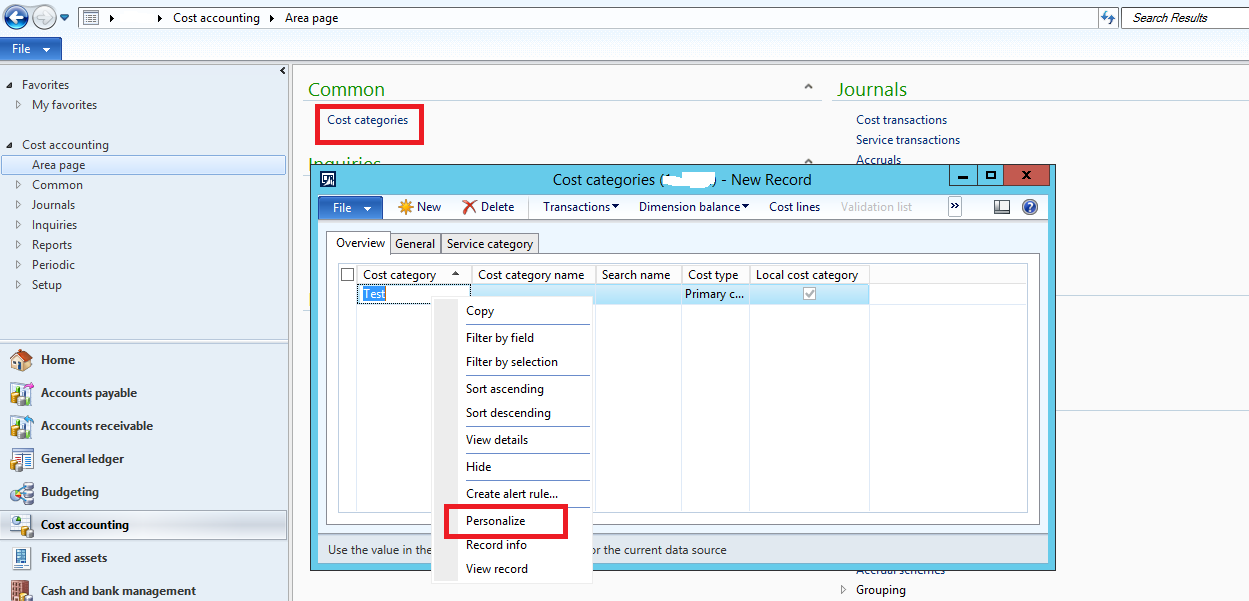
you can know AOT from name from information tab
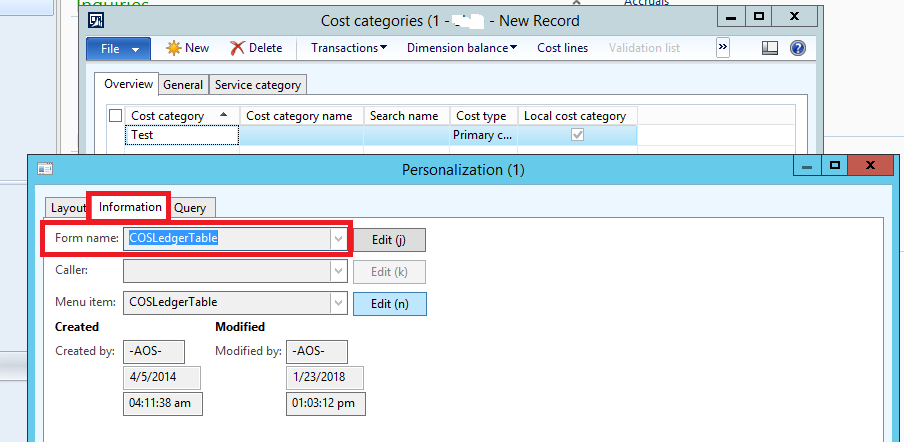
from layout tab , you can see more information about control
also , you can hide or skip ..etc from layout as you seen
In Dynamics 365 , you can follow this steps
right click on your control
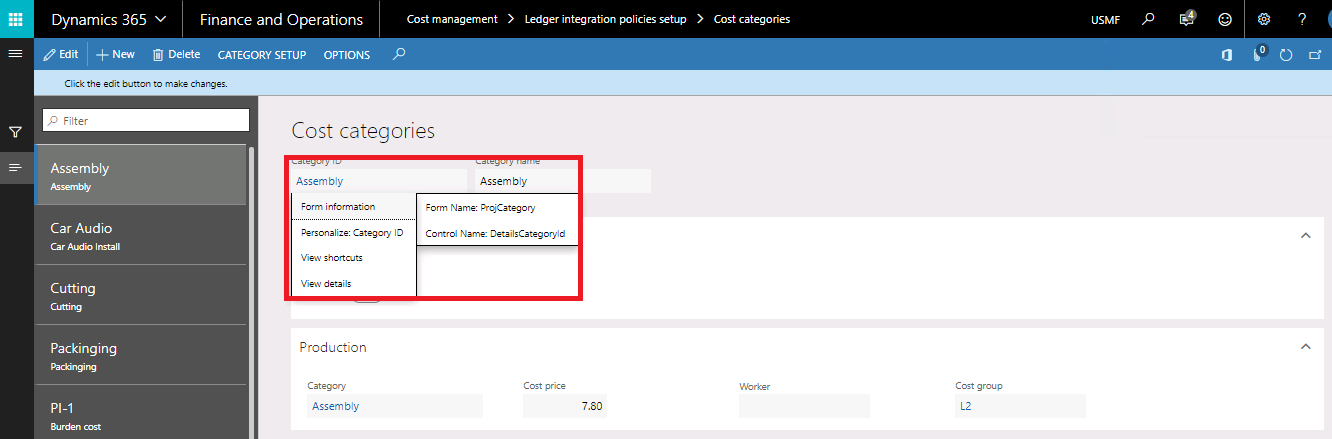
you can see form name and control name
to see more information , click on form name
from manage tab , you can show hidden element
from administration tab , you can see control information like field , data source and name
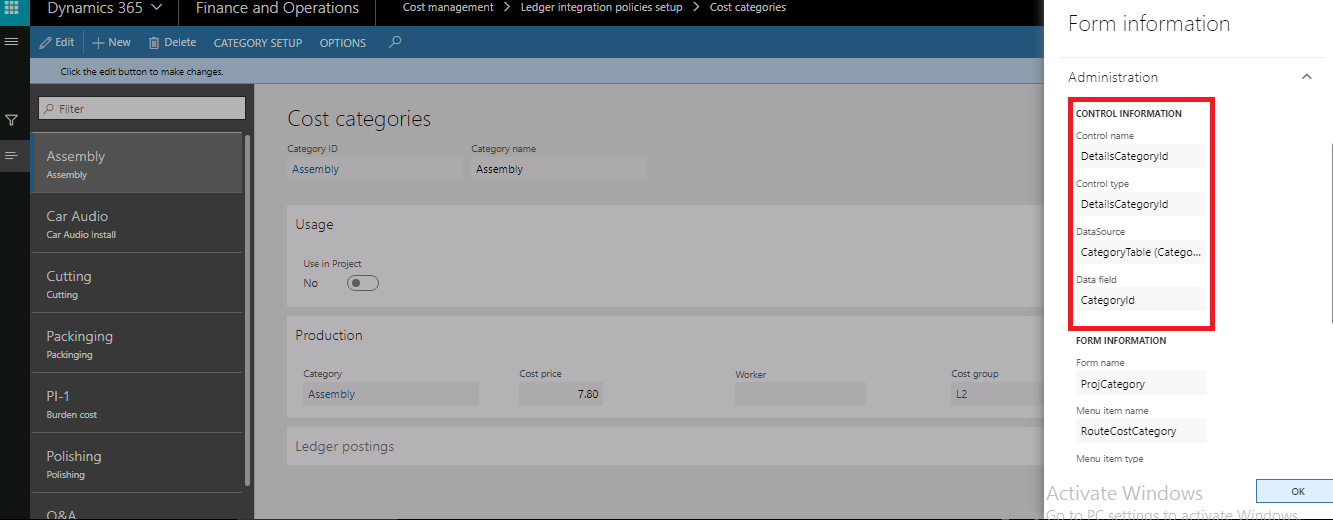
also , you can see more information about form like query and menu item
Thanks
In AX 2012 , you can personalize your form information and control name as the below
for example , cost categories form
you can know AOT from name from information tab
from layout tab , you can see more information about control
also , you can hide or skip ..etc from layout as you seen
In Dynamics 365 , you can follow this steps
right click on your control
you can see form name and control name
to see more information , click on form name
from manage tab , you can show hidden element
from administration tab , you can see control information like field , data source and name
also , you can see more information about form like query and menu item
Thanks
This was originally posted here.

Like
Report


*This post is locked for comments
