




 Like
Like Share
Share
 Report
There might be a case where the vendor sends a single invoice for multiple purchase orders receipts, in this scenario we will see how to post one invoice for multiple purchase receipts of the same vendor.
You can use Combine Receipt function to Invoice more than one purchase receipt.
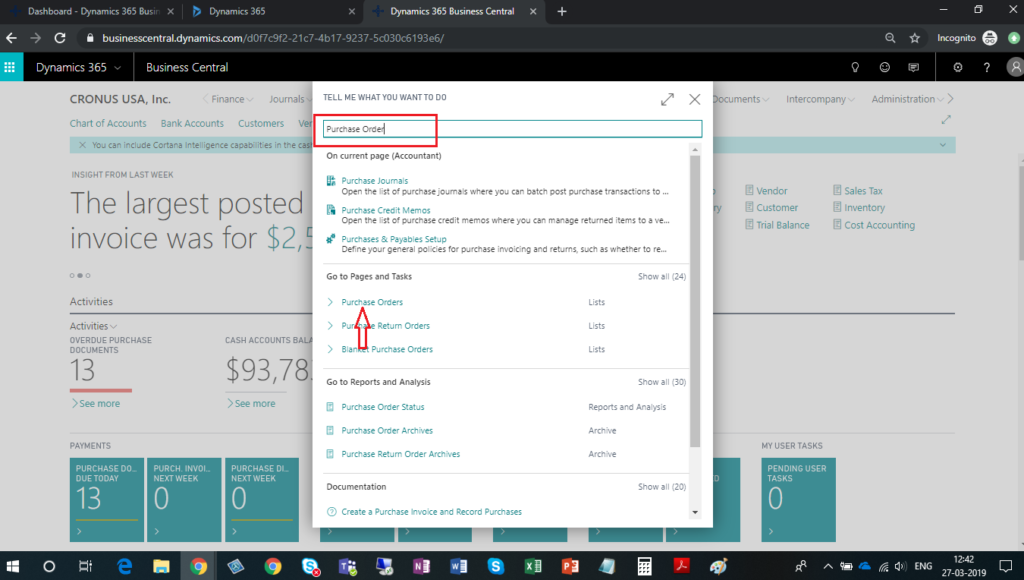
- In search option, enter Purchase order and then choose related link
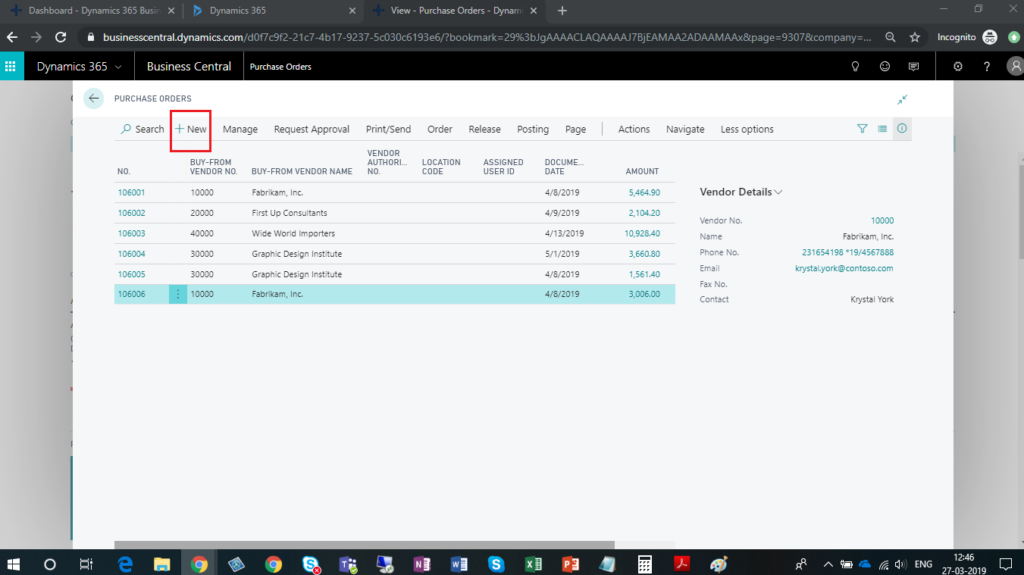
- Click on New button to create Purchase Order.
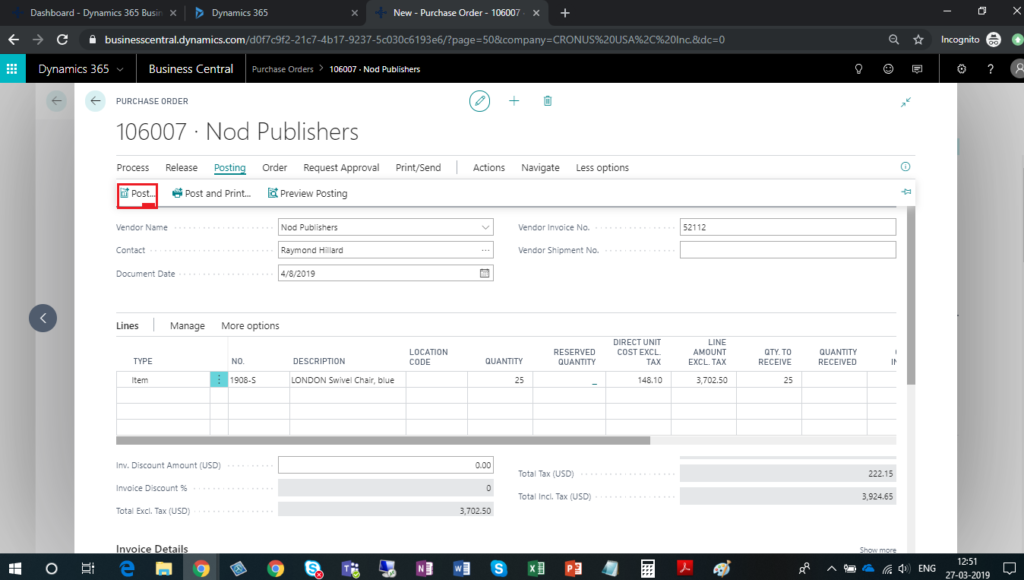
- Enter all necessary information on Purchase order which are required and click on Post button.
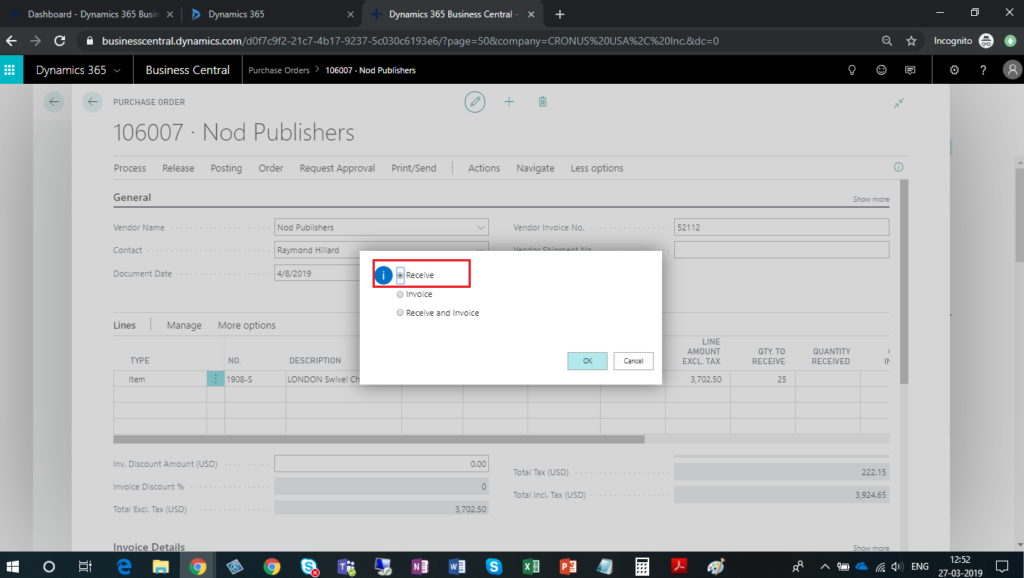
- Select receive and choose OK button to post purchase receipt.
- Repeat steps from 1 to 4 to create multiple Purchase order and post purchase receipt.
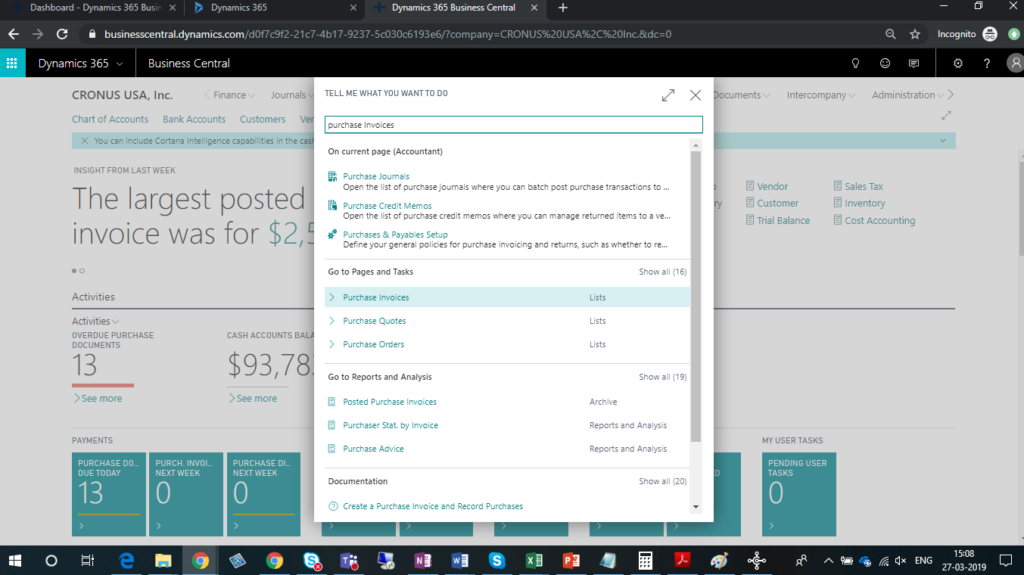
- Now in search option, enter Purchase Invoices and choose related link.
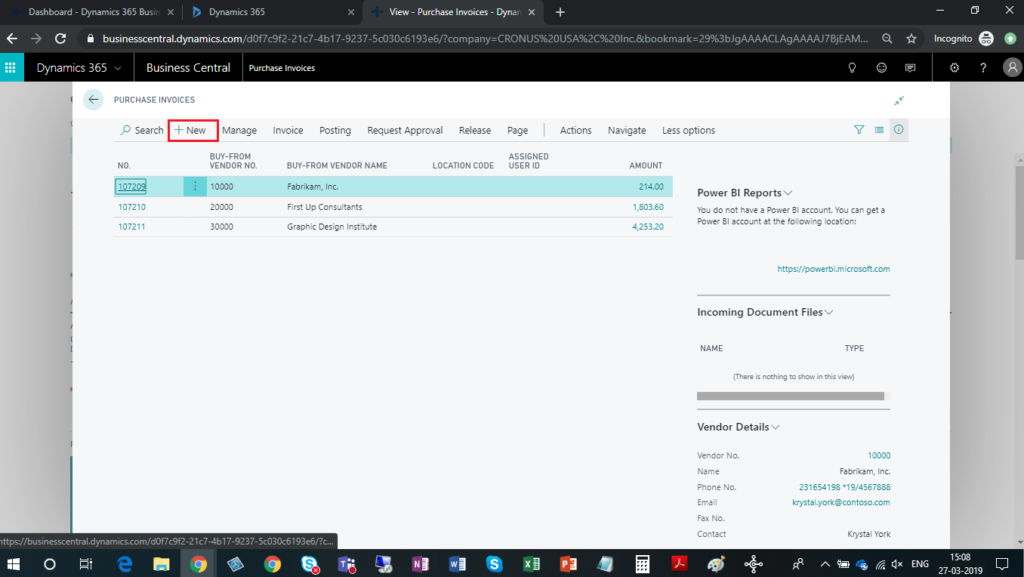
- Click on New button to create Purchase Invoice.
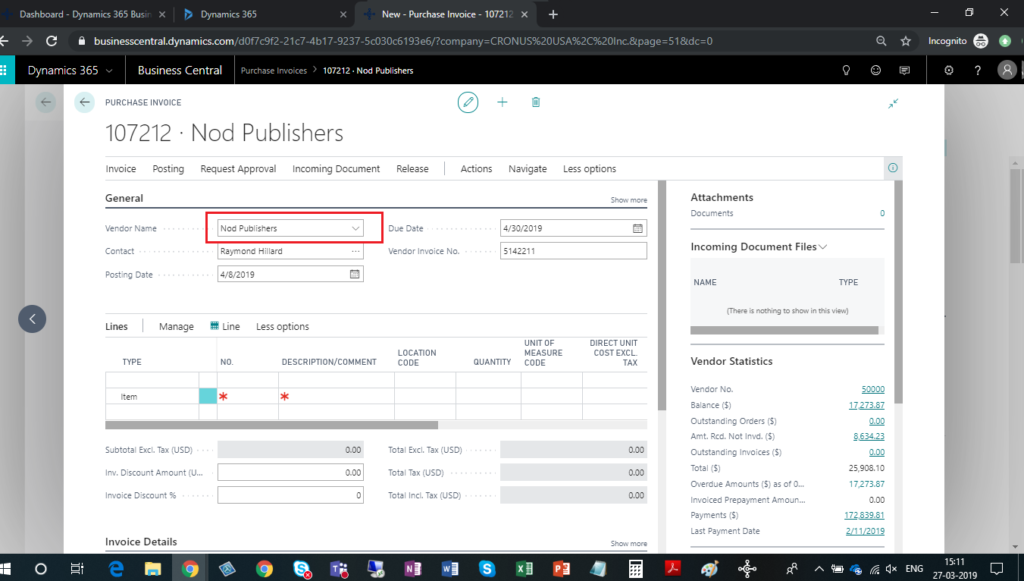
- Select Vendor in Vendor Name field.
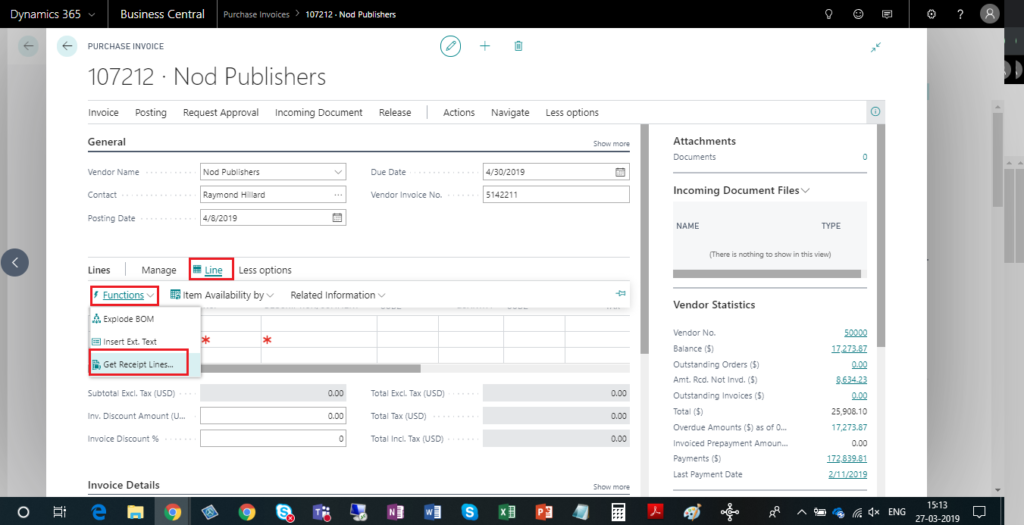
- On the LinesFastTab, choose the Get Receipt Lines.
- Select multiple receipt lines that you want to include in the invoice and choose the OK button.
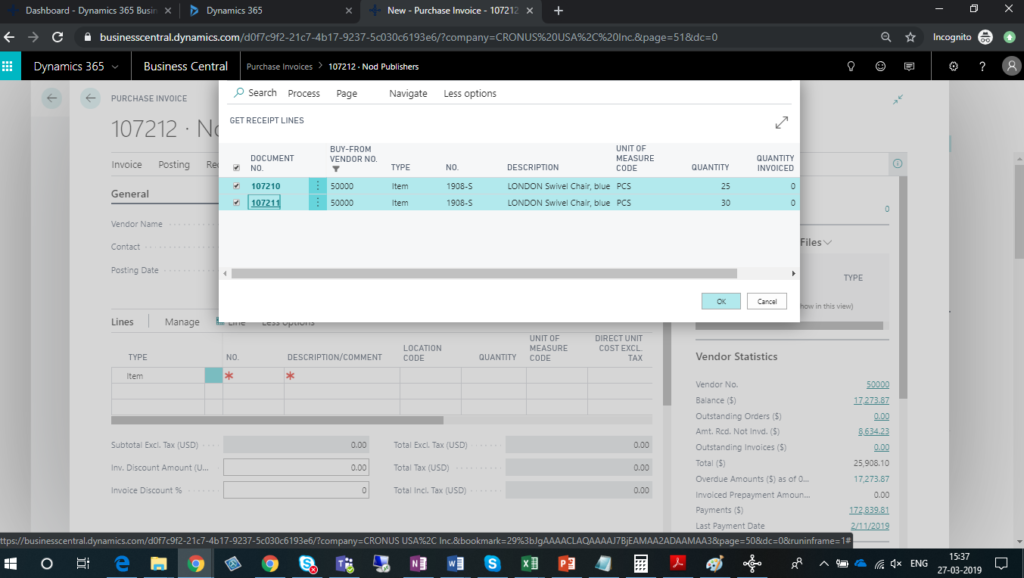
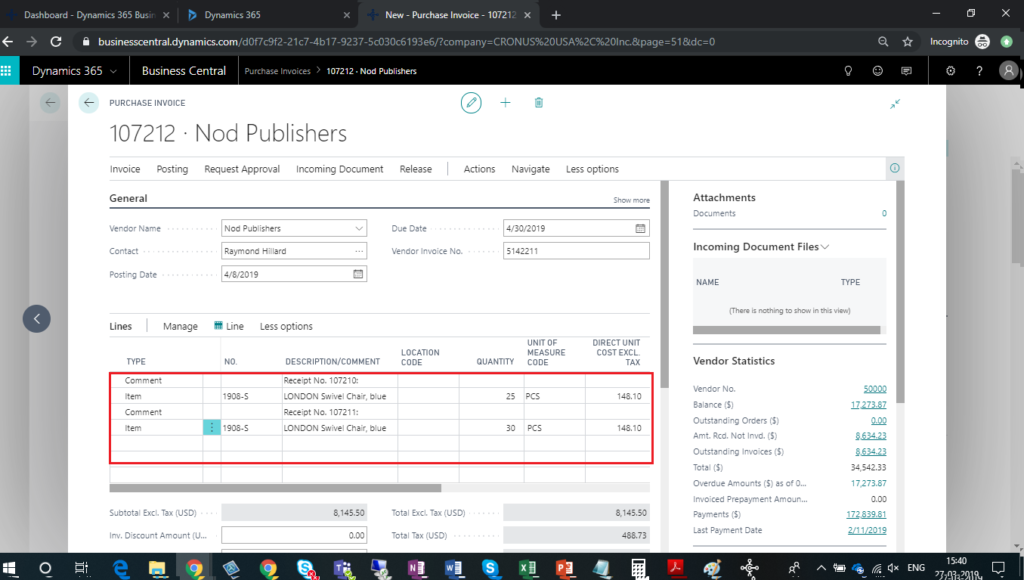
- In Line section, You can see the added purchase receipt lines.
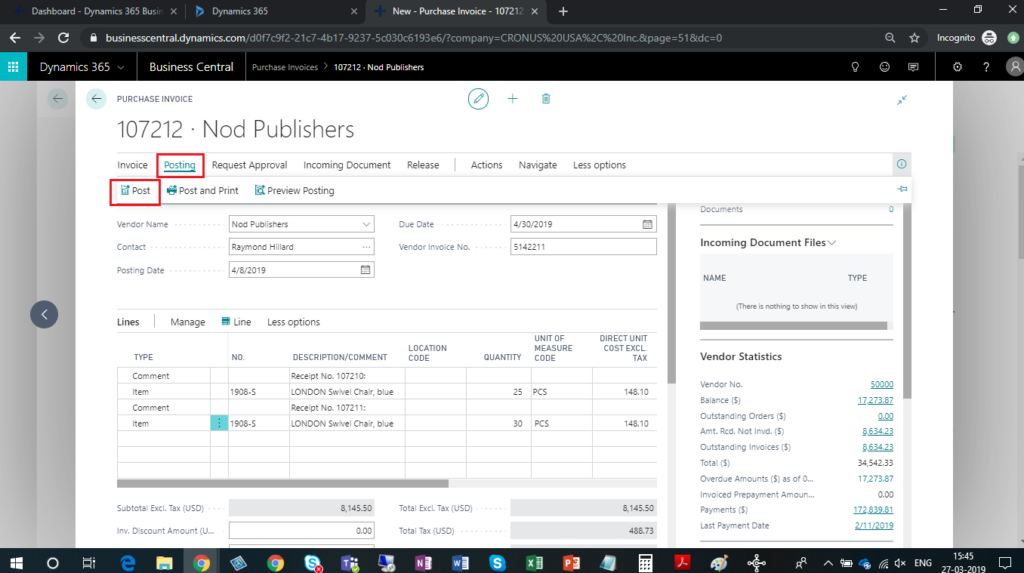
- To post the invoice, choose the Post action.
The post Post Single Invoice for multiple Purchase Receipt in Dynamics 365 Business Central appeared first on CloudFronts - Microsoft Dynamics 365 | Power BI | Azure.
*This post is locked for comments