




 481
481 Like
Like Share
Share
 Report
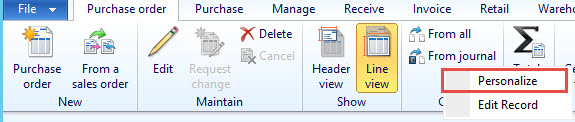
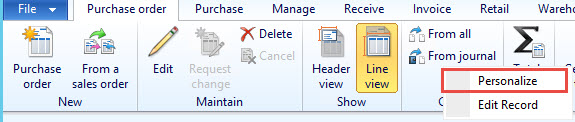
Step 1 - Find a control in a form (You can find by right click on form and personalize)
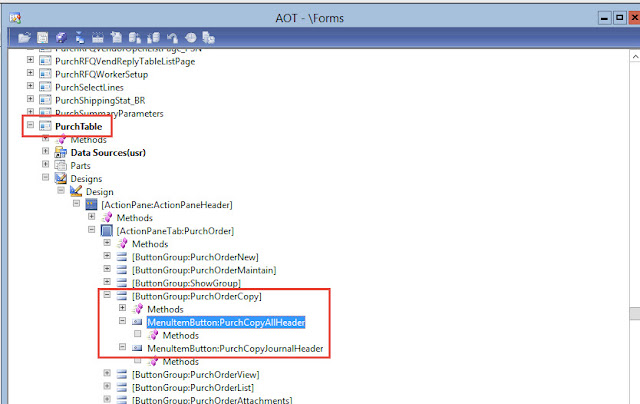
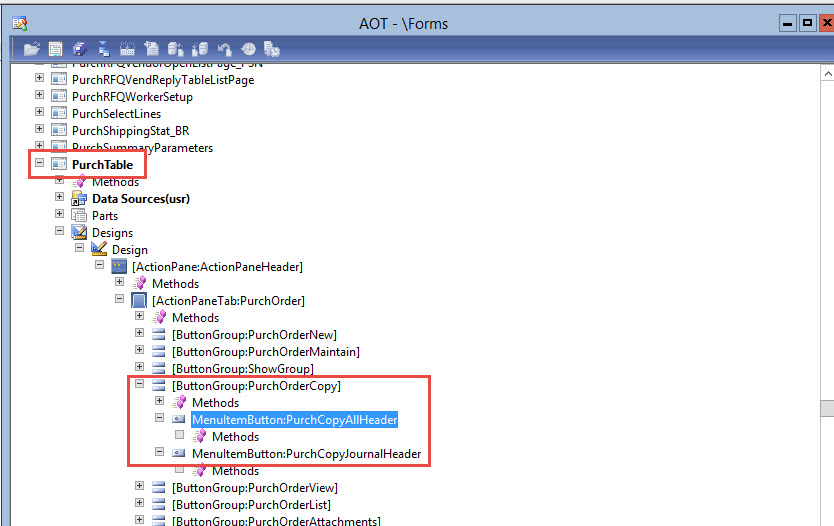
Step 2 - Then go to that form and find the used menu item
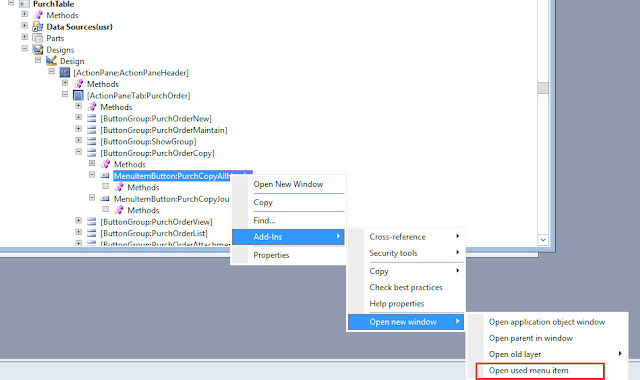
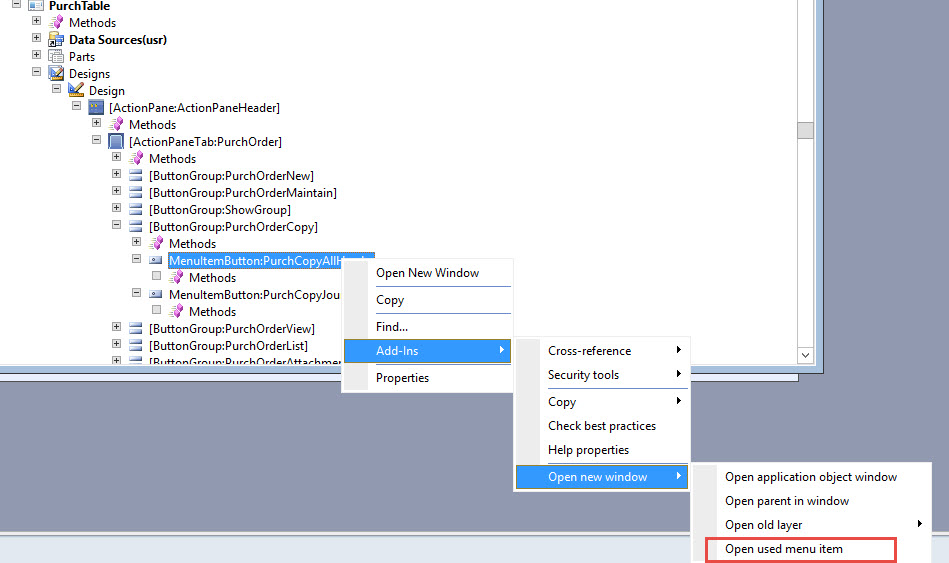
Step 3 - Right click on that selected menu item and click on 'Open used menu item' as shown below -
Step 4 - Once you click on that it will popup a window with used menu item, then right click on that menu item -
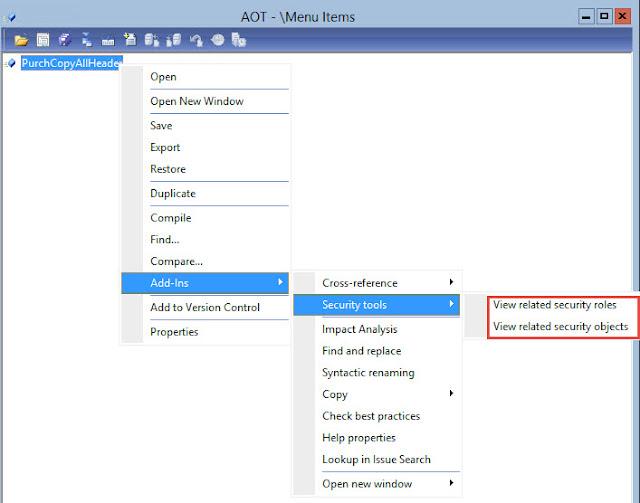
Step 5 - And then hit 'View related security roles', we will get all details here

Step 2 - Then go to that form and find the used menu item
Step 3 - Right click on that selected menu item and click on 'Open used menu item' as shown below -
Step 4 - Once you click on that it will popup a window with used menu item, then right click on that menu item -
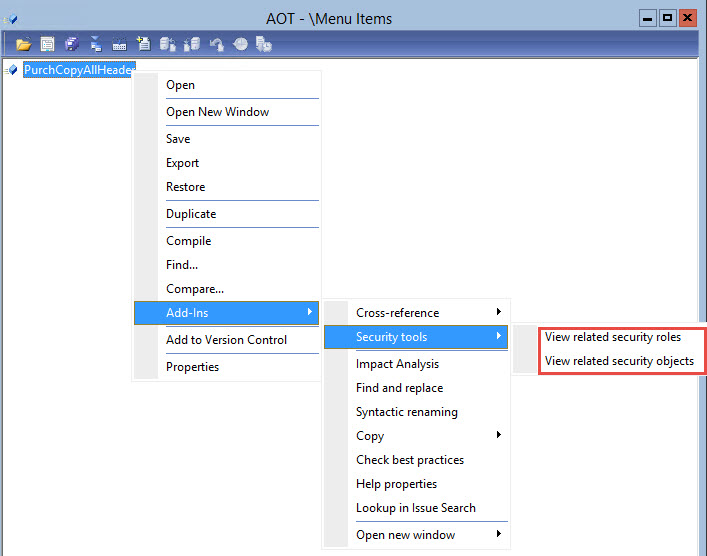
Step 5 - And then hit 'View related security roles', we will get all details here

*This post is locked for comments