




 6,230
6,230 Like
Like Share
Share
 Report
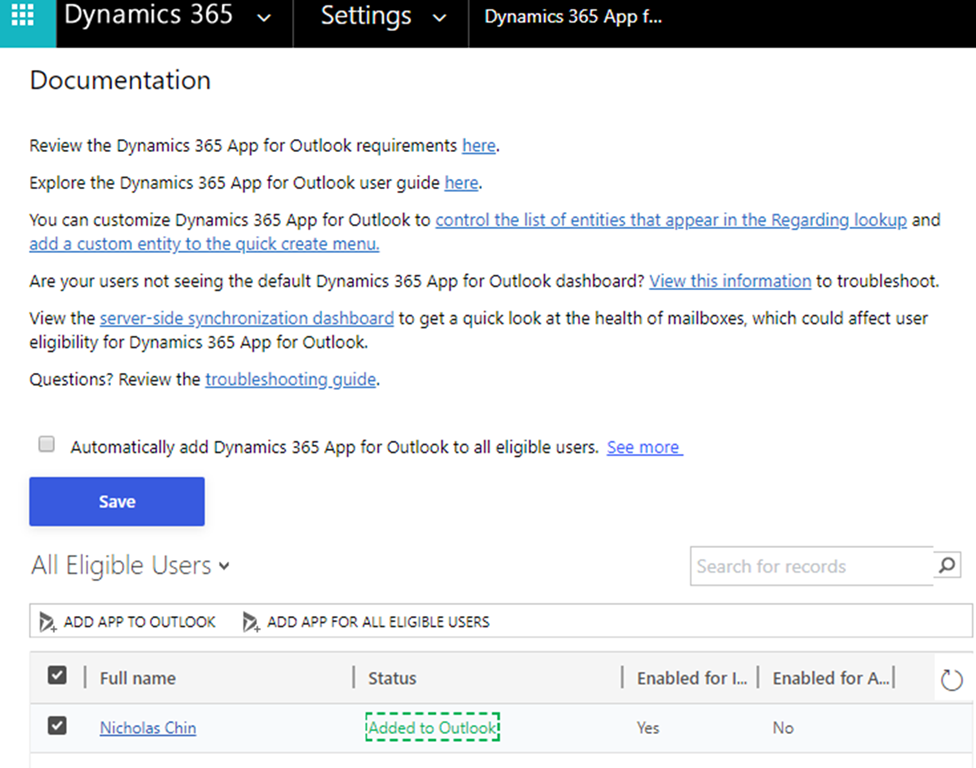
Sometimes when you have added the Dynamics 365 App to Outlook it won’t display no matter how many times you click “ADD APP TO OUTLOOK” in the Dynamics 365 App for Outlook management menu and the Status will display “Added to Outlook”.
One fix is to remove the Add-in through the Outlook webpage.
1. Browse to your Outlook in the web browser
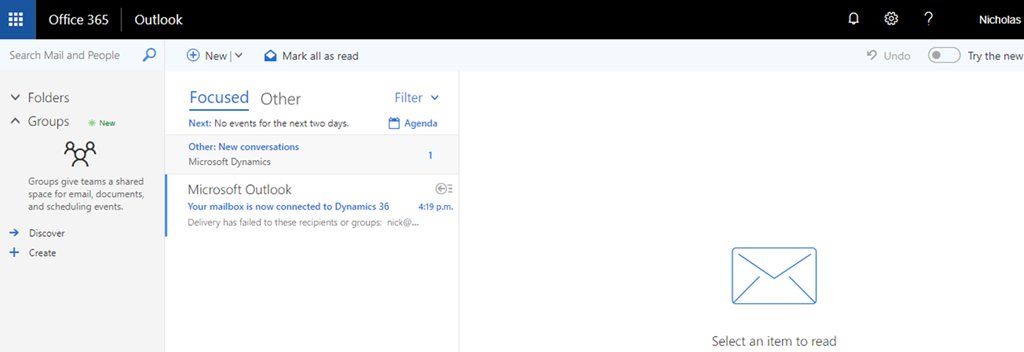
2. Open the settings menu 
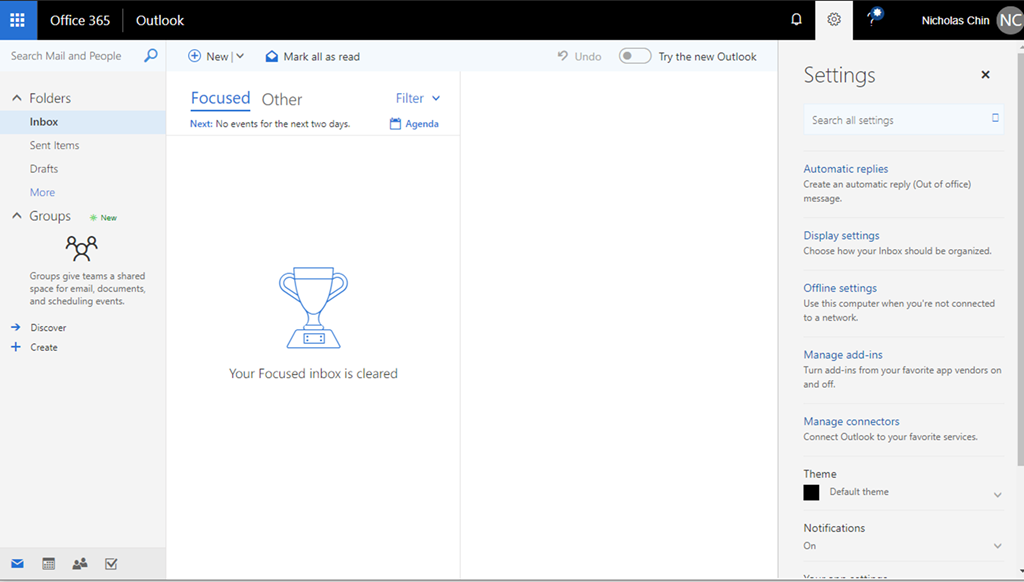
3. Click the Manage add-ins
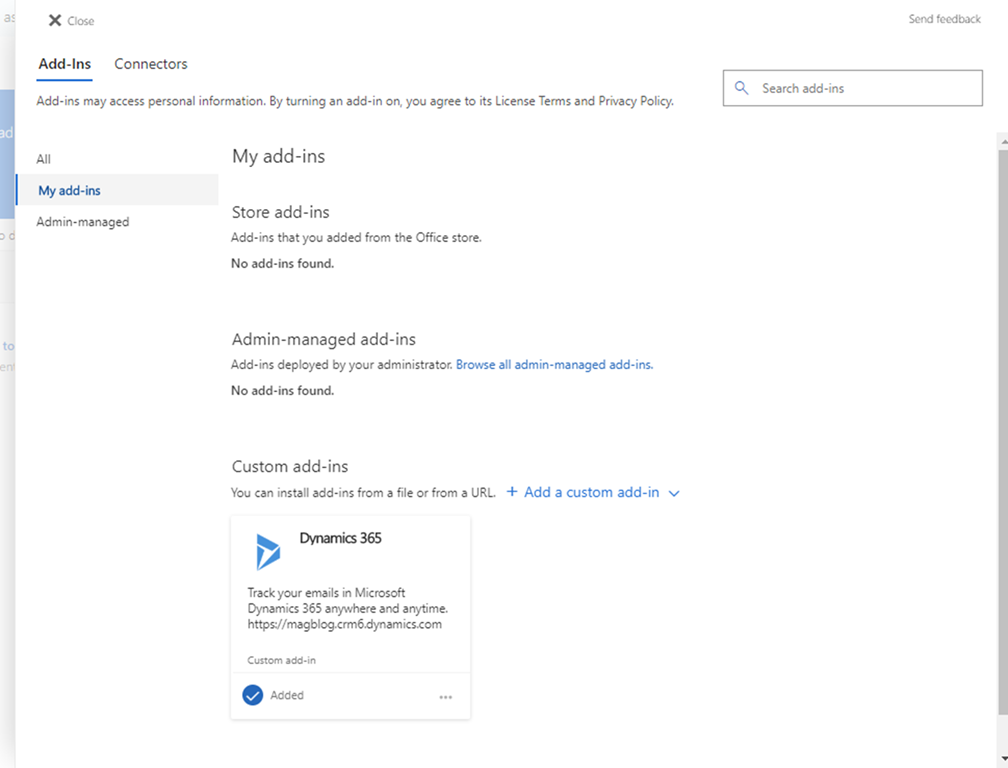
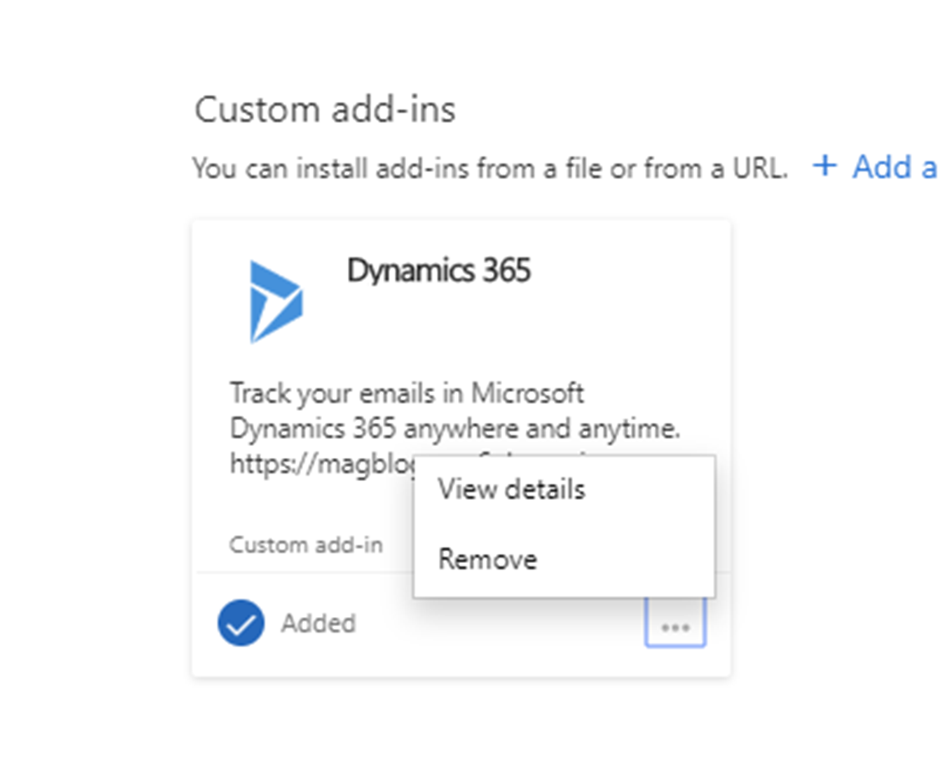
4. Remove the Dynamics 365 Add-In
5. Go back to CRM and the Dynamics 365 App for Outlook management menu and “ADD APP TO OUTLOOK”
*This post is locked for comments