




 22,784
 Like
Like Share
Share
 Report
 I had an issue with sending emails through Outlook.com a couple of years ago and had trouble finding out the cause of the issue which was a full mailbox. Since then I have worked out how to find out the capacity and usage of an Outlook.com mailbox.
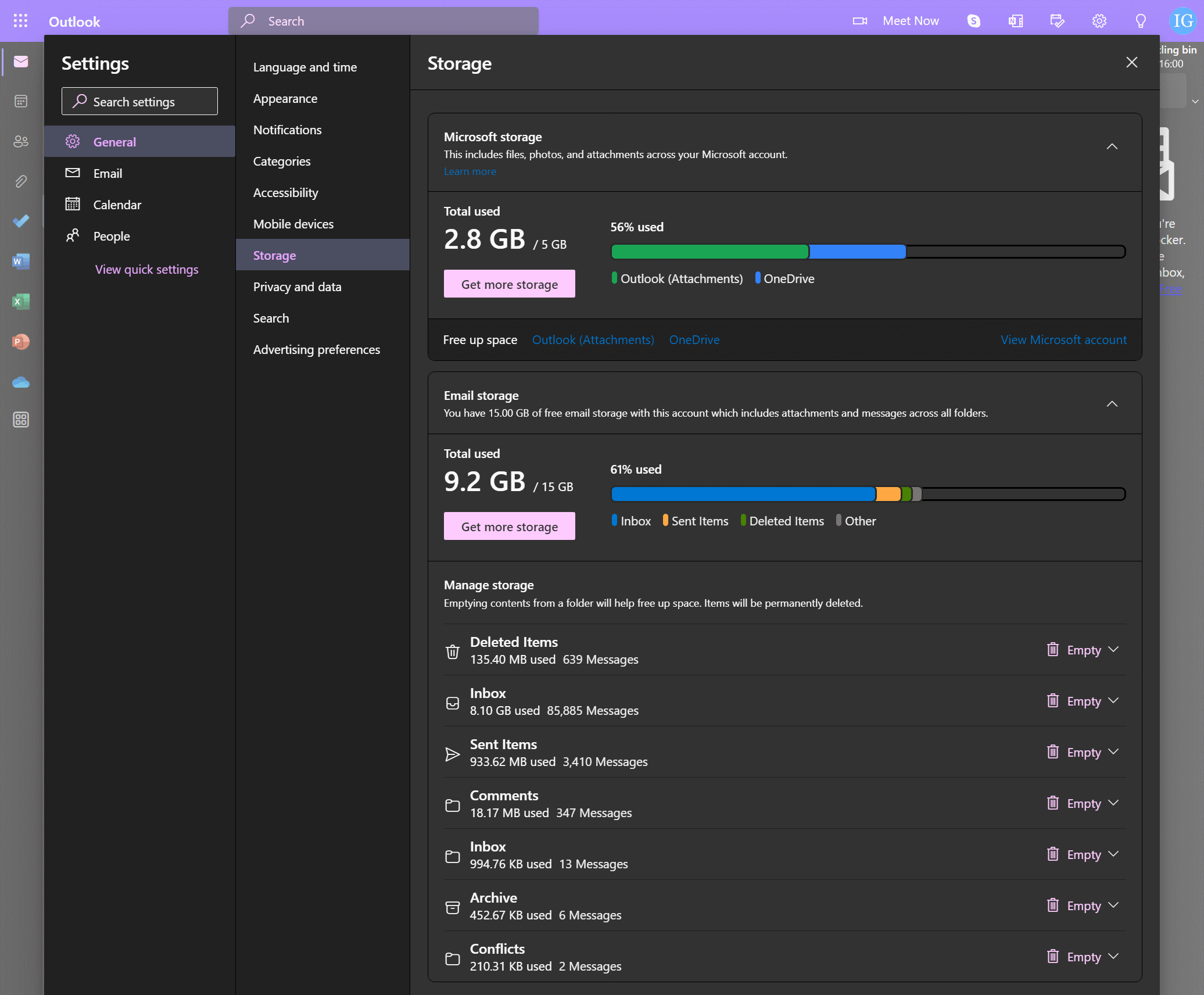
To find out your mailbox usage, click on the settings cog icon in the top right corner and then on View all Outlook settings at the bottom of the settings pane.
On the Settings page select General » Storage and you will see capacity and usage at the top of the page; you can also expand the Email Storage toggle at the bottom to see individual folder and how much space they’re consuming:
Read original post Find Size of Outlook.com Mailbox at azurecurve|Ramblings of an IT Professional
*This post is locked for comments