




 17,887
 Like
Like Share
Share
 Report
This feature resembles the virtual companies feature in Microsoft Dynamics AX 2012.
To enable Cross-company data sharing
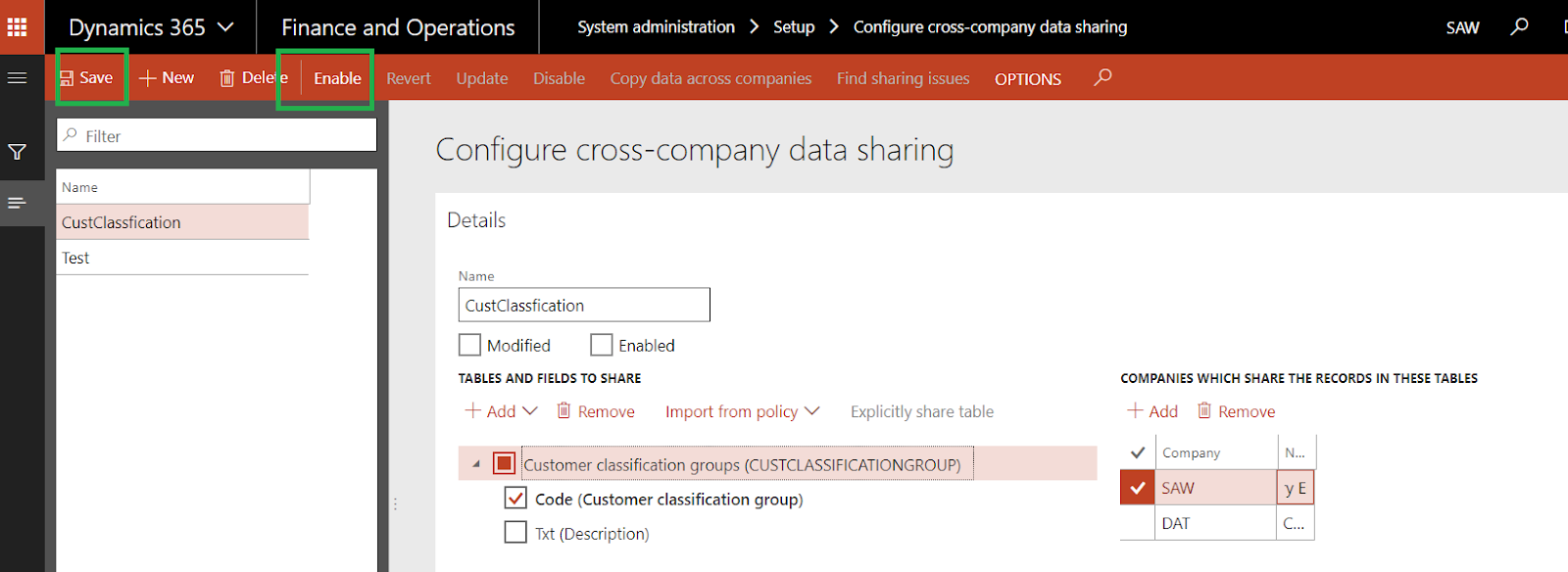
System Administration -> Setup -> Configure cross-company data sharing.
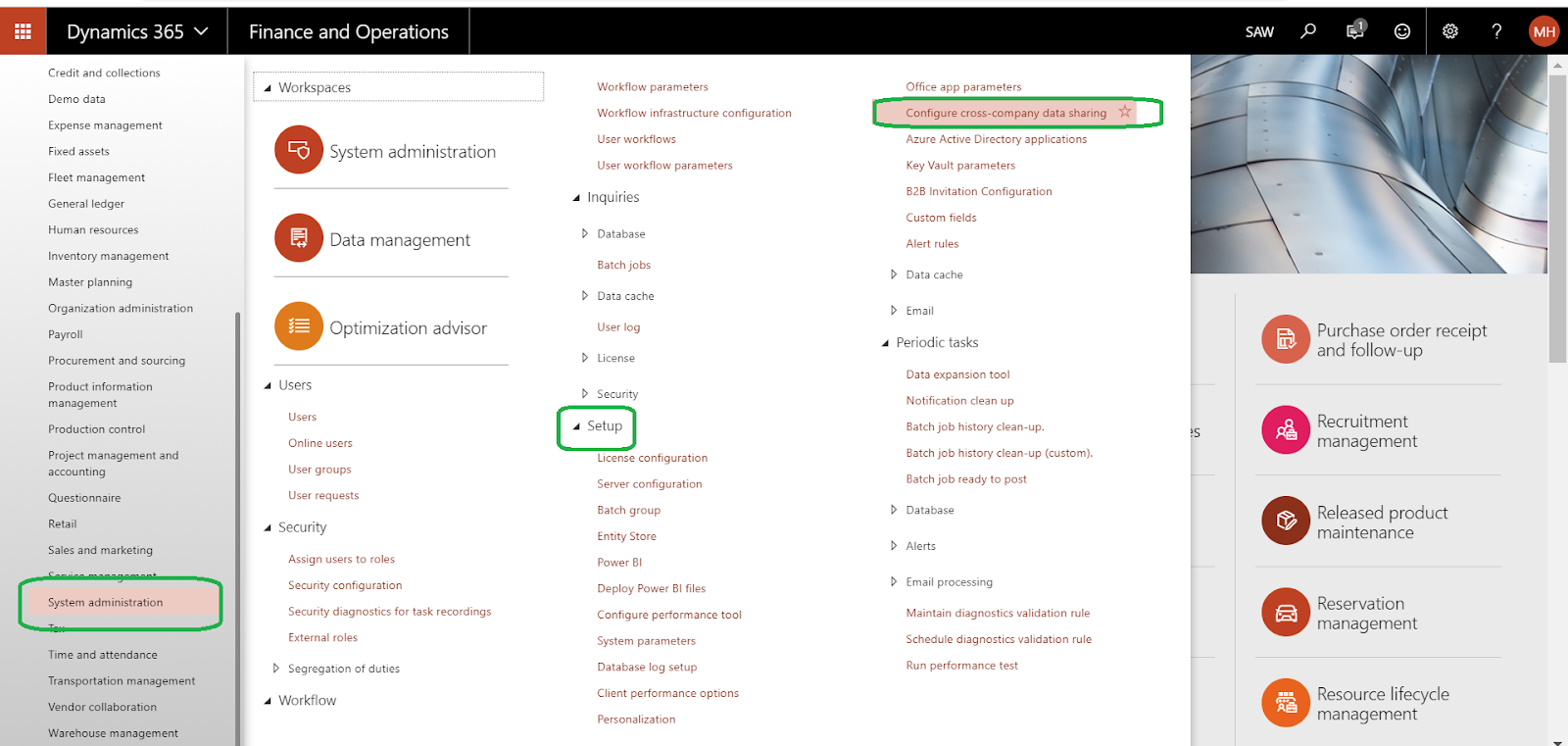
for example, l will share customer classification between SAW and DAT legal entities
click new to assign a name , and add custclassificationgroup table like the below
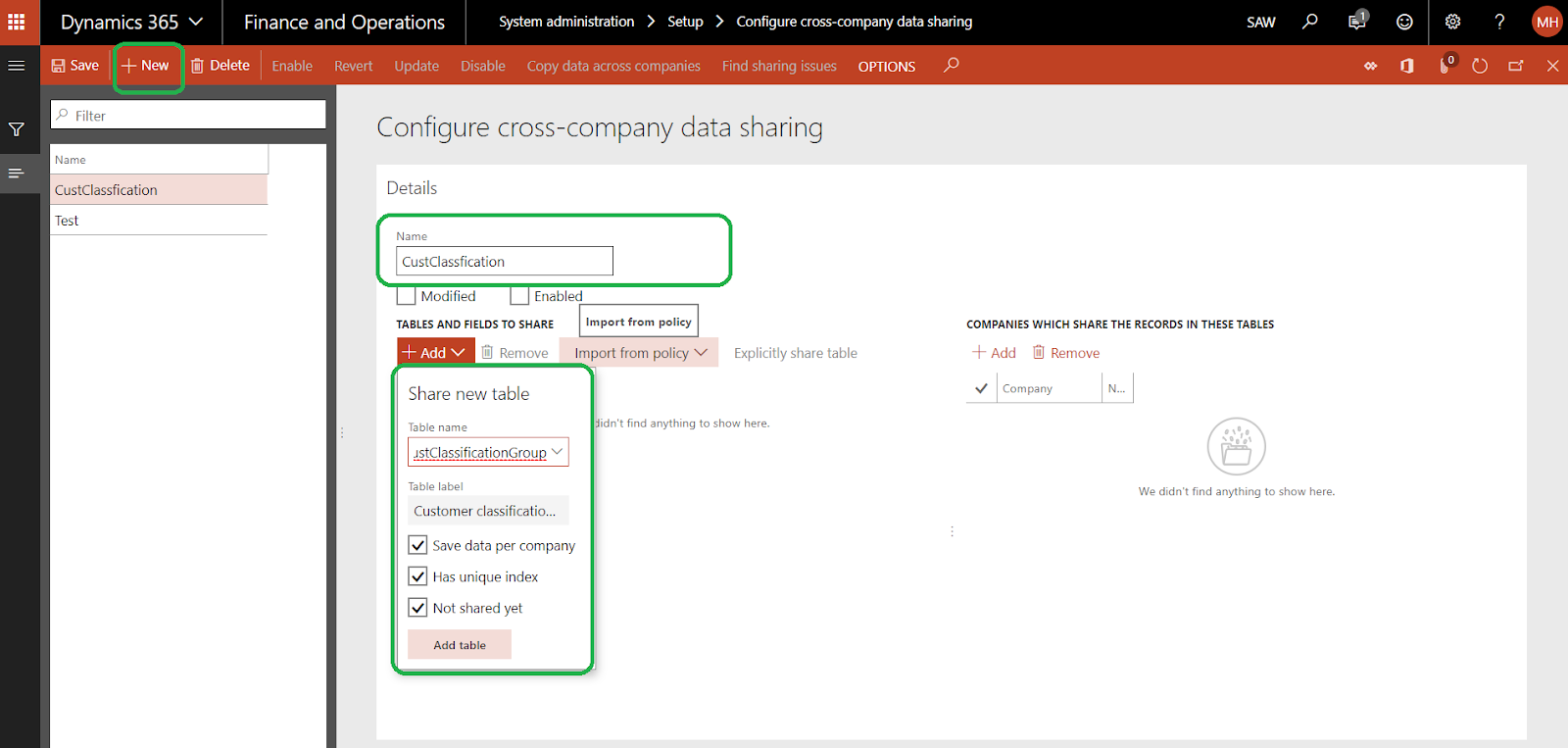
select fields that you need to share (you can share some fields only )
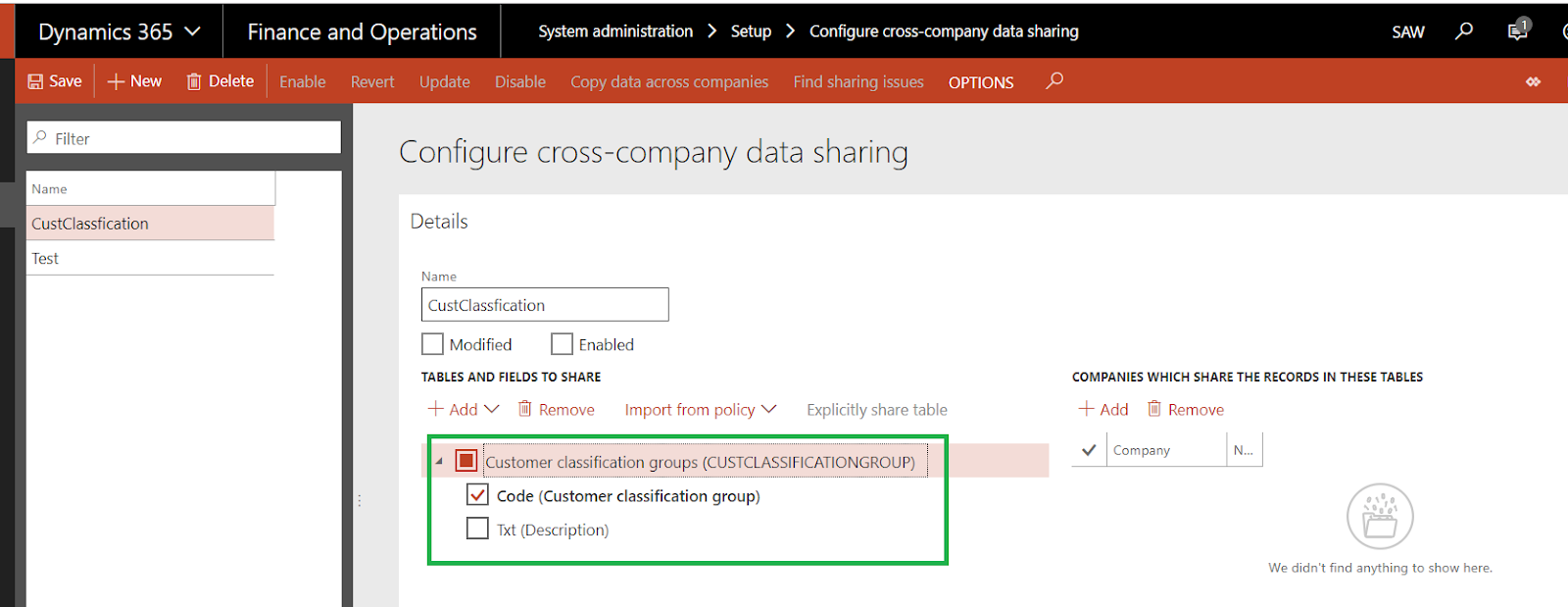
in this scenario, I will share the codes only
add legal entities that you need to share data
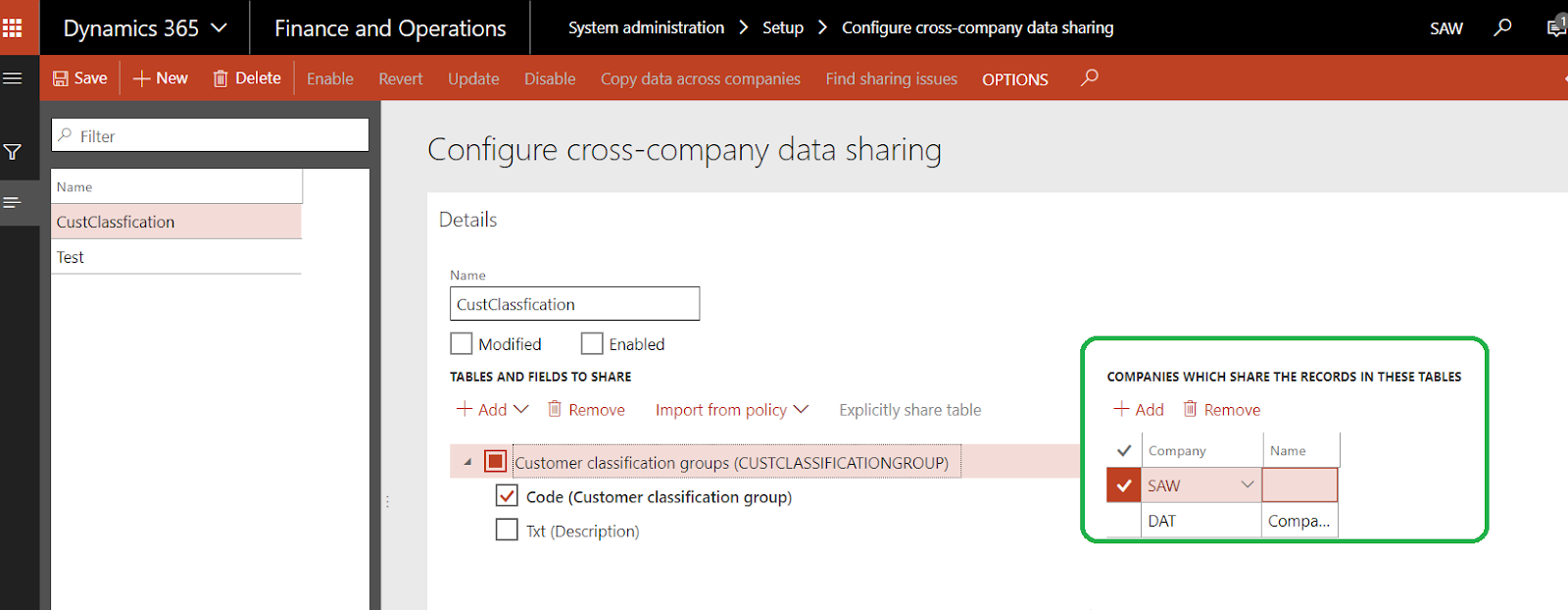
click Save then click Enable
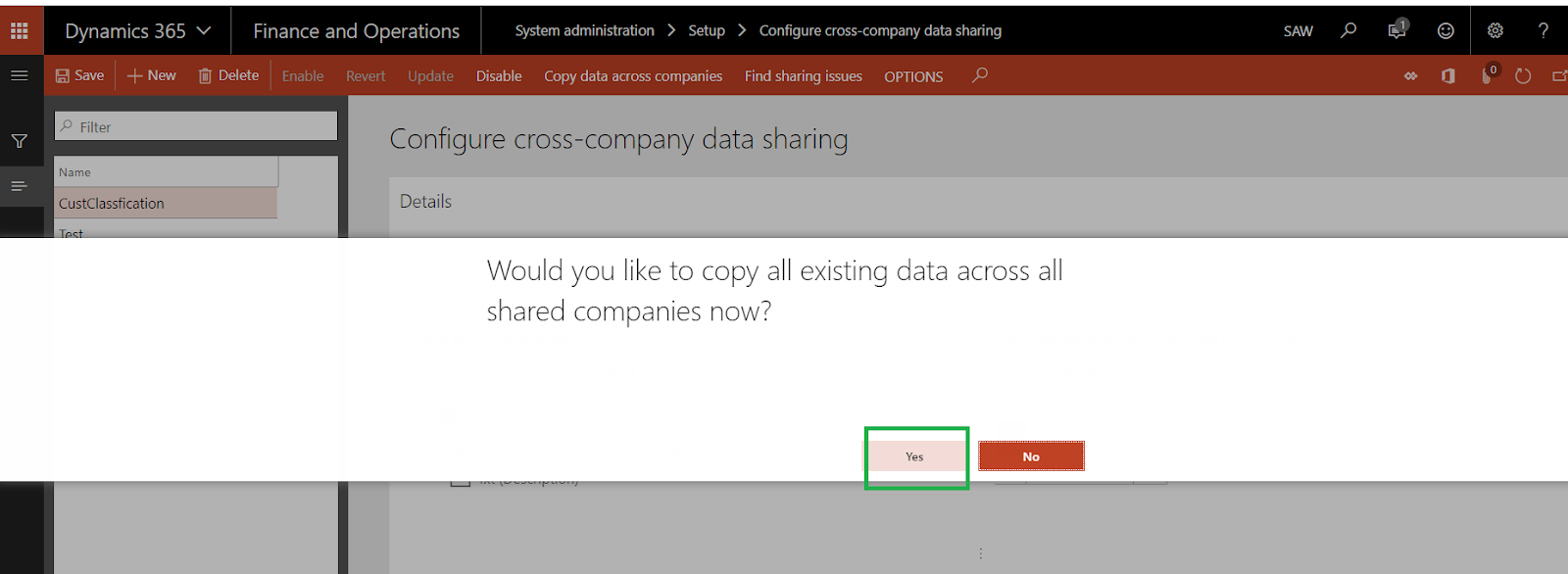
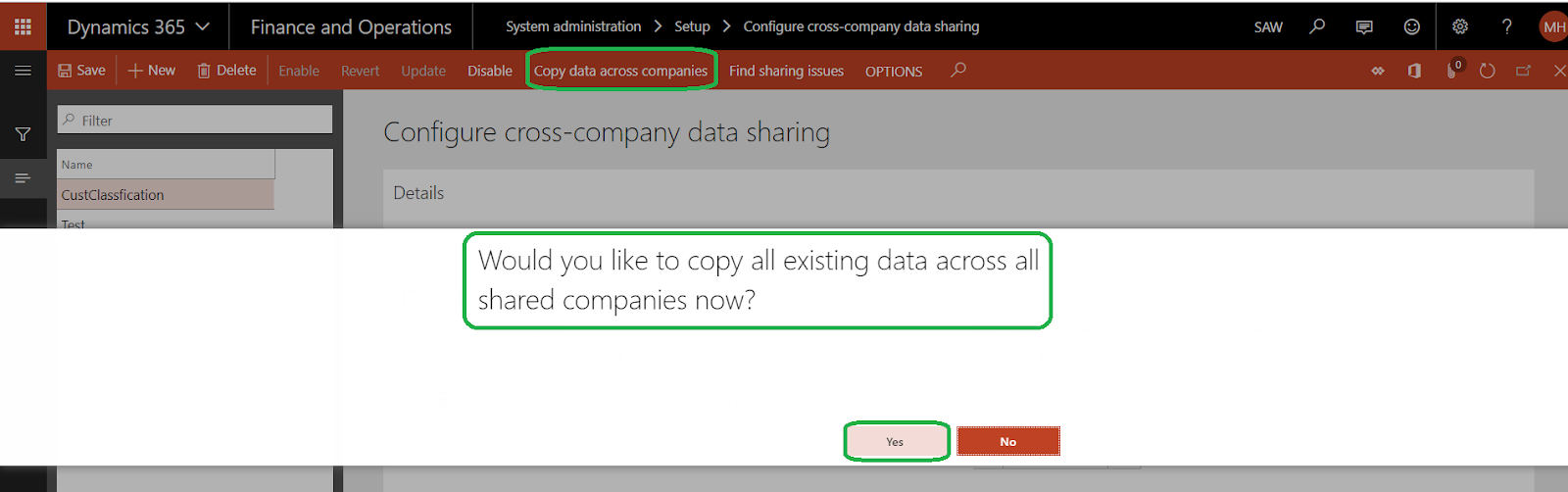
click Yes to copy data between shared legal entity
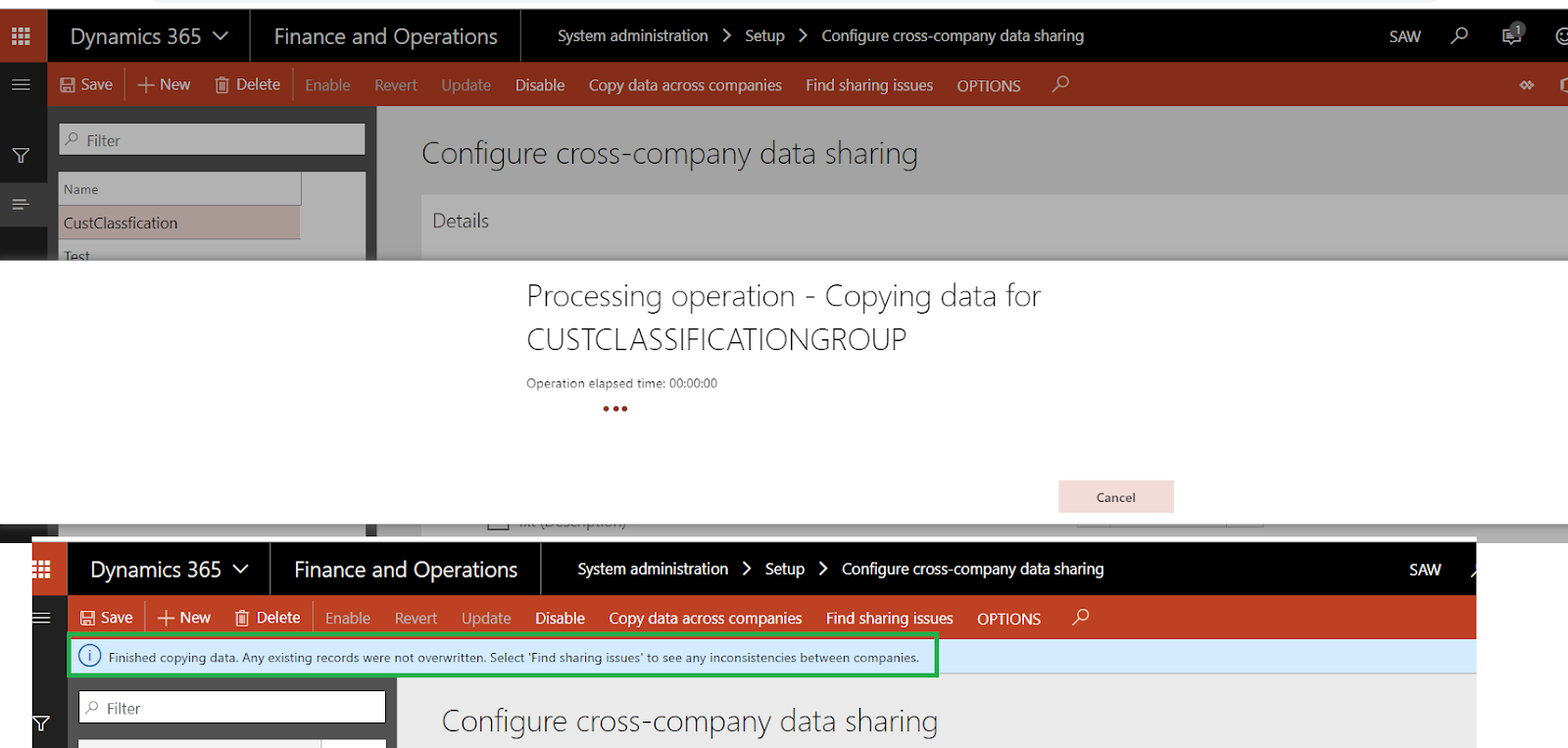
please wait until copy finished
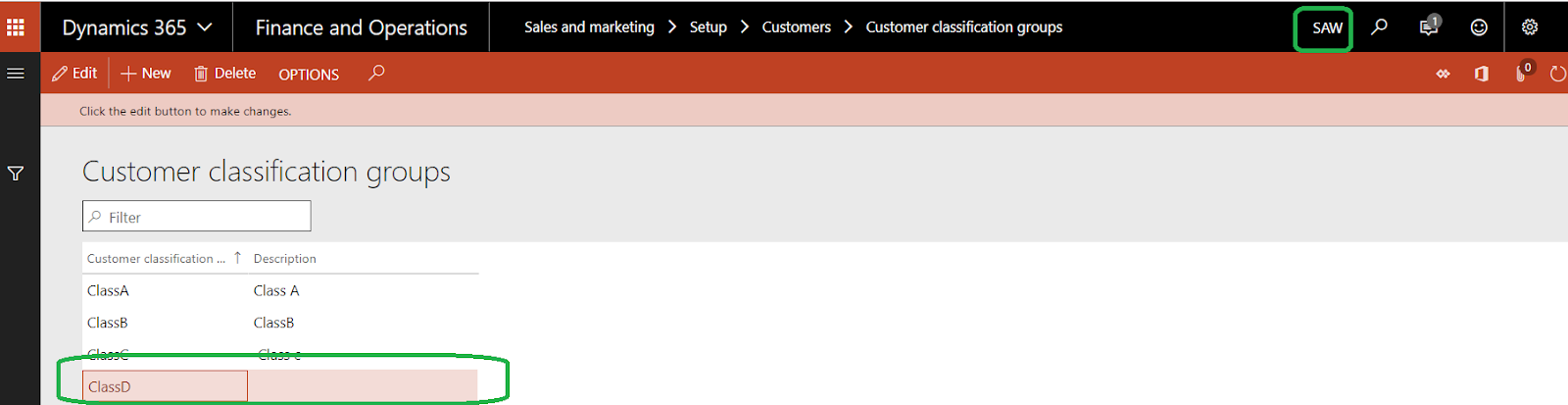
Now, Go to DAT legal entity to check Data Copied or not

as you see code only shared, and name blank because we did not select in shared fields
Create new Group in DAT and check it in SAW legal entity
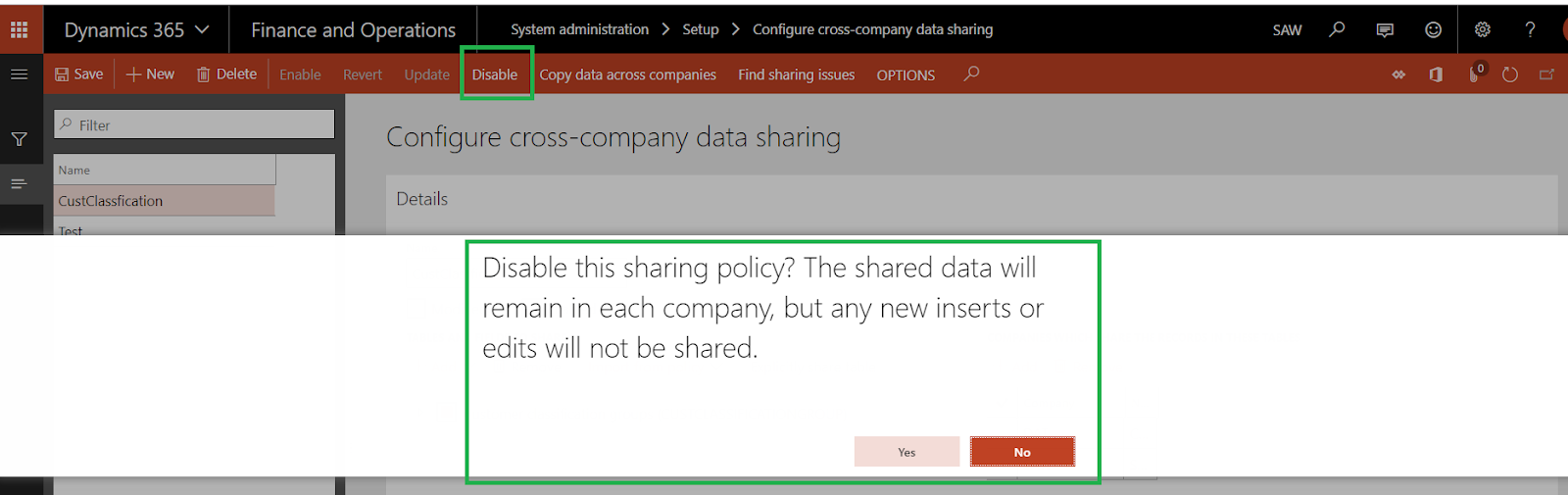
You can Disable this sharing policy and The shared data will remain in each company, but any new inserts or edits will not be shared.
if you disable sharing and need to share again, just click copy data across companies
Cross-company data sharing has the following limitations:
- It can’t be used to share transactional data between companies.
- Only reference and group data can be shared.
- It supports replication of fewer than one million total records per job. (This total is calculated as the number of shared records × the number of shared companies.)
- Only one level of child relationships is exposed. To protect data consistency, replication doesn't occur if another level is required.
For more details click HERE
*This post is locked for comments