




 Like
Like Share
Share
 Report
Release 9.1.X (the coveted October release) is already here and some organizations have already been upgraded to the new version. Steve “Mr SMB” Mordue was, for a change, on the receiving end, as his customers complained that Word templates stopped working after the upgrade. When a template is selected from a record, new shiny Dynamics UI says it is creating, the spinning dialog eventually stops, but then nothing happens and nothing gets created. Steve tried clearing cache, and re-uploading template with a new name, no luck.
Turns out, SharePoint integration was throwing a spanner into the shiny October mag wheels. When downloading your template, make sure the two highlighted SharePoint relationships are not selected.
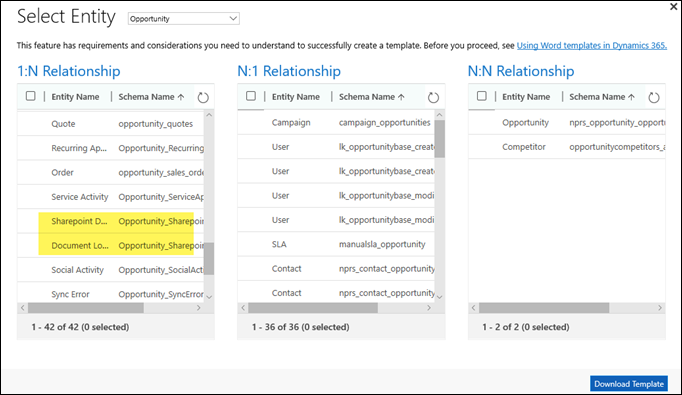
After that, both Word and Excel templates work like a charm. To the extent they can charm anyone, of course.
The relationships on the screenshot are for the opportunity, you’d want to exclude similar ones when using a different document-enabled entity.
(Facebook and Twitter cover photo by rawpixel on Unsplash)
*This post is locked for comments