




 17,887
 Like
Like Share
Share
 Report
In this blog, I will show Setup and the effect of electronic signature.
A- Setup
1- Go To Organization administration/Setup/Electronic signature/Electronic signature parameters.
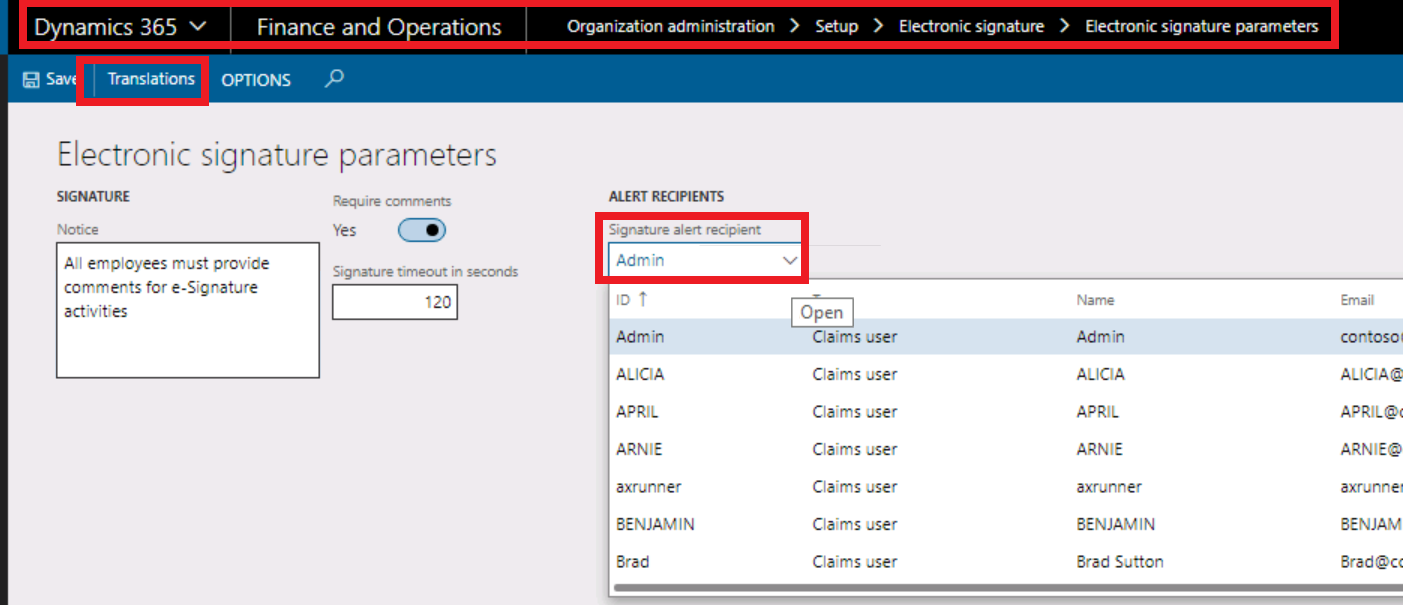
you can enable require comments to force users into entering comments and select who alert in the signature alert recipient drop box
notice:: it will be shown to the user when he signs the document (we can see in the transaction later)
also, you can setup timeout for this signature with seconds
if you need to use different languages notice, you can setup translation
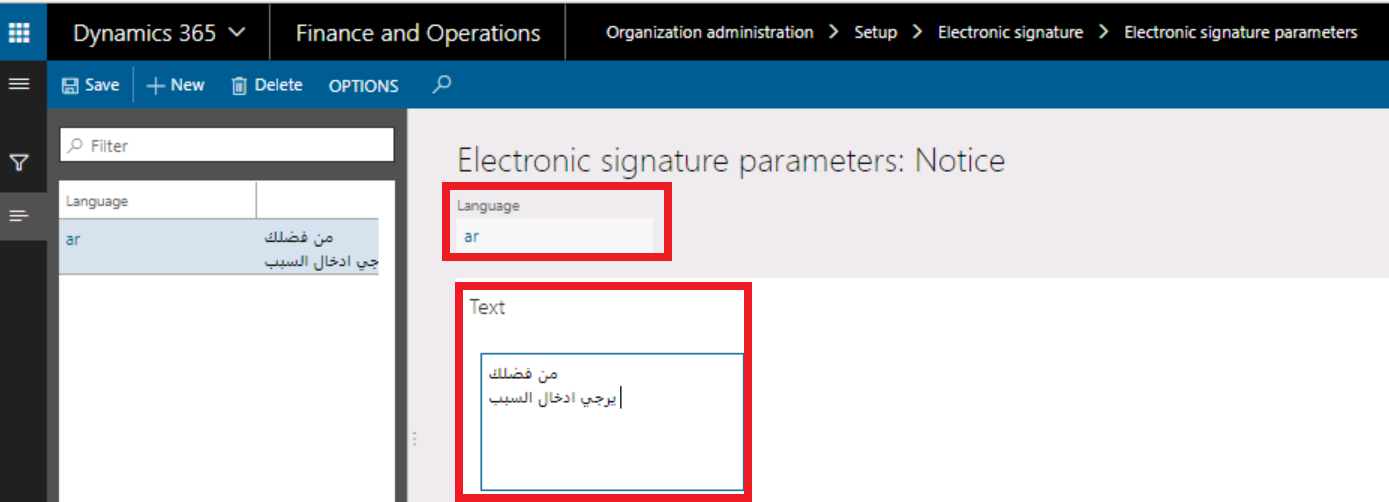
just click translation and click new.
you can select language and enter notice
2- Go To Organization administration/Setup/Electronic signature/Electronic signature reason codes.

click new and assign code and description for the reason
3- Go To Organization administration/Setup/Electronic signature/Electronic signature requirements.

Click new and assign a name to select the table and field that you need to activate signature
you can enable signature required.
when to require a signature:: you can set always or only
for only:: (you must select the action like insert/update/delete )
4- Go To system administration/users/users.
select user that you need to activate electronic signature

and click user options then click account tab
signature enabled and the valid certificate is a must

Select “Get certificate” and pick a password.

also, you can designate approver

B-Transaction
1-Go to accounts receivable /customers /all customers
select your customer and view details to edit

change the credit limit for the customer and click save, the system asks you to sign the document

notice that we set up before coming here and comment is required based on the previous setup..etc
just select a reason and add your comment to complete changes

enter the password and click ok to sign the document

click OK to recalculate the credit limit
1-Go option tab and click record info to see the database log for this record


clcik database log to see all details like signer and the previous value,...etc

click history tab to see all field that changed

thanks.
*This post is locked for comments