




 Like
Like Share
Share
 Report
I recently had an experience and would like to share. When I was trying to upload product image to a product in Dynamics AX 2012. It returned with following error

Message "CLRObject object not initialised." was really misleading. I was debugging and as soon as it went to read WINAPI -> System.IO.CopyFile(*,*,*) it was always returning error as mentioned above.
In order to see what the actual thrown message is, I had to write custom code in copyFile method of WinAPI class (highlighted code is the code to display actual message)
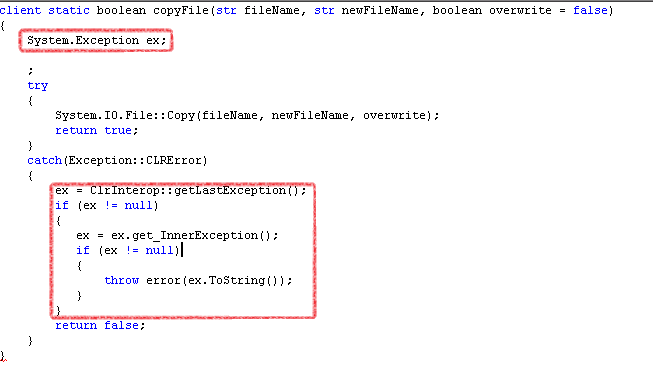
So from above modification, I was able to see the more descriptive error which was

Now the actual message was related to un authorized access to the folder where it saves temp image files (selected on parameters form of document management). I went to that folder and assigned write permissions to domain users. There can be many reasons for this CLRObject error. However, making this change in code for debugging will let you quickly understand the actual pain.
Hope, this is helpful for you guys.
*This post is locked for comments