




 6,125
6,125 Like
Like Share
Share
 Report
Most of time my team members complain me that they are getting two type of errors randomly.
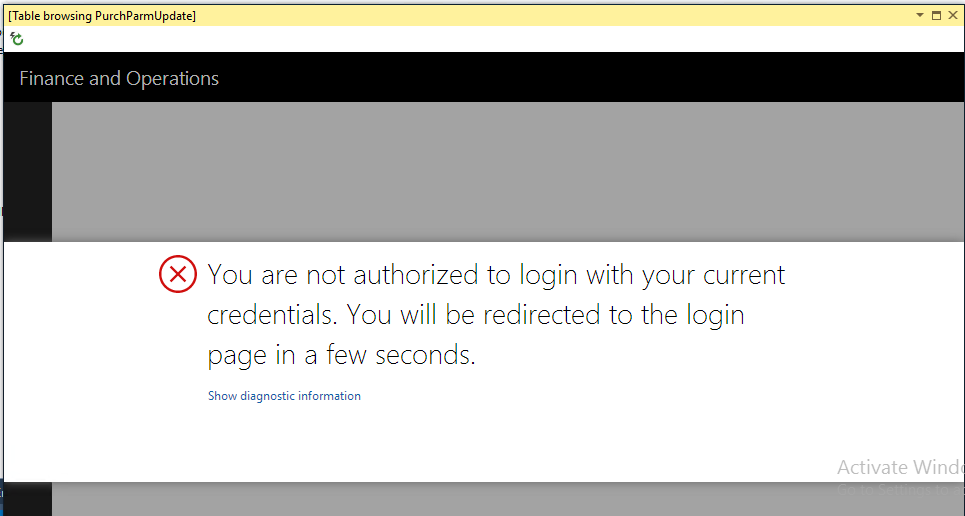
- Authentication error while browse the table from Visual Studio.
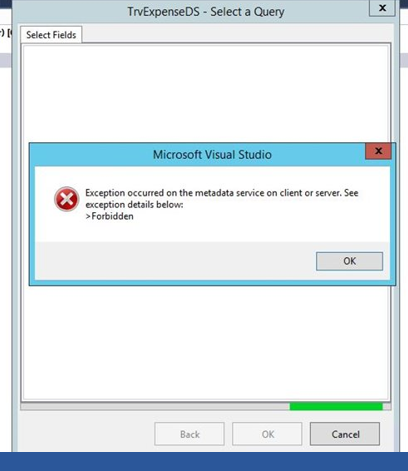
- Exception occurred on the metadata service on client or server – error: forbidden. While setting report data source as query the above error occurred
Point-1 reference screenshot
Point-2 reference screenshot
We can resolve above both types of error in just few steps.
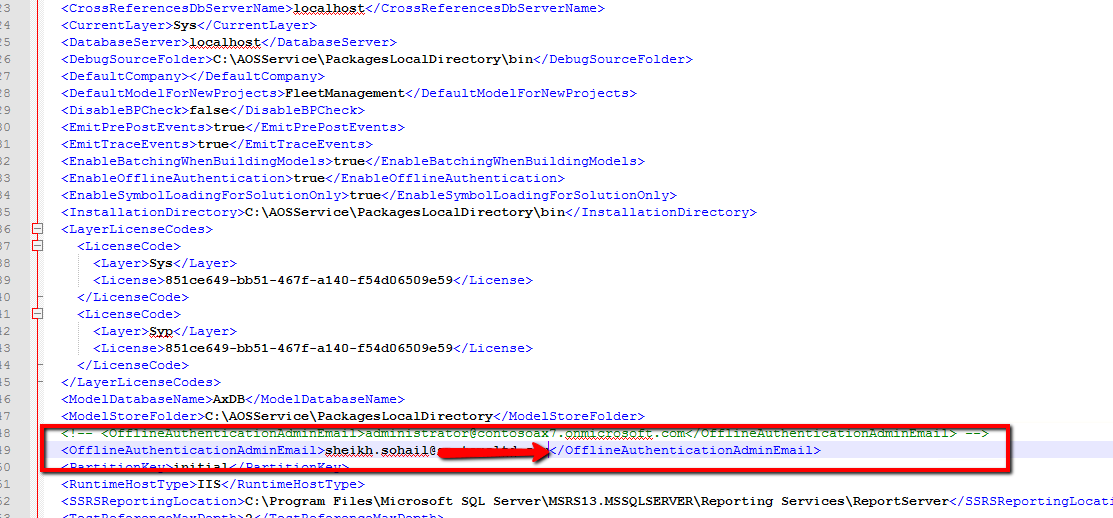
Step-1 Check for the “OfflineAuthenticationAdminEmail” key in file “DynamicsDevConfig” in AOSService -> PackagesLocalDirectory->Bin to be set to the correct login email that you are using.

reference screenshot.

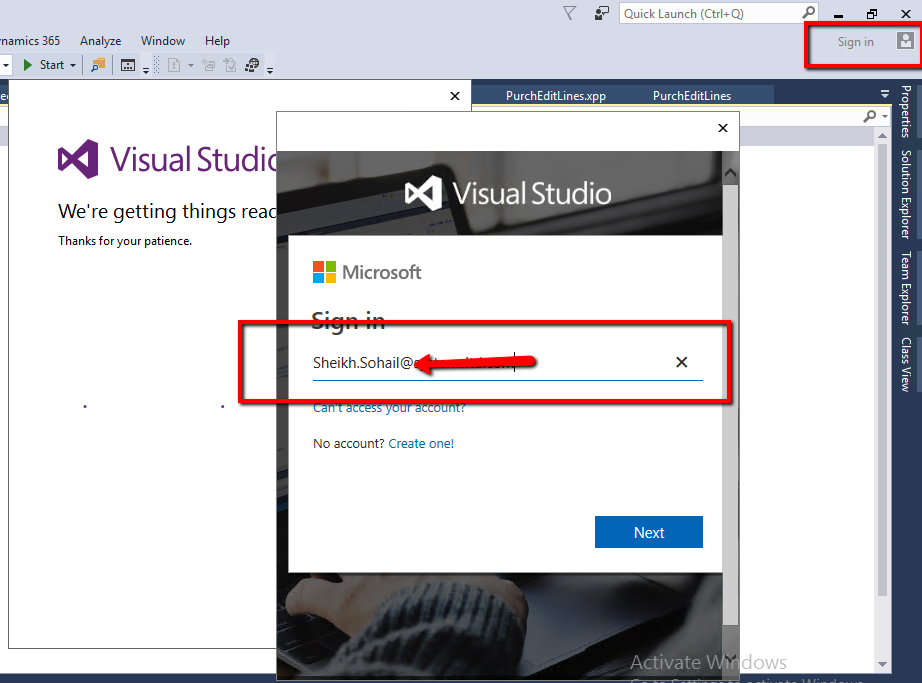
Step-3 Sign In to Visual Studio with your account.
Step-4 Close Visual studio.
Step-5 Restart IIS.
Step-6 Restart Batch
Step-7 Open Visual Studio as Administrator
Step-8 Verify your issue again. in my case both issues resolved.

Please feel free to contact me if you are facing any issue to implement this blog.
*This post is locked for comments