




 841
841 Like
Like Share
Share
 Report
1- One way is to use SuppressBPWarning attribute as shown below:

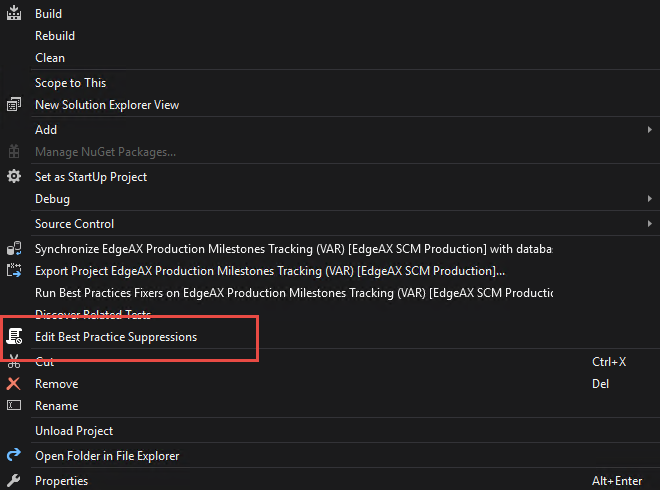
2- Second way to suppress best practice is by using "Edit Best Practice Suppressions" option:
Note:In some cases best practice suppression file cannot created and it throws error as shown below.
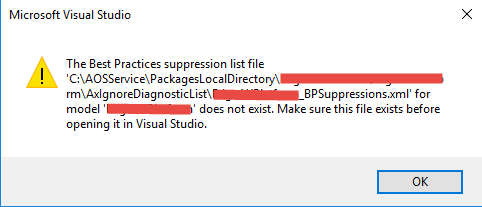
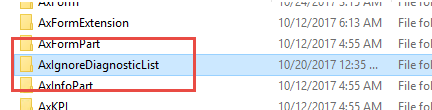
So for the resolution of this error we need to manually create an XML file in our model under this path. (Drive:\AosService\PackagesLocalDirectory\MyModel\AxIgnoreDiagnosticList\ModelName_BPSuppressions.xml).

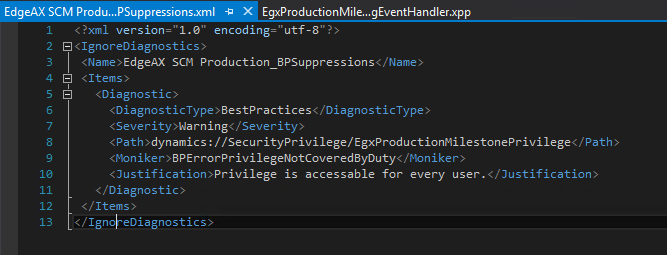
Now open Suppression file in Visual studio and add your IgnoreDiagnostics as shown below.
*This post is locked for comments